Using Your Dell Venue Smartphone 45
To make a call
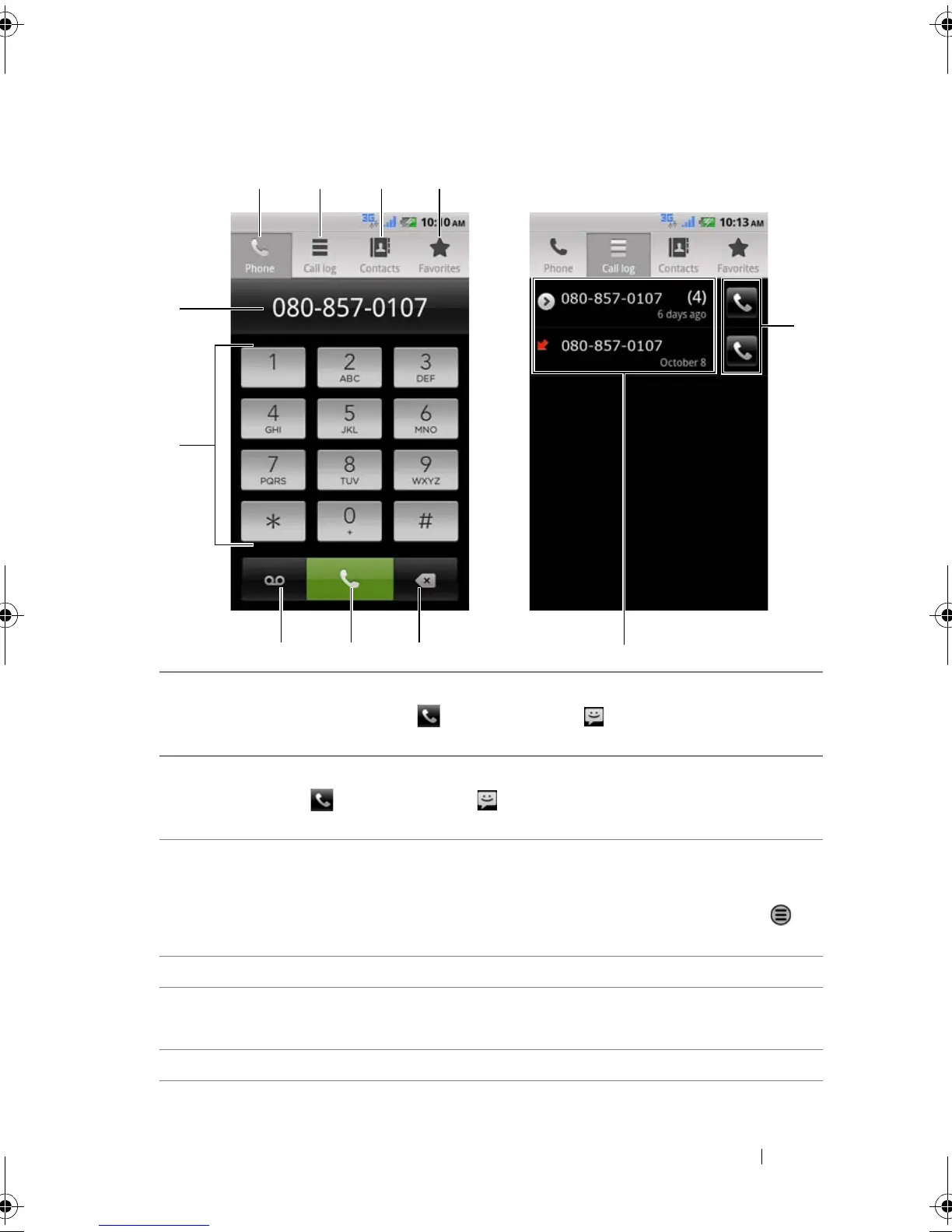
1 Touch to select a contact from your Favorites contact list. Touch a
contact and then touch to call or touch to send a text message
to the contact.
2 Touch to select a contact from your Contacts list. Touch a contact and
then touch to call or touch to send a text message to the
contact.
3 Touch to view the call log, call or text message the caller, or save or view
the caller in Contacts.
NOTE: To erase all calls from the call log, touch the Menu button →
Clear call log
→ OK.
4 Touch to open the on-screen dialpad.
5 • Touch to bring up the numeric keypad or move the cursor.
• Touch and hold to bring up the Edit text pop-up menu.
6 Type the number to call using the on-screen dialpad.
Thunder_UM.book Page 45 Monday, December 13, 2010 6:53 PM














 To Next Page