Setting Up Your Dell Venue Smartphone 7
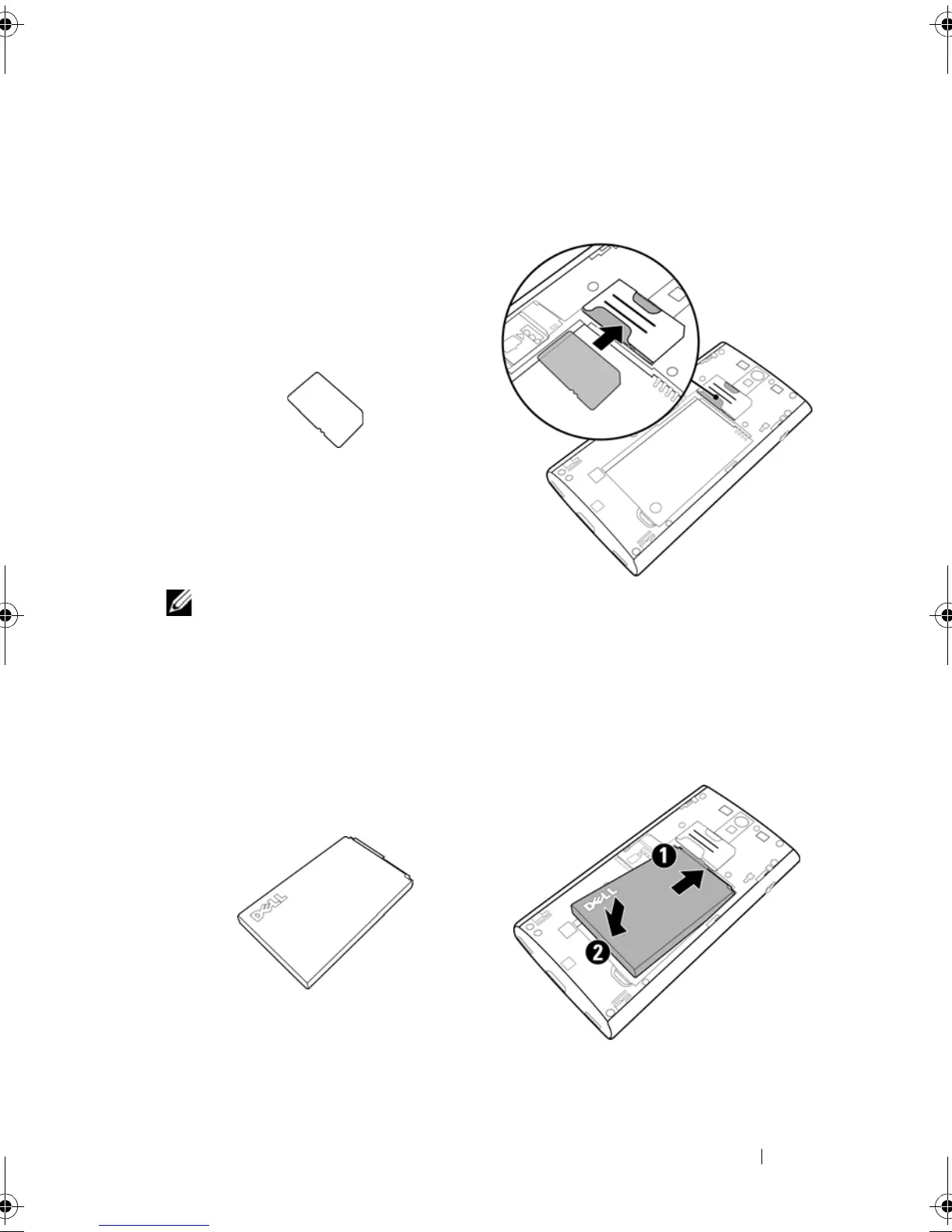
2 Insert the SIM card
3 Insert the battery
Insert the SIM card in the illustrated direction under the metal plate that
covers the SIM card holder.
NOTE: If you have difficulty in inserting the SIM card, ensure that the
angled corner of the SIM card is aligned with the angled corner of the
SIM card holder.
Align the metal contacts on the battery with the contacts on the battery
holder and insert the battery.
Thunder_UM.book Page 7 Monday, December 13, 2010 6:53 PM














 To Next Page