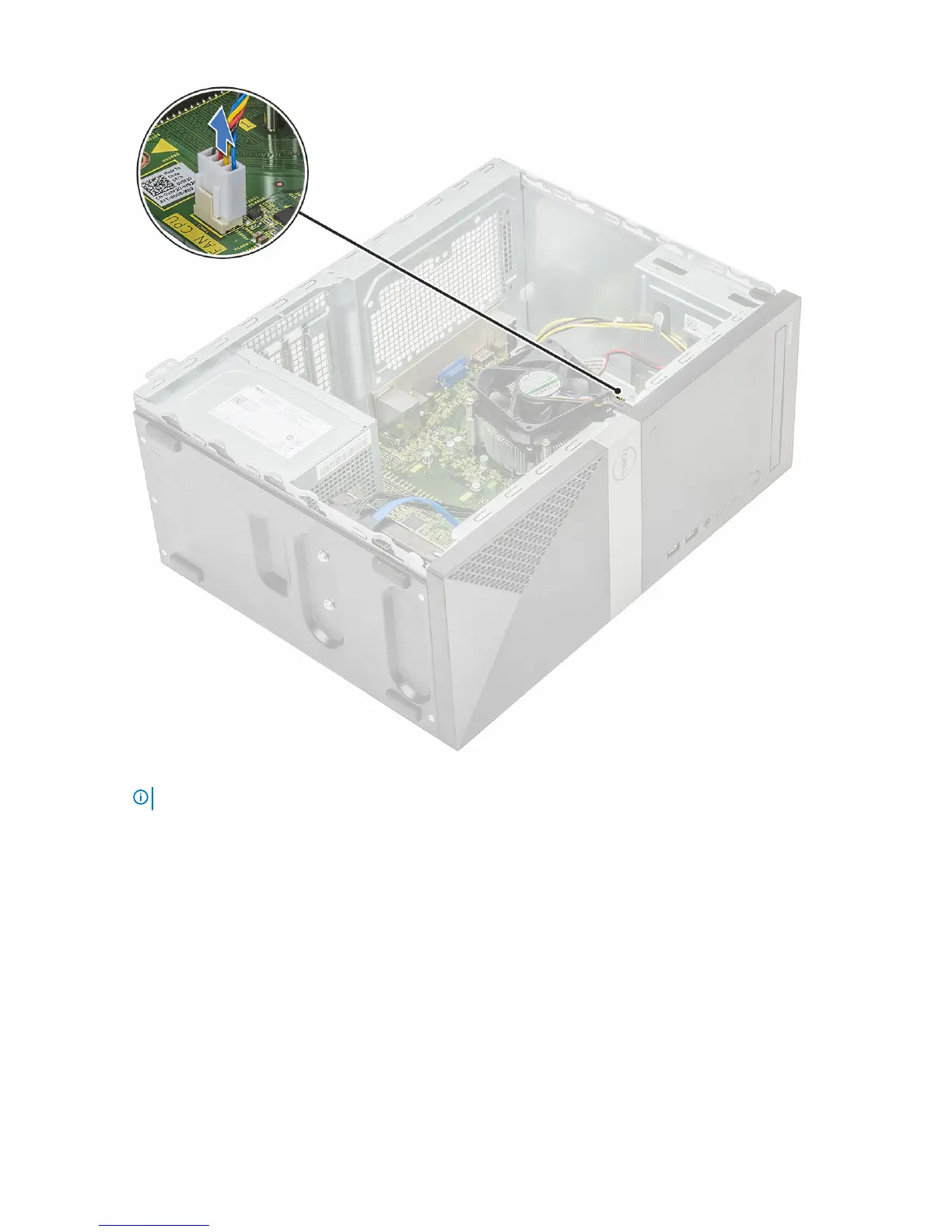
a Disconnect the fan cable from the connector on the system board.
b Loosen the 4 M3 screws in reverse order marked on the system board
NOTE
: Remove the screws that secure the heat sink to the system board in the order of the callouts shown [1, 2, 3, 4].
c Lift the heat sink assembly away from the computer.
Removing and installing components
41




 To Next Page