34 Setting Up and Using Your Computer
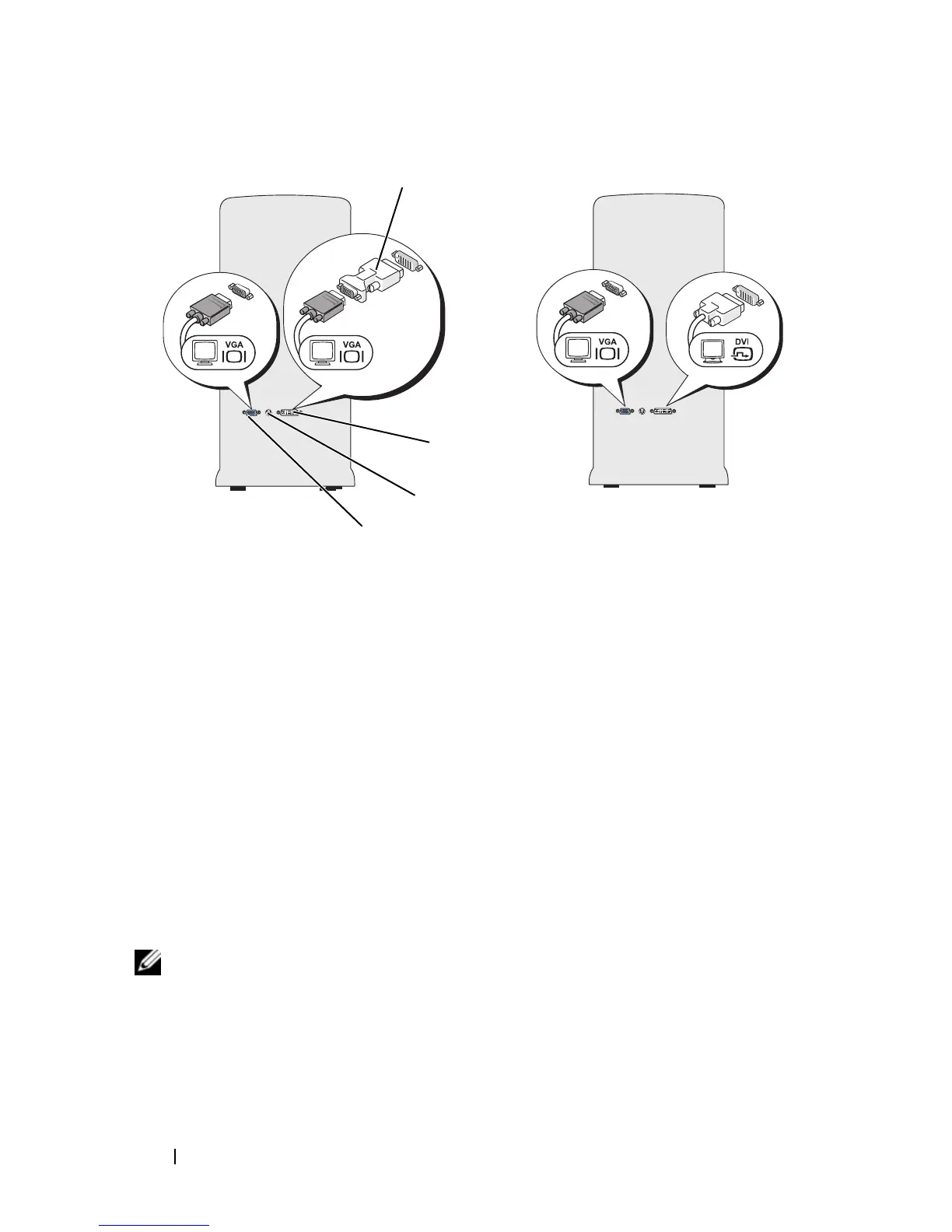
Connecting One Monitor With a VGA Connector and One Monitor With a
DVI Connector
1
Follow the procedures in "Before You Begin" on page 101.
2
Connect the VGA connector on the monitor to the VGA (blue) connector
on the back of the computer.
3
Connect the DVI connector on the other monitor to the DVI (white)
connector on the back of the computer.
Connecting a TV
NOTE: You must purchase an S-video cable, available at most consumer electronics
stores, to connect a TV to your computer. It is not included with your computer.
1
Follow the procedures in "Before You Begin" on page 101.
2
Connect one end of the S-video cable to the optional TV-OUT connector
on the back of the computer.
1 optional DVI adapter 2 DVI (white) connector
3 TV-OUT connector 4 VGA (blue) connector
*May not be present on your computer
4
2*
1
3*



 To Next Page