i M.2 PCIe SSD
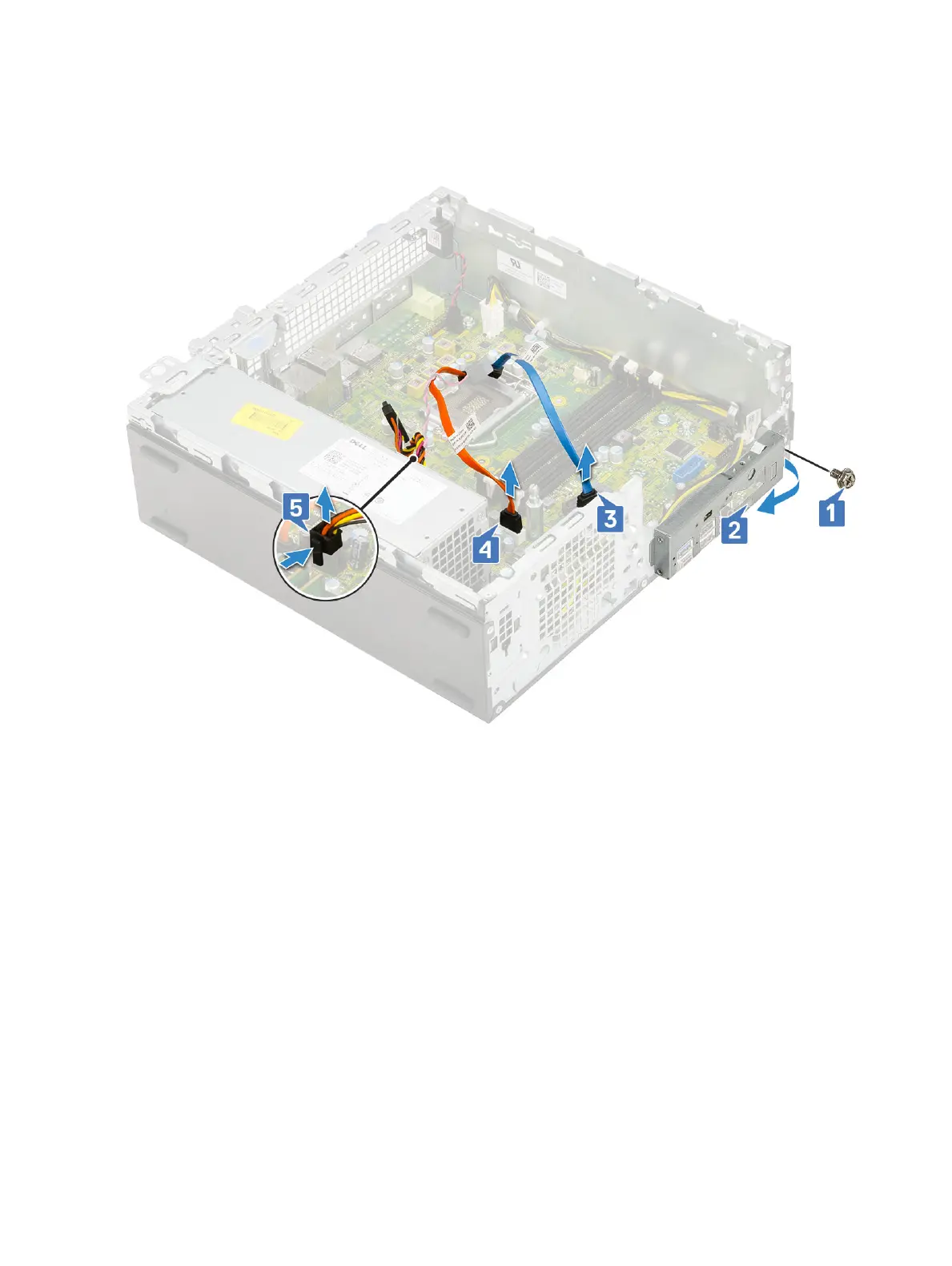
3 To remove the I/O panel:
a Remove the screw that secures the I/O panel [1].
b Rotate the I/O panel and remove it from the system [2].
c Disconnect the hard drive data cable [3], optical drive data cable [4] and power cable [5] from the connectors on the system
board.
4 Disconnect the following cables from the connectors on the system board:
a Intrusion switch [1]
b CPU power [2]
c Power switch [3]
5 Unroute the PSU cables from the retention clips [4].
Removing and installing components
63



 To Next Page