
 To Next Page

M
Mr. Kyle Foster IVSep 12, 2025
Why is HDCP content not displayed on the attached monitor with my Dell WLD15 Docking Station?
- SsbrowningSep 12, 2025
The wireless Dell docking station does not support HDCP content.

Why is HDCP content not displayed on the attached monitor with my Dell WLD15 Docking Station?
The wireless Dell docking station does not support HDCP content.
Does the Dell WLD15 Docking Station support docking connection in pre-OS environment?
The Dell docking station does not support pre-OS environments.
Is Dell Display Manager (DDM) application supported with wireless docking station?
The Dell Display Manager (DDM) application is not supported with the current WiGig release solution.
Why is there no video on my Dell Docking Station monitors?
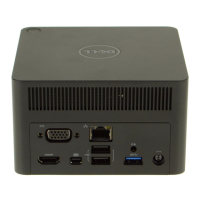
If you have no video on monitors attached to the HDMI, miniDP, or VGA port on your Dell wireless docking station, ensure the laptop is connected to the docking station by disconnecting and reconnecting it. Also, check that the video cable is tightly secured to the video port and that the monitor’s display output setting is correctly set. If using multiple monitors, and the resolution is too high, set the resolution in the Intel Graphics Control Panel to 1920 x 1200 or 1920 x 1080 at 59 Hz or 60 Hz for both monitors. If only one monitor is displaying, configure the second monitor's output in the Intel Graphics Control Panel under Multiple Displays. Note that the docking station supports a maximum of two external monitors if three displays are connected. Also, the video output on your laptop...
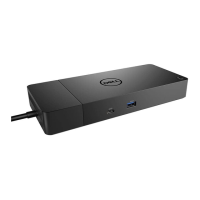
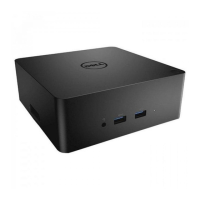
Details the various ports and buttons on the docking station.
Explains the functions of the pairing, connect, and disconnect button.
Lists common issues and their suggested solutions.
Details the hardware specifications of the docking station.
 General
| Product Type | Docking Station |
|---|---|
| Connectivity Technology | Wired |
| Video Interfaces | HDMI, DisplayPort |
| Networking | Gigabit Ethernet |
| Power Delivery | Yes |
| Security | Kensington Lock Slot |
| Compatibility | Dell laptops with wireless docking support |
| USB Ports | USB 3.0 |
| Audio | 3.5mm audio jack |