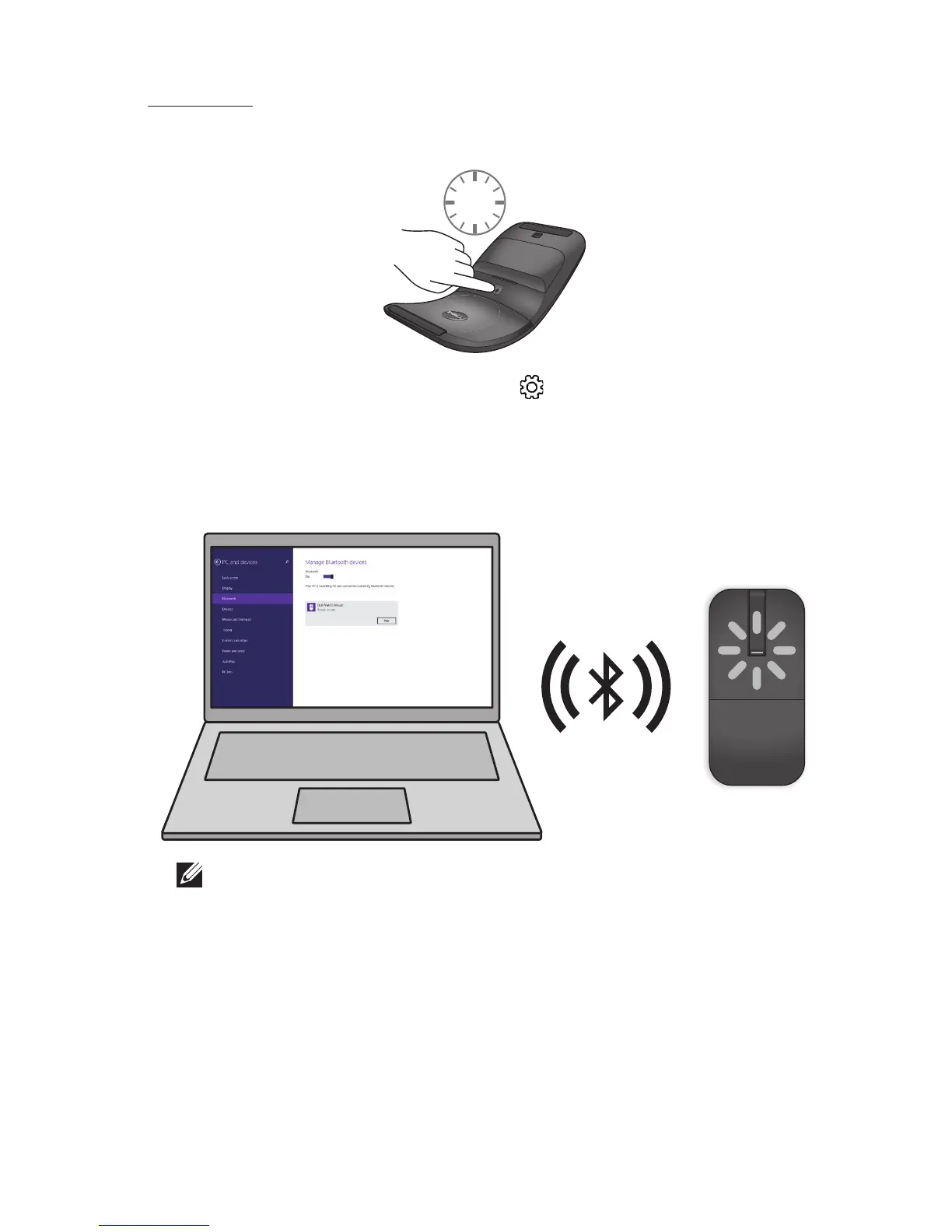
b) On the charms sidebar, click Settings > Change PC Settings >
PC and devices > Bluetooth.
c) Click the name of the mouse.
d) Click Pair to complete the Bluetooth pairing in your computer.
NOTE: Bluetooth pairing LED blinks white within 2 minutes,
indicating the Bluetooth pairing is initiated.



 To Next Page