Identifying Parts and Controls │ 7
Identifying Parts and Controls
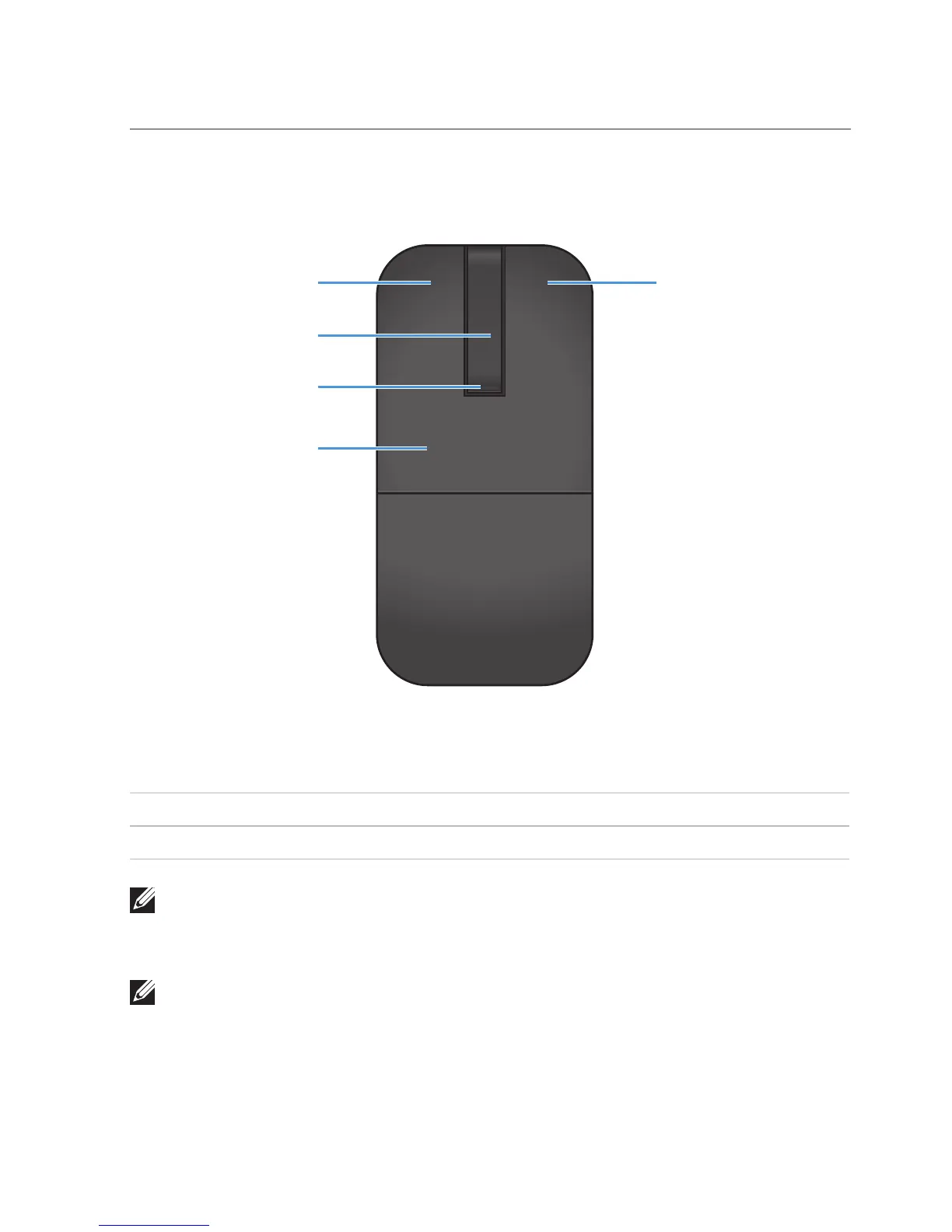
Top View
1 5
2
3
4
1 Left button 4 Key plate
2 Scroll touch-strip 5 Right button
3 Power / Battery LED (white / amber)
NOTE: When the Power/Battery LED lights white for 3 seconds, this
indicates the mouse is in ON mode or has recovered from a deep-sleep
mode.
NOTE: When the Power/Battery LED blinks amber for 30 seconds, this
indicates the low battery status.



 To Next Page