27
3. Press and hold hot foam buon until both descale and rinse alerts
blink (enter menu mode).
4. Press hot foam buon to enter in reset mode. If selection is not done
within 15 sec., it exits automatically.
5. Only hot foam buon will blink.
6. Press hot foam buon to reset to factory seings; all 3 milk recipe
leds blink three times to confirm factory reset (within 15 seconds).
7. The machine is now programmed with factory seings and turns automat-
ically in ready mode.
16
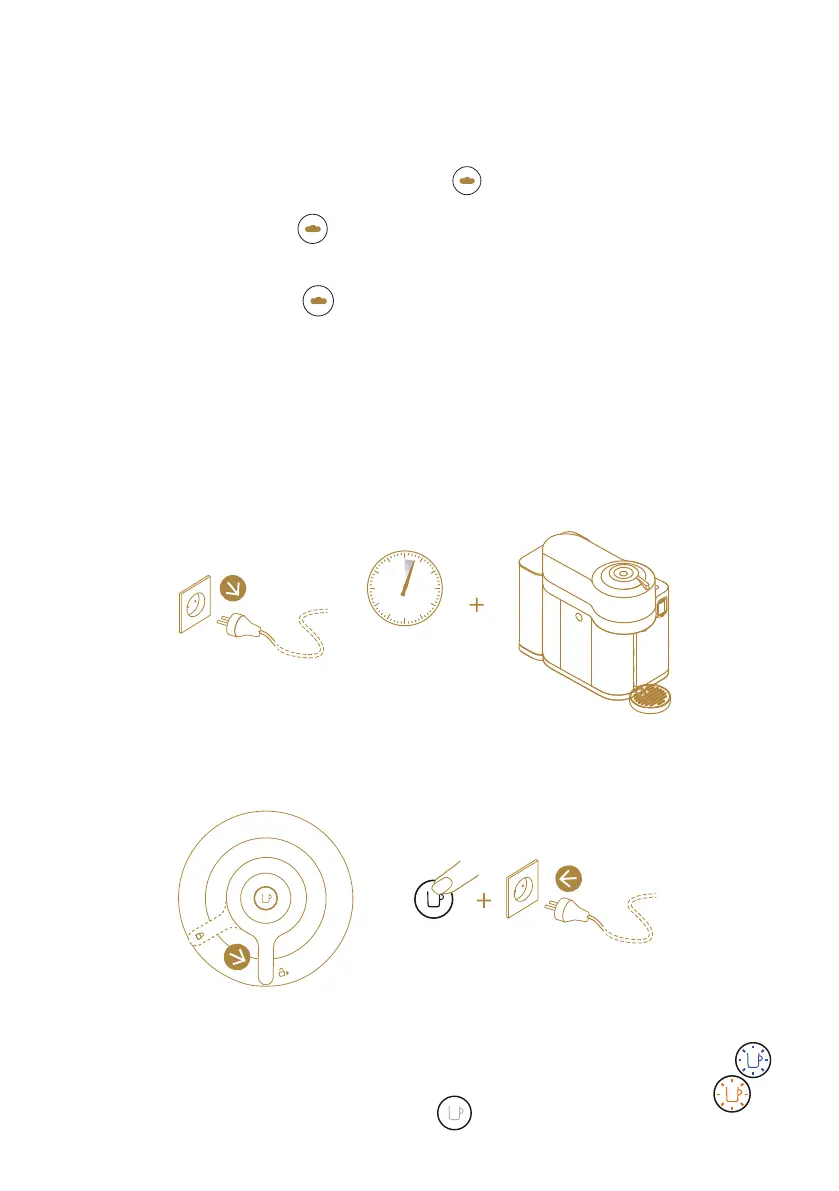
Turn on/o Bluetooth & Wi-Fi
1. Unplug the machine
3. Selected operation:
- TURN ON: the coee buon remains steady blue for a few seconds .
- TURN OFF: the coee buon remains orange for a few seconds .
4. Machine returns to ready mode .
2. Make sure lever is in middle position. Press and hold the coee buon
while plugging.
10 s
1
2


 To Next Page