10
Using the remote control unit
(Certain models only)
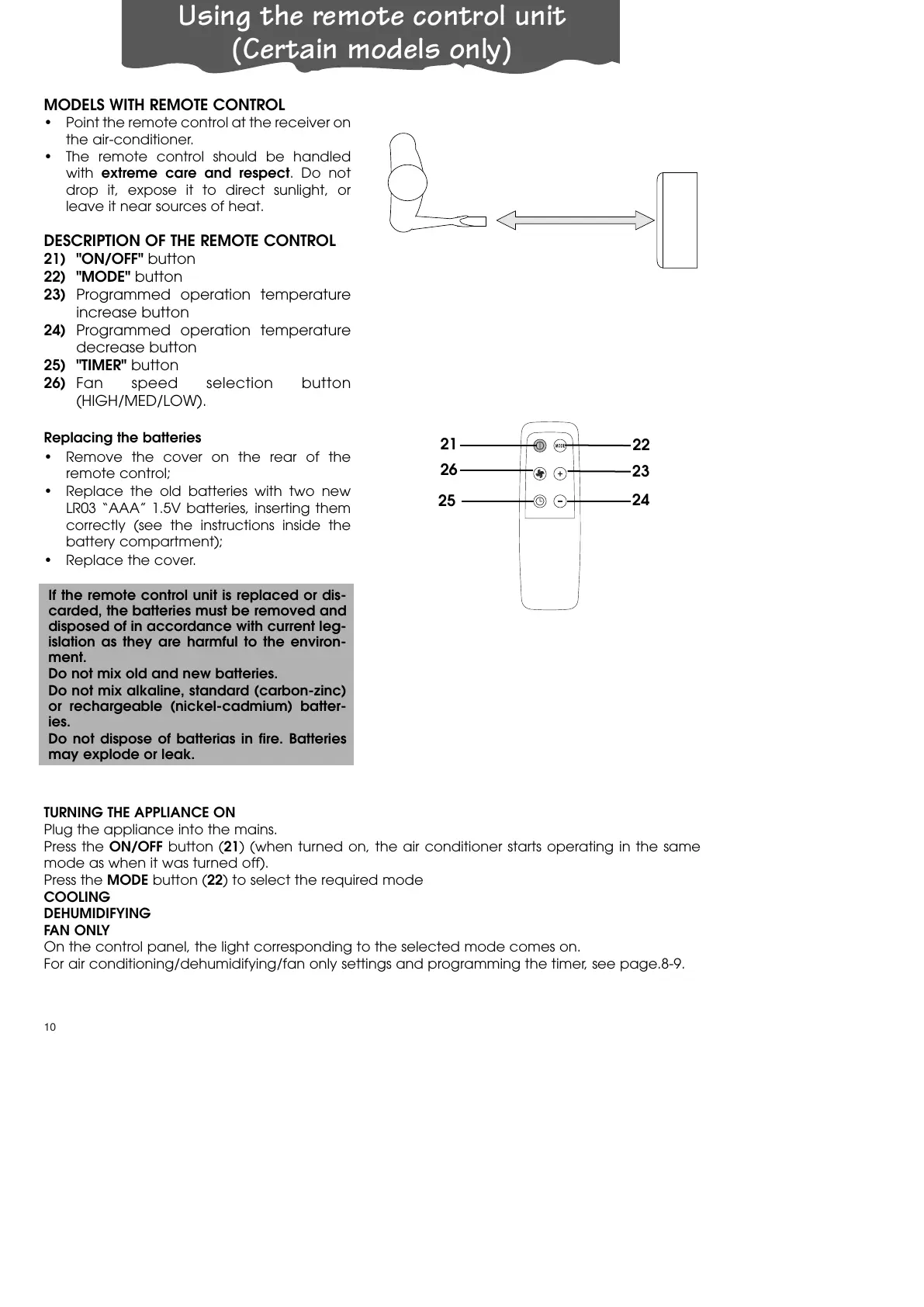
23
22
24
26
21
25
MODELS WITH REMOTE CONTROL
• Point the remote control at the receiver on
the air-conditioner.
• The remote control should be handled
with extreme care and respect. Do not
drop it, expose it to direct sunlight, or
leave it near sources of heat.
DESCRIPTION OF THE REMOTE CONTROL
21) "ON/OFF" button
22) "MODE" button
23) Programmed operation temperature
increase button
24) Programmed operation temperature
decrease button
25) "TIMER" button
26) Fan speed selection button
(HIGH/MED/LOW).
Replacing the batteries
• Remove the cover on the rear of the
remote control;
• Replace the old batteries with two new
LR03 “AAA” 1.5V batteries, inserting them
correctly (see the instructions inside the
battery compartment);
• Replace the cover.
If the remote control unit is replaced or dis-
carded, the batteries must be removed and
disposed of in accordance with current leg-
islation as they are harmful to the environ-
ment.
Do not mix old and new batteries.
Do not mix alkaline, standard (carbon-zinc)
or rechargeable (nickel-cadmium) batter-
ies.
Do not dispose of batterias in fire. Batteries
may explode or leak.
TURNING THE APPLIANCE ON
Plug the appliance into the mains.
Press the ON/OFF button (21) (when turned on, the air conditioner starts operating in the same
mode as when it was turned off).
Press the MODE button (22) to select the required mode
COOLING
DEHUMIDIFYING
FAN ONLY
On the control panel, the light corresponding to the selected mode comes on.
For air conditioning/dehumidifying/fan only settings and programming the timer, see page.8-9.



 To Next Page