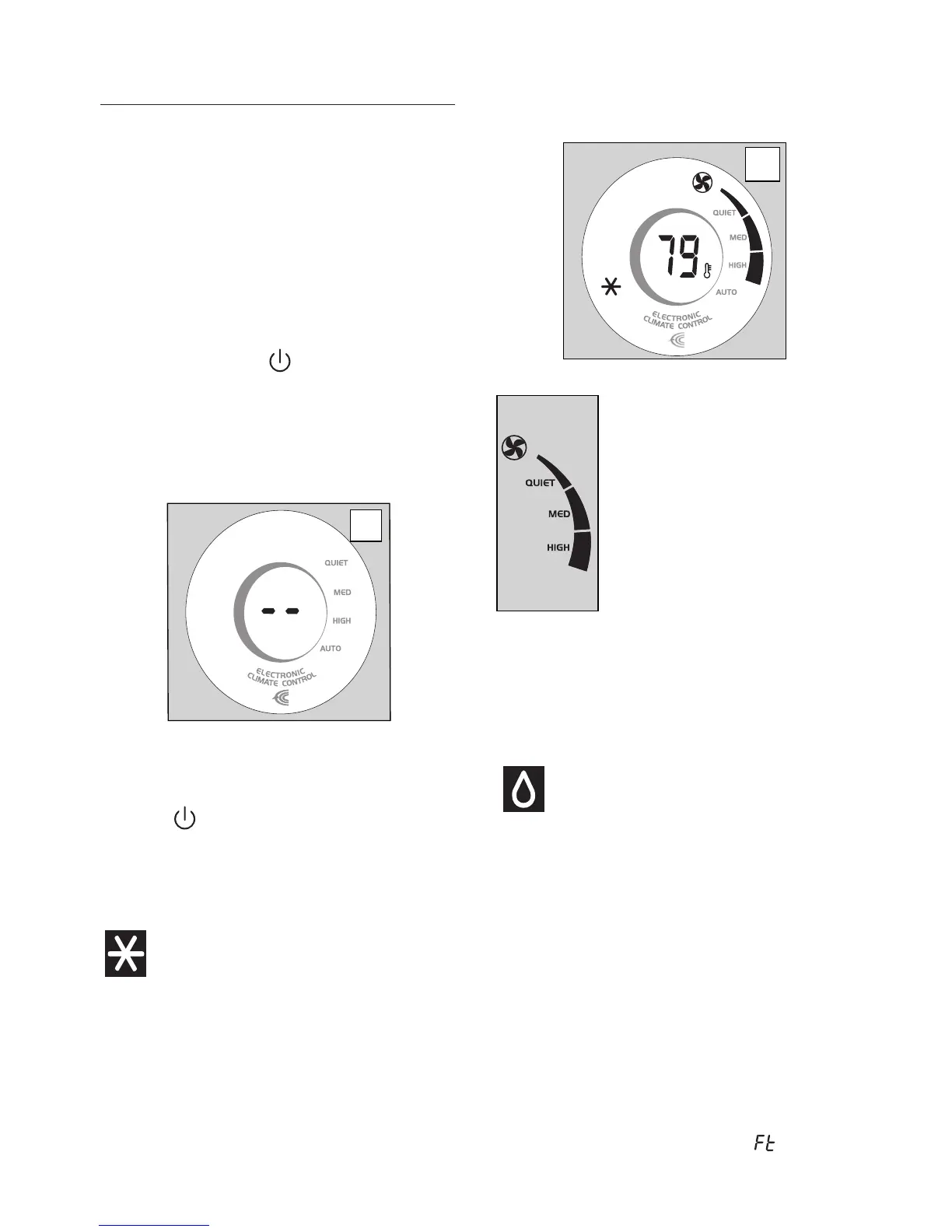
displayed.
FAN button.
Quiet speed: for quiet operation;
Medium speed: reduces noise
levels but still maintains a good
level of comfort;
High speed: to achieve the target
temperature as rapidly as possi-
ble;
Auto speed: the appliance auto-
matically selects the most suitable
fan speed in relation to the tempe-
rature set on the digital display.
The most suitable temperature for the room du-
ring the summer varies from 75 to 81°F (24 to
27°C). You are recommended, however, not to
set a temperature much below the outdoor tem-
perature.
DEHUMIDIFYING MODE (FIG. 11)
Ideal to reduce room humidity (spring and au-
tumn, damp rooms, rainy periods, etc).
Place the appliance in the room without fitting
the air exhaust hose and inlet hose (L,M).
MODE button a number of times
until the dehumidifying symbol (4) appe-
ars, then press the + or - button until the
required humidity level is displayed. At the
same time, the Auto fan light comes on as
the appliance automatically selects the most
appropriate speed. Water is removed from
the air and collected in the tank at the back
of the air conditioner. When the tank is full,
the appliance shuts down and (full tank)
-
OPERATING FROM THE
CONTROL PANEL
main functions of the appliance, but to fully exploit
its potential, you must use the remote control.
Turning the appliance ON
the display indicating that the appliance is
in standby (fig. 9).
until the appliance
was turned off will appear.
When turned on for the first time, the
-
plugging from the outlet. Always press the
button, then wait for a few minutes before
perform a cycle of checks to verify opera-
tion.
Air-conditioning Mode (FIG. 10)
Ideal for hot muggy weather when you need to
cool and dehumidify the room.
MODE button a number of times
until the air-conditioning symbol (3) appe-
ars.
+ or - button until the corresponding value is
10
9



 To Next Page