7
power level (MAX-MED-MIN-OFF).
If MAX power level has been selected using the
button, the appliance will cycle between: MAX-MED-MIN-
OFF. If MED power level has been selected, the appliance will
cycle between: MED-MIN-OFF.
If MIN power level has been selected, the appliance will cycle
between: MIN-OFF.
Working indicator
The symbol indicates the heating status by means of its
colors.
RED: the unit is heating at the maximum power.
YELLOW: the unit is heating at the medium power.
GREEN: the unit is heating at the minimum power.
absent: the unit is not heating.
Brightness of the display
The appliance allows two dierent brightness settings for the
display. The highest is active when any key button is pressed.
After a few seconds of keyboard inactivity, the brightness
will decrease to the operating brightness level. This lower
level can be adjusted by means of the light button (G).
Press the light button repeatedly till the desired brightness is
reached. There are three brightness levels available.
Key lock
In order to avoid accidental operation, you can lock the
keyboard using the keylock function. To activate this function
press buttons + and - together for at least 3 seconds. The
display shows the symbol and a double acoustic signal
will be emitted. To deactivate the function, proceed in the
same way.
Timer function
This function can be activated in two dierent ways.
Delayed start: With the appliance in standby mode, press
the timer button (F) .
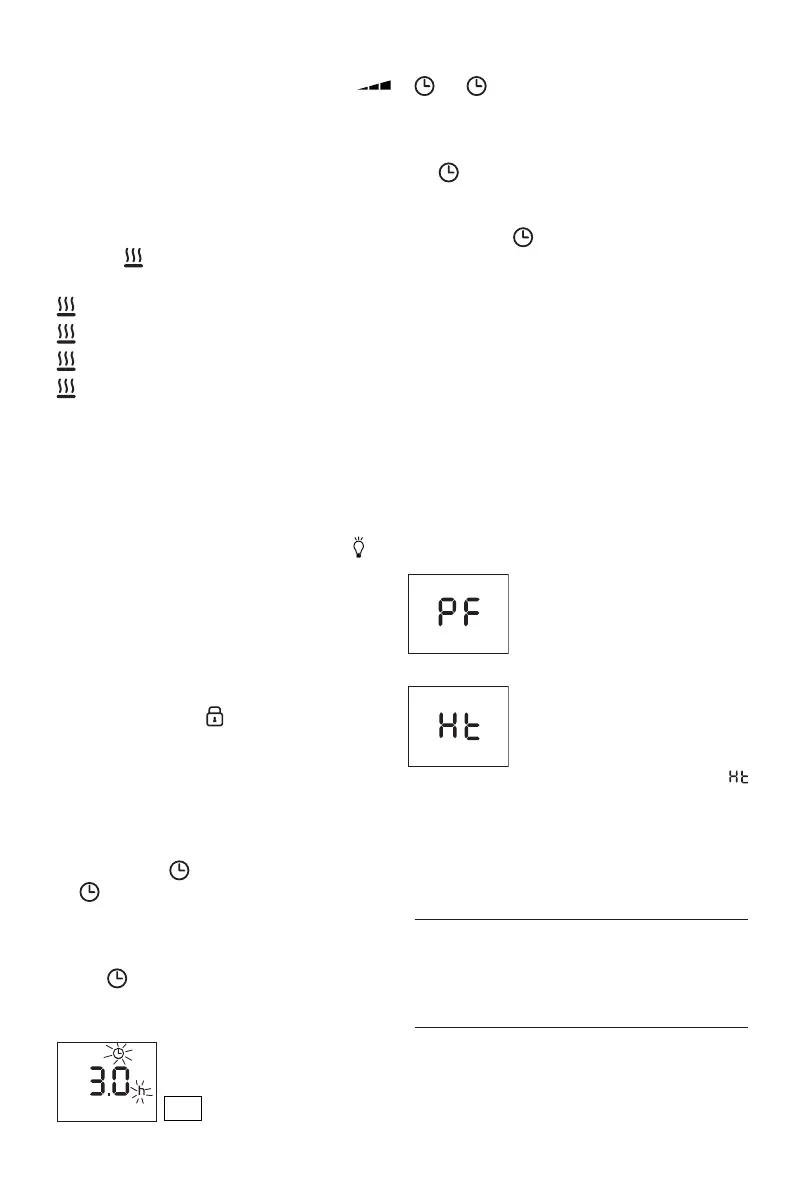
The symbol is displayed ashing together with the hours
left before the appliance comes on (see g. 3). Change the
hours using the + and - buttons, then wait a few seconds for
the program to be stored. The display will return to standby
and the symbols remains on. When the programmed
time has elapsed, the appliance will come on with the
previous settings.
Delayed stop: with the appliance on, press the timer button
. The symbol is displayed ashing together with the
hours left before the appliance goes to standby (see g. 3).
Change the hours using the + and - buttons, then wait a few
seconds for the program to be stored. The current settings
and symbol are displayed. At the end of the set time the
appliance switches to standby automatically. To go back to
operating without the timer, press the timer button twice.
The timer symbol disappears from the display.
Note: the time is settable from 0.5 to 24 hours.
Change of the temperature scale
The display can show the temperature in both °F and °C.
To select the desired temperature scale, when the unit is in
standby position, press and hold the "+" and "ECO" keys for
at least 10 seconds, then release.
The change of scale will be indicated by two short beeps.
Alarms
The appliance has a diagnostic system that makes it possible
to signal malfunctions.
In case of problems, the display will show an alarm message:
(Probe failure)
With this alarm the appliance does not
operate. Contact De'Longhi toll free
number.
(High temperature)
When the product’s internal temperature
is too high, the heating power will
progressively and automatically
be reduced. The display shows
intermittently till the internal temperature
is lowered. To help eliminate the cause
of this alarm, check that the unit is not
covered or obstructed.
SAFETY DEVICE
A safety device switches the appliance o in the event of
overheating. To restart the appliance,
contact the De'Longhi
toll free number.
MAINTENANCE AND SERVICE
Always remove the plug from the power outlet and allow the
appliance to cool. Wipe appliance with a soft damp cloth, do
not use detergents and abrasives.
Should the appliance not be in use over a certain length of
Fig. 3




 To Next Page