Chapter 5 Trial Run and Tuning Procedure
If it is necessary to use “Emergency Stop (EMGS)” as input signal, the users only
need to confirm that which of digital inputs DI1 ~ DI8 is set to “Emergency Stop
(EMGS)” and check if the digital input signal is ON (It should be activated).
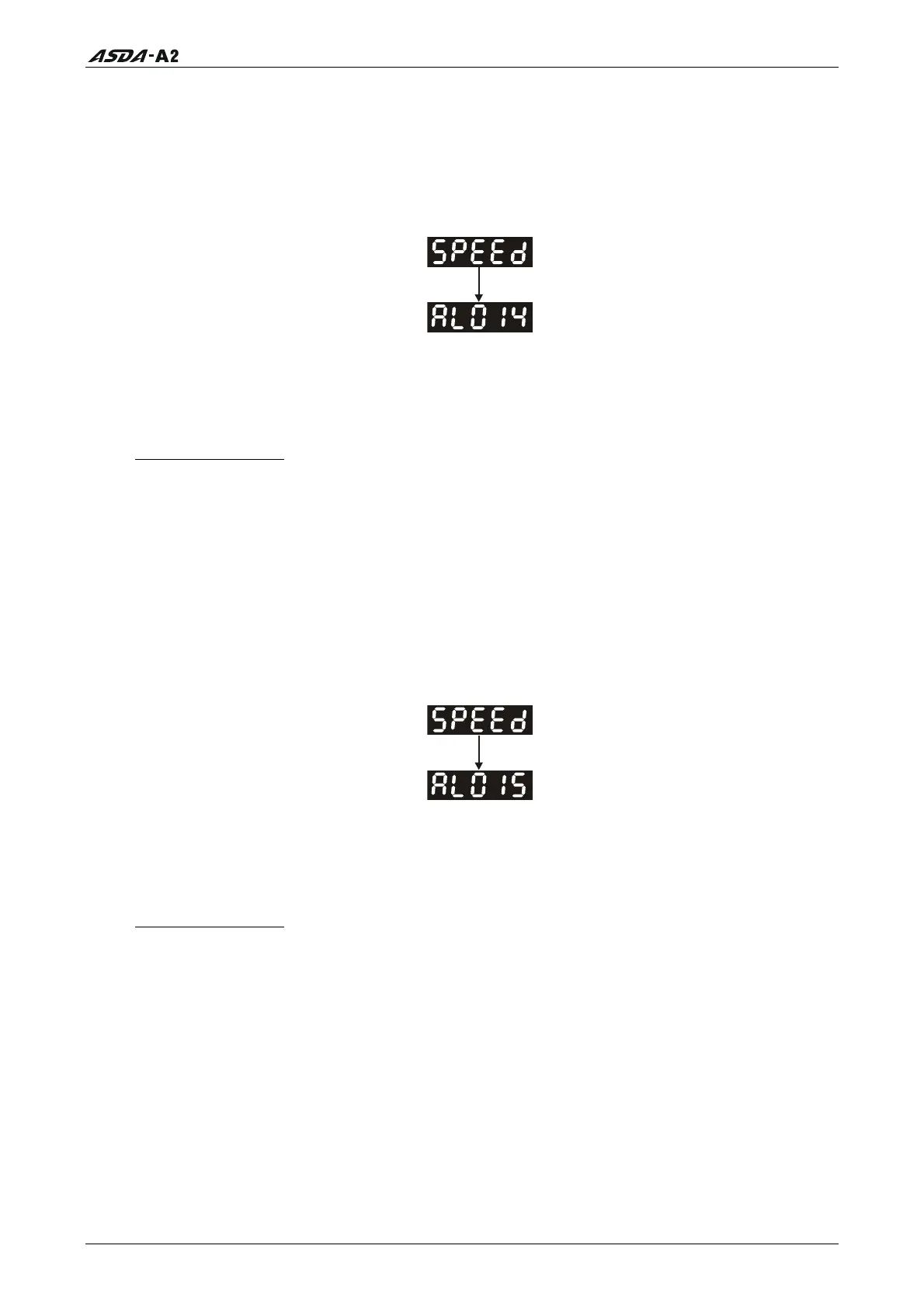
4) When display shows:
Reverse limit switch error:
Please check if any of digital inputs DI1 ~ DI8 signal is set to “Reverse inhibit limit (NL)”
and check if the signal is ON or not.
Corrective Actions:
If it does not need to use “Reverse inhibit limit (NL)” as input signal, the users only
need to confirm that if all of the digital inputs DI1 ~ DI8 are not set to “Reverse
inhibit limit (NL)”. (The setting value of parameter P2-10 to P2-17 is not set to 22.)
If it is necessary to use “Reverse inhibit limit (NL)” as input signal, the users only
need to confirm that which of digital inputs DI1 ~ DI8 is set to “Reverse inhibit
limit (NL)” and check if the digital input signal is ON (It should be activated).
5) When display shows:
Forward limit switch error:
Please check if any of digital inputs DI1 ~ DI8 signal is set to “Forward inhibit limit (PL)”
and check if the signal is ON or not.
Corrective Actions:
If it is no need to use “Forward inhibit limit (PL)” as input signal, the users only
need to confirm that if all of the digital inputs DI1 ~ DI8 are not set to “Forward
inhibit limit (PL)”. (The setting value of parameter P2-10 to P2-17 is not set to 23.)
If it is necessary to use “Forward inhibit limit (PL)” as input signal, the users only
need to confirm that which of digital inputs DI1 ~ DI8 is set to “Forward inhibit
limit (PL)” and check if the digital input signal is ON (It should be activated).
Revision January 2011 5-5
Call 1(800)985-6929 for Sales
Call 1(800)985-6929 for Sales




 To Next Page