16
X
Fig. 31
Fig. 32
NN
OO
PERIODIC MAINTENANCE
• Check that all fasteners are tightened properly.
• Check belt tension and adjust if necessary. See Changing Pulleys for instructions.
• Inspect belt for damage or wear and replace as needed. See below for belt replacement instructions.
• Inspect both faceplate set screws to ensure the cup edge is sharp and crisp. Replace if necessary.
BELT REPLACEMENT
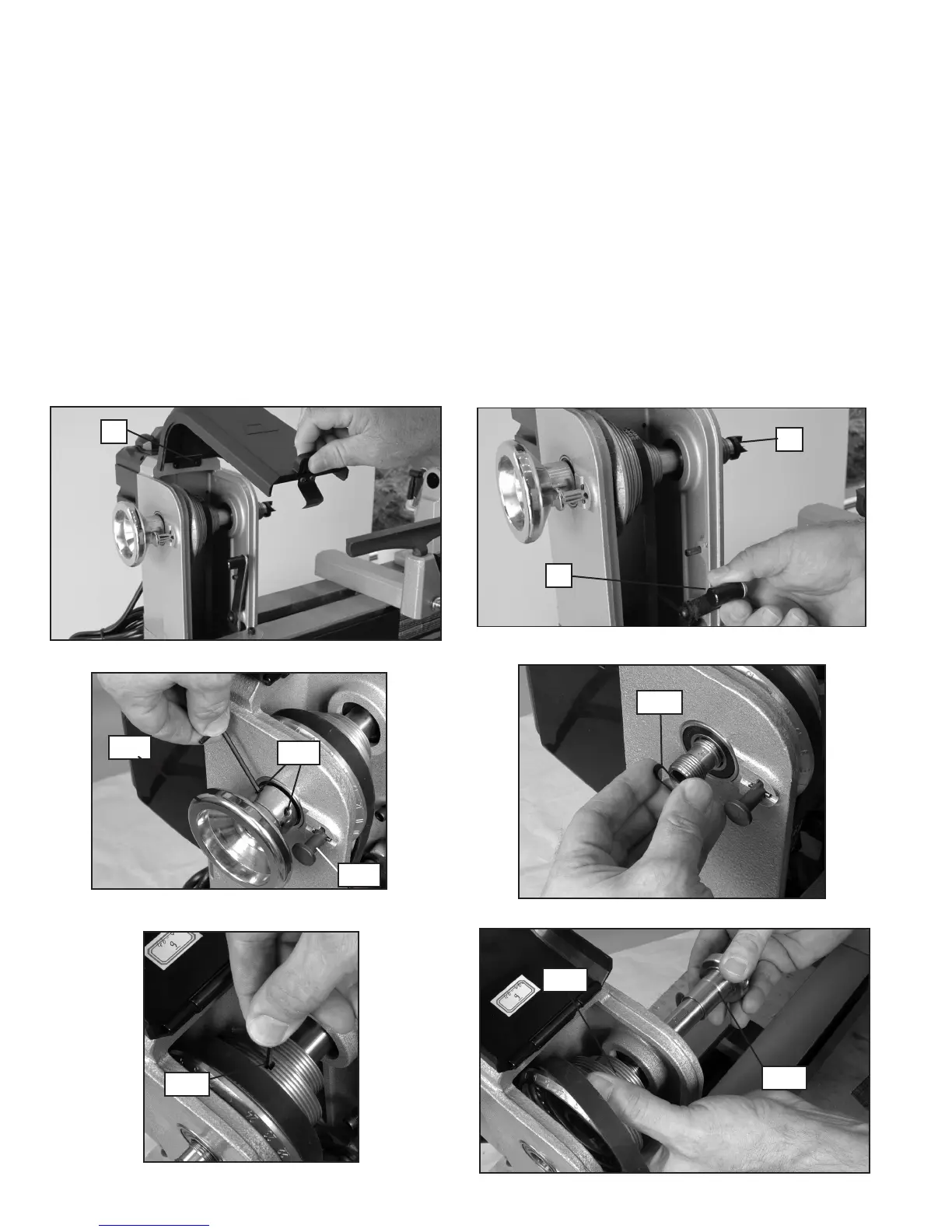
1. Lift up pulley cover (X) Fig. 29.
2. Pull down belt tensioning lever (Y) Fig. 30 to release belt tension.
3. Remove spur center (G) Fig. 30, if attached.
4. Loosen two set screws (NN) Fig. 31 on the spindle handwheel (OO) Fig. 31 at least 2-3 turns to avoid damage
to the threads during removal.
5. Engage indexing pin (FF) Fig. 31 and remove spindle handwheel (OO). (NOTE: Threads are left-hand. Turn
handwheel clockwise to loosen and remove.)
6. Remove wave spring (PP) Fig. 32.
7. Loosen spindle pulley set screw (QQ) Fig. 33 with included hex wrench.
8. Grasp spindle pulley (RR) Fig. 34 with one hand and slide spindle shaft (SS) out with other hand in the tailstock
direction.
9. Remove old belt and replace.
PP
FF
Fig. 33
Fig. 34
QQ
RR
SS
Fig. 30
Fig. 29
G
Y



 To Next Page