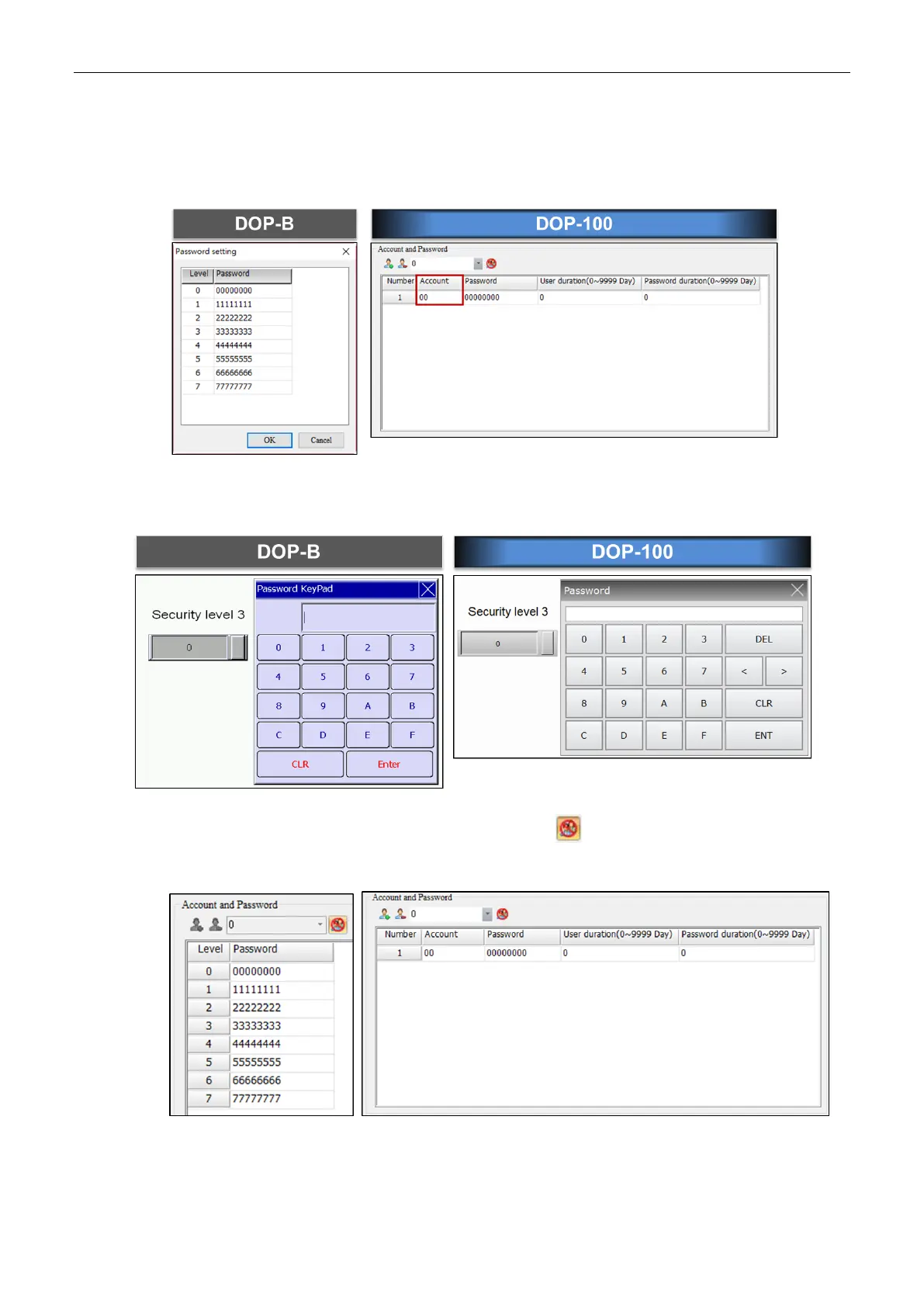
2.2 Security level and password
For DOP-B, you do not need to enter a user account for the Security Level and Password.
For DOP-100, you need to enter a user account for the Security Level and Password.
When you open a DOP-B project with DOP-100, the Security Level and Password is the
same, meaning you only need to enter the password without a user account to log in.
If you prefer to switch to the DOP-100 login mode, click to change the Security Level
and Password login setting.



 To Next Page