1.2 Project conversion
When you use DOPSoft 4.0 to open a DOP-B project file, the software automatically determines
if there is a corresponding compatible model or partially compatible model. If there is, the project
is automatically converted and opened on the DOP-100 series model; otherwise, a pop-up
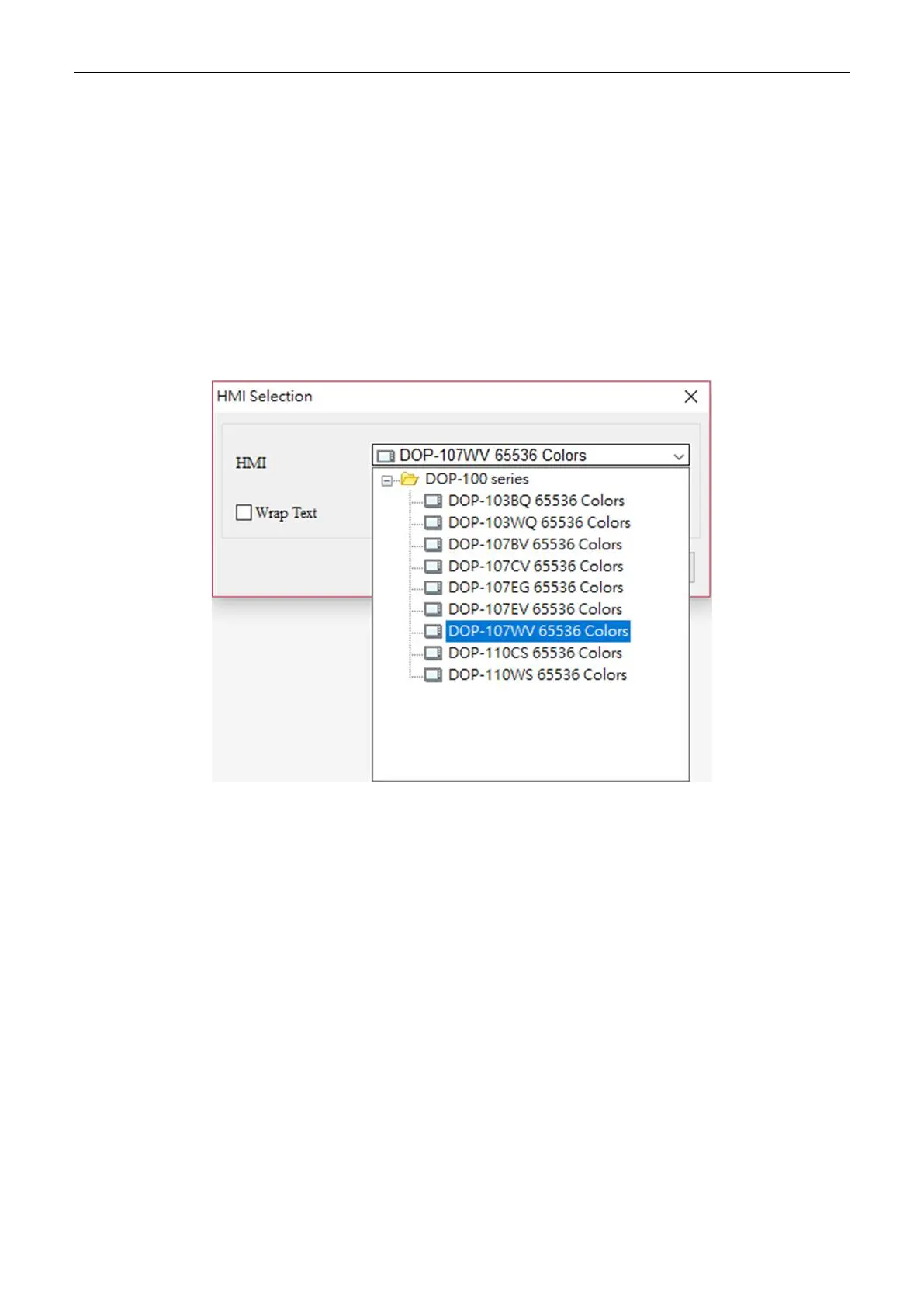
window prompts you to select a replacing DOP-100 series model. For example, if you use
DOPSoft 4.0 to open a DOP-B03S210 project file, the software automatically converts and
opens it as a DOP-103BQ project file. However, if you open a DOP-B05S111 project file,
a window pops up for you to select the alternative DOP-100 series model (i.e. DOP-103BQ or
DOP-107CV) because there is currently no corresponding model for transition.



 To Next Page