EasyManua.ls Logo

Deltech SPX DES Series - User Manual

Deltech SPX DES Series
48 pages
Print Icon
To Next Page IconTo Next Page
Loading...
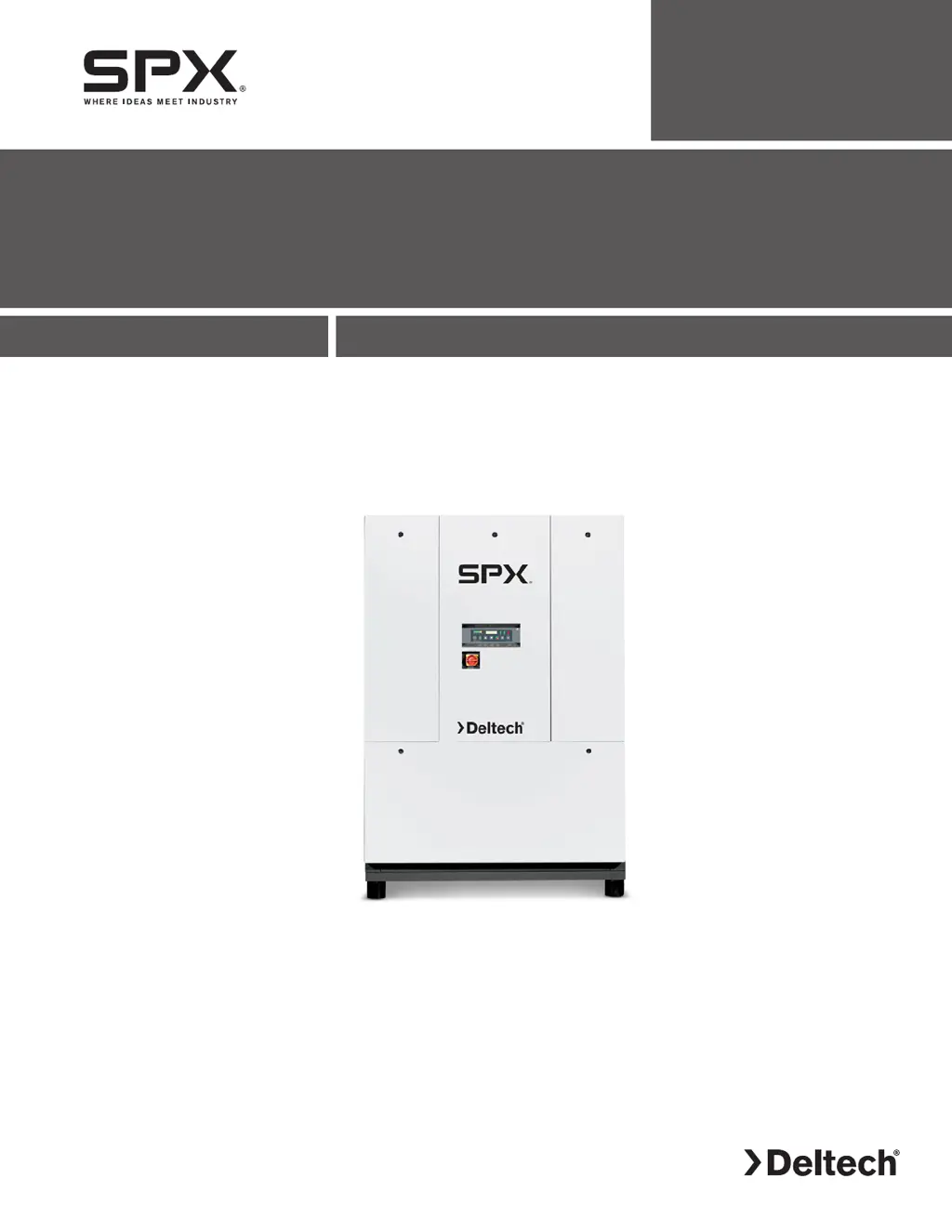
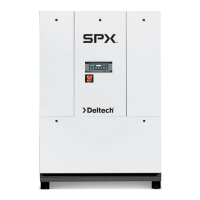
DES Series
Energy Saving Refrigerated Type Compressed Air Dryers
Models: DES800, DES1000, DES1250, DES1500, DES1750, DES2000, DES2500, DES3000
FORM NO.: 5001369 REVISION: 04/2015 READ AND UNDERSTAND THIS MANUAL PRIOR TO OPERATING OR SERVICING THIS PRODUCT.
INSTRUCTION MANUAL

Questions and Answers

  • B
    Bailey JohnsonAug 18, 2025
    Why is there water downstream of my Deltech Dehumidifier?
    • M
      Melissa PhamAug 18, 2025
      If you're finding water downstream of your Deltech Dehumidifier, several factors could be at play. It might be residual moisture in the pipelines, so try blowing out the system with dry air. The air bypass system could be open; verify the valve positions. Check that the inlet and outlet connections are correctly connected. If air lines downstream are exposed to temperatures below the dew point, insulate or heat trace them, or use dry air to lower the dew point. Excessive moisture at the dryer inlet may require installing a separator. Also, ensure the condensate is being drained and that the dryer isn't overloaded, resulting in an elevated dew point. Finally, check if the refrigeration system is functioning correctly.
  • N
    Nicholas MurphyAug 20, 2025
    What causes high pressure drop across my Deltech SPX DES?
    • M
      Michael AcostaAug 20, 2025
      A high pressure drop across your Deltech Dehumidifier can occur due to several reasons. First, check the flow rate to ensure there isn't excessive air flow. If the refrigeration system has a fault, moisture can freeze in the evaporator. Another cause is a filter loaded with solid particulates, in which case you should replace the filter element.
  • C
    Christine AdamsAug 23, 2025
    What to do if the compressor light is off on my Deltech SPX DES?
    • B
      Brian AdamsAug 23, 2025
      If the compressor on light is off on your Deltech Dehumidifier, it could be due to a few reasons. The compressor might be commanded off by a manual switch or a programmed schedule, so check the current command status. Also, there might be an open circuit, so check the power to the compressor. Finally, the control circuit could be open on a high or low pressure cutout, so check the display for any fault indications.
  • A
    amy73Aug 26, 2025
    How to fix a Deltech Dehumidifier with the power light off?
    • H
      hollyjamesAug 26, 2025
      If the power on light is off on your Deltech Dehumidifier, check for power to the dryer, as it may indicate a power failure or an open circuit.
  • L
    lisawaltersAug 28, 2025
    What does it mean when the alarm/service light is on my Deltech SPX DES Dehumidifier?
    • B
      Barry JonesAug 28, 2025
      If the Alarm/Service alert light is on in your Deltech Dehumidifier, and the display indicates active conditions, it means the specified service interval has elapsed. Perform the scheduled service.
  • M
    Mark StarkAug 30, 2025
    What to do if drain mechanism faulty in Deltech SPX DES Dehumidifier?
    • R
      Robert BrooksAug 30, 2025
      To address a faulty drain mechanism in your Deltech Dehumidifier, begin by checking the drain by pressing the 'Push to Test' button on the control panel. If it's faulty, isolate the drain and rebuild the automatic drain.
  • L
    Leroy HillSep 1, 2025
    What to do when high refrigerant pressure occurs in Deltech Dehumidifier?
    • C
      courtney41Sep 1, 2025
      When high refrigerant pressure occurs in your Deltech Dehumidifier, the switch must be manually reset.
  • D
    Dominique JamesSep 4, 2025
    What to do if the drain line is restricted or frozen in my Deltech Dehumidifier?
    • J
      Justin LeeSep 4, 2025
      If the drain line of your Deltech Dehumidifier is restricted or frozen, open the drain line.
  • J
    Joshua BullockSep 7, 2025
    How to troubleshoot a faulty compressor contactor in a Deltech SPX DES?
    • B
      Brian RamseySep 7, 2025
      To resolve a faulty compressor contactor in your Deltech Dehumidifier, check the wiring and operation of the contactor.
  • M
    Megan GarciaSep 9, 2025
    How do I troubleshoot a faulty heater in my Deltech SPX DES?
    • D
      David HowardSep 9, 2025
      To troubleshoot a faulty heater in your Deltech Dehumidifier, check the heater element for continuity.

Summary

General Safety Information

Safety Precautions

Covers pressurized devices, electrical, and breathing air safety.

Shipment Handling and Storage

Receiving and Unpacking

Inspect for damage upon delivery and during unpacking.

Moving and Storage

Proper handling during transport and guidelines for storage conditions.

Installation Procedures

Location and Clearances

Select a suitable location with adequate ventilation and clearance for air flow.

Mounting and Piping

Securely mount the dryer and connect air and water piping correctly.

Electrical Connections

Ensure proper electrical wiring according to schematics.

Electronic Demand Drain

Understand the operation and function of the electronic demand drain.

Dryer Operation and Control

Operating Conditions and Limits

Understand minimum/maximum pressure, temperature, and ambient conditions.

Start-up and Programming Procedures

Step-by-step guide for initial energization, setup, and operation.

Communication Interface Usage (RS-485, USB, Ethernet)

Using RS-485, USB, and Ethernet for data logging, control, and updates.

Dryer Startup and Monitoring

Procedures for initial startup, scheduling, and verifying operational status via controller.

Settings and Modbus TCP

Configure dryer settings, email alerts, and monitor via Modbus TCP.

Modbus Register Reference

Holding and Input Registers

Details on registers for dryer status, parameters, and inputs.

Dryer Status, Alarms, and Model Registers

Specific values for status, alarm flags, model, and mode registers.

Maintenance Procedures

Monthly Maintenance Tasks

Regular checks including condenser cleaning, drain testing, and temperature monitoring.

Annual Maintenance and Filter Replacement

Periodic service including terminal checks and filter cartridge replacement.

Troubleshooting Guide

Diagnosing Common Dryer Issues

Guides for water presence, pressure drop, and checkpoint faults.

Specific Symptom Troubleshooting

Solutions for high discharge temp, low pressure, drain issues, and sensor faults.

Reference Data and Specifications

Dryer Sizing and Capacity Factors

Method for calculating dryer capacity using operating conditions and correction factors.

Engineering Data Tables

Specifications for air system, refrigeration, condensers, and electrical data.

Controller Screen Navigation and Settings

Status and Setup Menu Screens

Overview of status and setup menus for monitoring and configuring dryer operations.

Network Menu Configuration

Steps to configure IP address, subnet mask, and gateway for network connectivity.

Dryer Alarm Conditions

Table detailing alarm triggers, conditions, and response actions.

Dimensions and Weights

Model Dimensions and Weight Chart

Table listing physical dimensions and weights for all dryer models.

Dimensional Views by Model Size

Visual representations of dryer dimensions and connection locations.

Electrical Schematics

Model 800 Schematic

Electrical diagrams showing power, components, and control circuits for Model 800.

Models 1000;1250 Schematic

Electrical diagrams for 1000/1250 models, covering power, components, and control.

Models 1500;1750 Schematic

Electrical diagrams for 1500/1750 models, showing dual compressors and control.

Model 3000 Schematic

Electrical diagrams for Model 3000, illustrating multiple compressors and control circuits.

Transformer Pack Wiring Diagrams

575 V to 460 V Transformer Wiring

Wiring details for transformer packs converting 575V to 460V.

230 V to 460 V Transformer Wiring

Wiring details for transformer packs converting 230V to 460V.

Replacement Parts - Air-Cooled Units

Air-Cooled Unit Component Diagrams

Labeled diagrams illustrating the location of components on air-cooled units.

Air-Cooled Maintenance Kits and Parts List

Information on maintenance kits and a detailed list of replacement part numbers.

Replacement Parts - Water-Cooled Units

Water-Cooled Unit Component Diagrams

Labeled diagrams showing the location of components on water-cooled units.

Water-Cooled Maintenance Kits and Parts List

Details on maintenance kits and a comprehensive list of replacement part numbers.

Replacement Parts - Cabinet Panels

Cabinet Panel Identification and Part Numbers

Diagrams and part numbers for various cabinet panels used on the units.

Warranty Information

Manufacturers Warranty Terms and Conditions

Details regarding product warranty coverage, exclusions, and service authorization.

Warranty Period and Limitations

Information on the duration of warranty coverage and limitations on liability.

Deltech SPX DES Series Specifications

General IconGeneral
CategoryDehumidifier
Model SeriesDES Series
ManufacturerDeltech
TypeDesiccant
Airflow CapacityVaries by model
AirflowVaries by model
Moisture Removal CapacityVaries by model
Moisture Removal Capacity (at 60% RH, 27°C)Varies by model
Operating Temperature Range34° to 104°F
Power SupplyVaries by model
Power ConsumptionVaries by model
RefrigerantN/A (desiccant system)
Noise LevelVaries by model
Dimensions (H x W x D)Varies by model
WeightVaries by model
ControlDigital
Applicationswater damage restoration

Related product manuals