EasyManua.ls Logo

Deltech SPX Flow DSHD Series - User Manual

Deltech SPX Flow DSHD Series
32 pages
Print Icon
To Next Page IconTo Next Page
Loading...
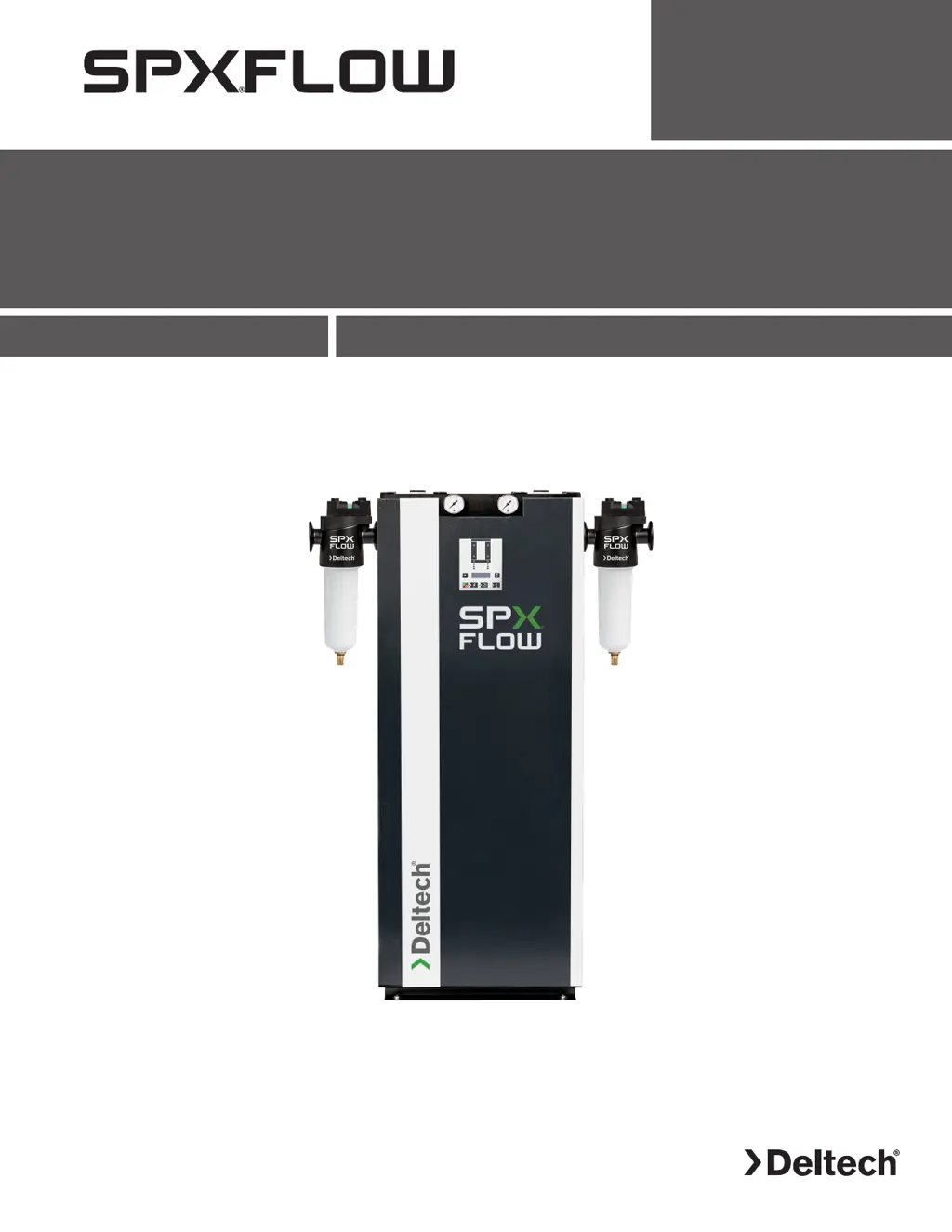
DSHD Series
Desiccant Compressed Air Dryer
Models: DSHD-7, DSHD-13, DSHD-18, DSHD-21, DSHD-27, DSHD-40
FORM NO.: 7443488 REVISION: 10/2020 READ AND UNDERSTAND THIS MANUAL PRIOR TO OPERATING OR SERVICING THIS PRODUCT.
INSTRUCTION MANUAL

Table of Contents

Questions and Answers

Summary

1.0 General Safety Information

Safety Rules and Warnings

Essential safety rules to ensure safe dryer operation and prevent damage or injury.

Receiving and Inspection

Procedures for inspecting the dryer upon receipt and handling potential shipping damage.

Storing and Handling

Guidelines for safely storing and handling the desiccant dryer to prevent damage.

3.0 Description

Dryer Functionality

Explanation of the dual tower regenerative desiccant dryer's operation and adsorption process.

Drying and Regeneration Circuits

Details on the drying circuit (up-flow) and regeneration circuit (down-flow) of the desiccant dryer.

4.0 Installation and Mounting

Site Selection and Clearance

Guidance on selecting an appropriate installation location and required service clearance for the dryer.

Mounting and System Connections

Instructions for mounting the dryer and connecting it to the compressed air system and dryer inlet/outlet.

Filter, Piping, and Electrical Setup

Details on pre/after-filter requirements, piping, and basic electrical connection procedures.

Network Connection and Ambient Conditions

Network Connection and Ambient Conditions

Information on network cable connection and recommended ambient operating conditions for the dryer.

5.0 Initial Start-Up

Initial Start-Up Preconditions

Conditions that must be met before initiating the initial start-up of the desiccant dryer.

Switching the Dryer ON and OFF

Procedure for switching the desiccant dryer on and off after initial installation.

6.0 Operation

Normal Operation Preconditions

Conditions that must be fulfilled before operating the dryer under normal circumstances.

Switching the Dryer ON and OFF

Procedure for safely switching the desiccant dryer on and off during normal operation.

6.5 Control Panel Overview

Control Panel Layout and Indicators

Overview of the control panel, including LEDs, buttons, and the graphic display.

6.5.1 Start Screen and 6.5.2 Message History

Start Screen Navigation and Display

Details on the dryer's start screen display, including PDP sensor status and basic menu navigation.

Accessing and Interpreting Message History

How to access and interpret message history, including common error messages and their meanings.

6.5.3 Remote On;Off and 6.5.4 Settings

Remote On;Off Control Configuration

Configuration options for remote on/off control and their suitability for different compressor types.

Dewpoint and Alarm Setting Procedures

Procedure for accessing and setting target pressure dewpoint and dewpoint alarm parameters.

System Configuration and Network Settings

Service Counter Reset

Instructions for resetting the service counter to default values.

Network IP, Subnet, and Gateway Setup

Procedures for entering and verifying the dryer's IP address, subnet, and gateway.

Technician Menu and Purge Air Consumption

Accessing Service Technician Menu

Procedure for accessing the service technician menu via password entry for advanced settings.

Purge Air Consumption and Cycle Settings

Information on purge air consumption, flow, and timer board/remote control settings.

7.0 Servicing and Maintenance

Nameplate and Parts Ordering

Information on the dryer's nameplate for identification and guidelines for ordering replacement parts.

Weekly and Annual Maintenance Tasks

Scheduled maintenance tasks for weekly and annual intervals, including checks and replacements.

Dryer Depressurization Procedure

Step-by-step procedure for safely depressurizing the desiccant dryer before servicing.

Desiccant and Valve Replacement

Procedures for replacing the desiccant material and purge solenoid valves.

7.7 Prefilter;Afterfilter Maintenance

Filter Element Replacement Procedure

Detailed steps for safely replacing filter elements, including depressurizing and component handling.

Auto Drain Mechanism Replacement

Recommendation for annual replacement of the auto drain mechanism on the prefilter.

8.0 Troubleshooting Guide

Water in Compressed Air System

Troubleshooting steps for identifying and resolving water presence in the compressed air system.

High Pressure Loss Issues

Troubleshooting steps for high pressure loss, potentially due to overloaded filter cartridges.

Display Code 310: Service Time Expired

Explanation of display code 310 (Service time expired) and its remedy.

Troubleshooting Display Codes

Display Code 202: Drain Warning

Explanation of display code 202 (Drain warning) and troubleshooting steps for condensate issues.

Display Code 204: PDP Alarm

Explanation of display code 204 (PDP Alarm) and potential causes like overload or temperature.

Display Code 210: PDP Sensor Issues

Explanation of display code 210 (PDP Sensor cable break) and troubleshooting steps.

9.0 Technical Data

Purge Flow and Ambient Temperature

Technical data for maximum purge flow and ambient temperature limits for DSHD models.

Electrical Specifications

Technical data for voltage, frequency, power, and current ratings for DSHD models.

9.4 Desiccant and Performance Data

Desiccant Specifications

Technical data regarding desiccant type, volume profile, and charge per tower for DSHD models.

Dimensions, Weights, and Air Flow

Specifications for dimensions, weights, nominal air flow, and connections for DSHD models.

Correction Factors

Correction factors for working pressure and compressed air inlet temperature.

10.0 Replacement Parts & Maintenance Kits

Replacement Parts Listing

List of available replacement parts and their corresponding part numbers for DSHD models.

Maintenance Kit Contents

Details of maintenance kits available for different years of service for DSHD models.

11.0 Drawings

General Arrangement: DSHD-7

General arrangement drawing showing dimensions and layout for the DSHD-7 model.

General Arrangement: DSHD-13

General arrangement drawing showing dimensions and layout for the DSHD-13 model.

General Arrangement: DSHD-18

General arrangement drawing showing dimensions and layout for the DSHD-18 model.

General Arrangement: DSHD-21

General arrangement drawing showing dimensions and layout for the DSHD-21 model.

General Arrangement: DSHD-27

General arrangement drawing showing dimensions and layout for the DSHD-27 model.

General Arrangement: DSHD-40

General arrangement drawing showing dimensions and layout for the DSHD-40 model.

11.7 P&I Diagram

Piping and Instrumentation (P&I) diagram illustrating the dryer's process flow and components.

P&I Diagram Legend

P&I Diagram Component Legend

Legend explaining the symbols and component designations used in the P&I diagram.

11.8 Electrical Schematic

Standard Electrical Schematic Diagram

Electrical schematic diagram illustrating the wiring and control circuits of the dryer.

11.9 Electrical Schematic With Electronic Drain Option

Schematic with Electronic Drain Option

Electrical schematic showing wiring for dryers equipped with an electronic drain option.

Warranty Information

Warranty Terms and Period

Details of the manufacturer's warranty period, coverage, and terms for the desiccant dryer.

Service Authorization Requirement

Requirement for service department authorization before returning materials or performing warranty repairs.

Deltech SPX Flow DSHD Series Specifications

General IconGeneral
ModelDSHD Series
Airflow RangeVaries by model
CategoryDehumidifier
ManufacturerDeltech SPX Flow
TypeDesiccant
Airflow CapacityVaries by model
Moisture RemovalVaries by model
Operating TemperatureVaries by model
Dew Point RangeVaries by model
Reactivation Heat SourceElectric or steam
Desiccant TypeSilica Gel
Power SupplyVaries by model
Control SystemPLC
WarrantyVaries by model

Related product manuals