3. After setting, click “Apply” to activate the setting. Under any mode, click
“Clear setting” the settings will be cleared, click “Default” , the setting
will go back to factory defaults.
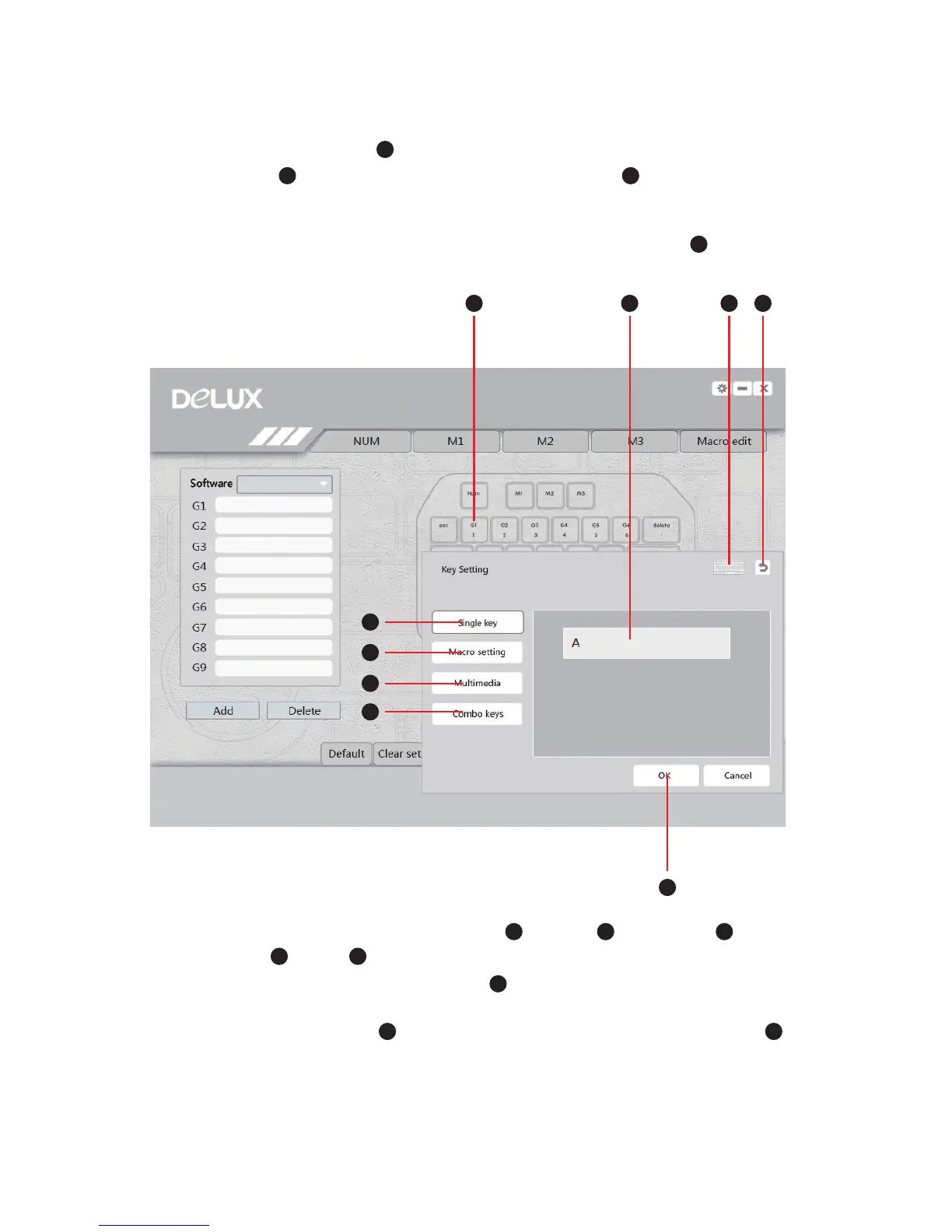
4. Customizable keys: G1-G9, Delete, S, /, Z, X, C, V, click these keys , the
setting window will show up.
FG
H
I
I
5. About key settings, you can set Single key , Macro , Multimedia and
Combo keys . Click or Fn + Ctrl to activate soft keyboard. Click any key on the soft
keyboard, it will show up in the blank space .
J
J
O
P
N
O
P
N
M
M
Q
Q
K
K
6. If you need to reset, Click to set again, and after finishing the setting, click to
close the window and you can move on to the next button’s setting.
L
L


 To Next Page