O
N
R
P
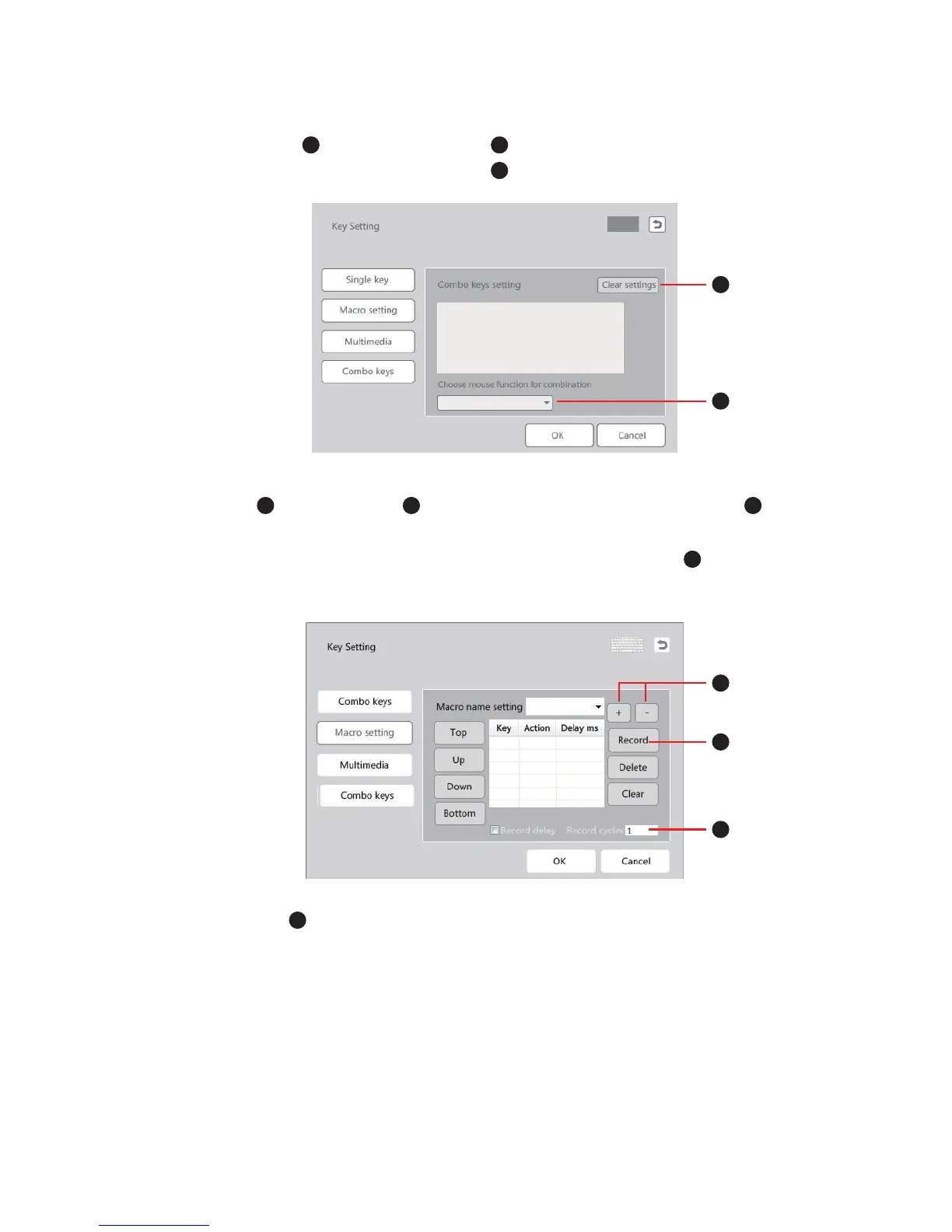
7. Combo keys : Click “Clear setting ” and type the keys you need if you want
to change the combo. You can also click to add mouse function in the combo.
R
S
S
T
V
V
U
UT
8. Macro : Click “Record” and add action on the window, click + or - to add
new action or delete action. Pressing one button can make things happen without
having to type the full instructions. Record delay and record cycles can be set.
More practical and interesting functions are waiting for you to explore.
9. Multimedia : Click “Multimedia” to set multimedia function for certain keys.
Fn+M1: Solid backlight
Fn+M2: Breathing
Fn+M3: Single key backlight
Backlight mode


 To Next Page