3.Macro setting:
4.Other functions:
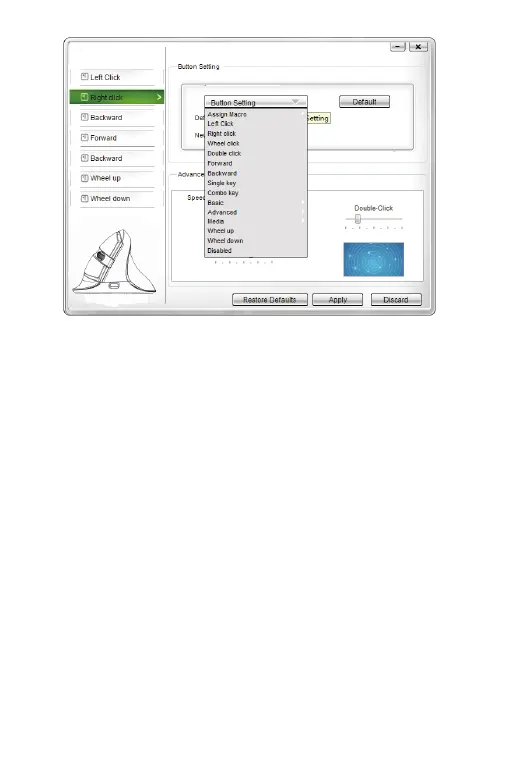
You can also adjust the speed of tracking , double-click and scrolling
After setting the functions please click “Apply”, if you need default
functions just click “Restore Defaults”
Basic: Cut, Copy, Paste, etc. 8 functions are available
Advanced: Switch window, close window, etc. 6 functions are
available
Media:Previous track, next track, stop, etc. 7 functions are available
Click “Assign Macro” to enter into Macro settings, click NEW and
name the macro, and click “Left click” on any blank space below
MARCRO SELECT to confirm the name. Then Start Record, after
finishing the record, please click “STOP RECORD”, and click “OK”
to save the macro. After choosing certain macro, the background
of this macro will turn green, you can edit the macro.
4.


 To Next Page