9
Function Setting procedure
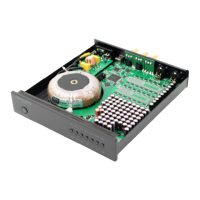
USB, COAX (coaxial), OPT and I2S.
Press these buttons to select the input source and the
corresponding source indicator will light up.If a device has
more than one audio source input, press the corresponding
audio source input button.indicator lights up to indicate
successful switching.
E. Selection
Oversampling Rate /
Original code rate
1. Press the NOS/OS button.
2. NOS indicator on = original code rate,
NOS indicator off = oversampling rate.
1. Press the MUTE button and the indicator lights up to enter
configuration mode.
2. Switch the NOS button momentarily (within 3s) to open the
channel switching setting.
3. Press the NOS button repeatedly to switch the left and right
channels back and forth.
D. DSD left and right channel
switching
F. Source Selection




 To Next Page