© DENAFRIPS CO. LTD. & VINSHINE AUDIO PTE. LTD. (SINGAPORE)
ALL RIGHTS RESERVED
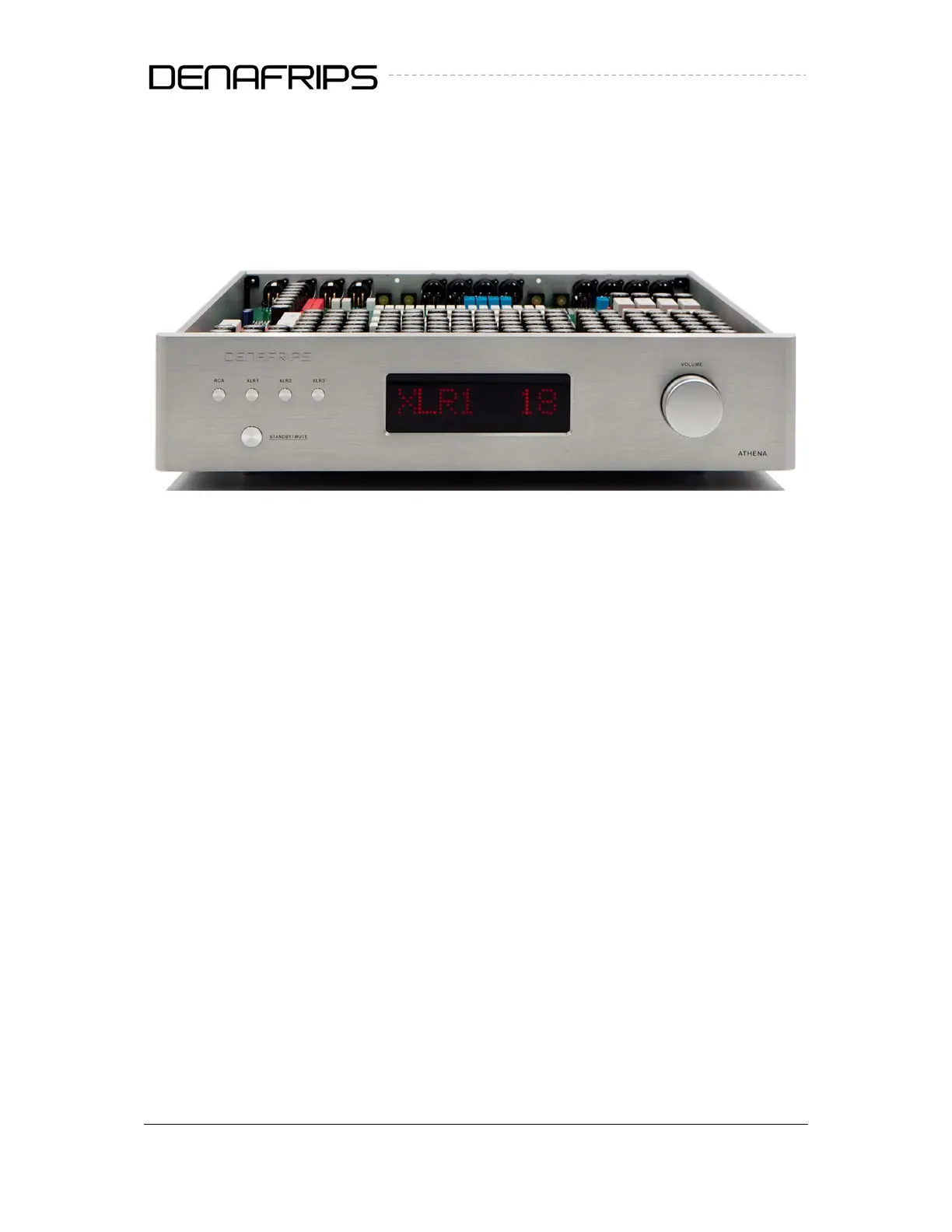
3.2 Front Panel
Figure 1. Front Panel
(1) Standby Button
Press the button once to switch on the PREAMP, vice versa, press once to put the PREAMP
into standby mode. The DISPLAY (3) shall be on when the PREAMP is in operating mode. The
PREAMP takes about 3 seconds to start-up.
(2) Inputs Selection
Press the button to select the desired input XLR1/XLR2/XLR3/RCA. Please note that XLR4 is a
volume-controlled direct non-switchable input. Should XLR4 input is connected and the
source music playing, the music signal will output regardless of Input Selection
(3) Display
The LED display the current selected Input and Volume from 0-60
(4) Volume Control
Volume Control from 0(min, - ∞ - 70dB) to 60(max, 0dB). Each step is about 1-1.5dB. The
ATHENA is a unity gain PREAMP with relays switching. There will be ‘click’ sound from the
PREAMP as the relays switch on/off during volume adjustment.
4


 To Next Page