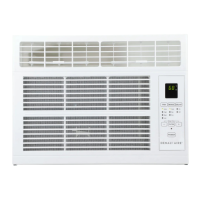
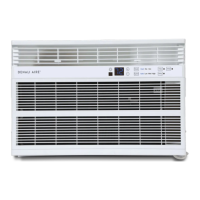
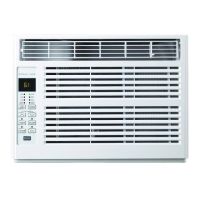
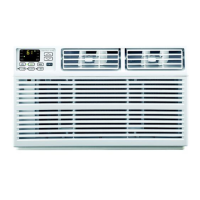
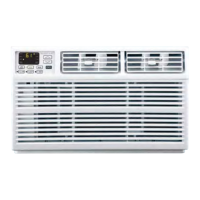
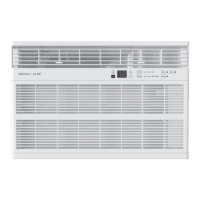
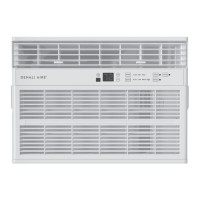
This document is an Owner's/Installation Manual for DENALI AIRE® Room Air Conditioners, covering models 2DANC8K, 2DANC10K, 2DANC12K, and 2DANC14K.
Function Description:
The Denali Aire Room Air Conditioner is designed to provide cooling, fan-only air circulation, and energy-efficient operation for indoor spaces. It features a control panel with touchpads and an accompanying remote control for convenient operation. The unit is intended for window installation and includes various modes and settings to optimize comfort and energy usage.
Important Technical Specifications:
- Electrical Requirements: 115/120-volt AC, 60-Hz grounded outlet protected with a 15-amp time-delay fuse or circuit breaker.
- Plug Type: 3-prong grounding plug with a current interrupter device (TEST and RESET buttons on the plug case).
- Refrigerant: Contains flammable refrigerant.
- Operating Temperature Range (Cool/ECO Mode):
- Indoor: Minimum 64°F, Maximum 86°F
- Outdoor: Minimum 32°F, Maximum 110°F
- Remote Control Battery: One CR 2025 (3V) Lithium battery.
- Window Requirements: Specific dimensions for different models are provided in the installation section, including "A" (minimum window opening width) and "B" (minimum window opening height).
- 2DANC8K: A = 13¾" min, B = 24½"–36"
- 2DANC10K/2DANC12K: A = 14¾" min, B = 25"–36¾"
- 2DANC14K: A = 15¾" min, B = 26½"–37¾"
- Installation Time: Approximately 1 hour (recommended for two people).
Usage Features:
- Control Panel: Features touchpads for ON/OFF, Mode (Cool, Fan, Eco), Speed (Auto, Low, Med, High), Delay, Temp/Time (Increase/Decrease), Filter Reset, and Sleep. Lights below the touchpads indicate selected settings.
- Display: Shows the set temperature in Cool or ECO modes, or time remaining on the Delay timer.
- Power Pad: Turns the air conditioner on and off. Displays the set temperature when on.
- Temp and Delay Increase + / Decrease - Pads: Used to set temperature (in Cool and ECO modes) or delay time (in 1-hour intervals).
- Mode Pad: Selects between Fan Only, Cool, or ECO modes.
- Fan Speed Pad: Sets fan speed to Auto, High, Med, or Low in Cool and ECO modes, or High, Med, or Low in Fan Only mode.
- Delay Pad (Delay ON/OFF):
- Delay ON: When the unit is off, it can be set to automatically turn on in 1 to 24 hours at its previous mode and fan settings.
- Delay OFF: When the unit is on, it can be set to automatically turn off in 1 to 24 hours.
- Timer can be reviewed and adjusted using the Temp/Delay pads.
- Timer can be canceled by setting the time to zero.
- Sleep Mode (Panel Only): Gradually changes settings over an 8-hour period for energy efficiency during sleep. Available in COOL and FAN ONLY settings.
- In FAN ONLY mode, fan stays at LOW speed for 8 hours, then resumes previous settings.
- In COOL mode, fan stays at LOW speed for 8 hours, set point raises 2°F after 30 minutes and another 2°F after 30 minutes, remaining for 7 hours, then resumes previous settings.
- Pressing any pad exits Sleep mode.
- Filter Reset Pad: Illuminates after 250 hours of operation to indicate the air filter needs cleaning. Pressing the pad after cleaning turns off the light.
- Control Panel Lights On/Off Feature: Lights on the control panel turn off after one minute of inactivity. Pressing any pad wakes them up. This feature can be toggled on/off by pressing and holding the SLEEP pad for 5 seconds.
- Cool Mode: Uses Low, Med, High fan speed for cooling. Desired temperature can be set between 64°F and 86°F in 1°F increments. Compressor cycles on and off to maintain room temperature.
- Normal Cooling: Cool mode, High or Med fan, middle set temperature.
- Maximum Cooling: Cool mode, High fan, lower set temperature.
- Quieter and Nighttime Cooling: Cool mode, Low fan, middle set temperature.
- Note: Compressor may take ~3 minutes to start when switching to Cool mode.
- Fan Only Mode: Provides air circulation and filtering without cooling. No set temperature can be entered. Displays room temperature.
- Auto Fan Mode: Automatically adjusts fan speed (Low, Med, High) to provide optimum comfort based on the set temperature.
- ECO Mode: Controls the fan's operation relative to the compressor.
- ON: Fan cycles on and off with the compressor, potentially causing wider temperature/humidity variations. Fan may run briefly or pulse intermittently after compressor cycles off to sample room air.
- OFF: Fan runs continuously while the compressor cycles on and off.
- Remote Control: Aim at the signal receiver on the unit. Range up to 20 feet. Requires fresh batteries.
- Air Direction: Louvers can be adjusted left/right and tilted up/down.
- Operation in Freezing Outdoor Conditions: Not designed for use when outdoor temperature is below 32°F.
Maintenance Features:
- Grille and Case Cleaning: Turn off and unplug the unit. Clean with warm water and mild detergent. Do not use bleach or abrasives.
- Air Filter Cleaning: Check and clean every 30 days.
- To remove: Pull down tabs on top corners of the grille, then remove the filter.
- To clean: Wash with warm, soapy water, rinse, and air dry. Do not use a dishwasher. Can also be vacuumed.
- Caution: Do not operate without a filter to prevent dirt/lint buildup and reduced performance.
- Outdoor Coils Cleaning: Check regularly. If clogged, they may need professional cleaning with water or special dissolvent for copper coils.
- Remote Control Battery Replacement:
- Remove screw on the back cover.
- Pinch slide lock and pull battery tray out.
- Insert new CR 2025 (3V) Lithium battery, ensuring correct (+) and (–) orientation.
- Reinsert tray and reinstall screw.
- Note: Remove battery if the remote will not be used for a long time.
- Troubleshooting Tips: A chart is provided for common issues (e.g., unit not starting, not cooling, freezing up, water dripping) and their solutions. Contact Denali Aire Customer Service for further assistance.
- Normal Operating Sounds:
- Pinging noise from water being picked up by a slinger blade and thrown against the condenser (normal, improves efficiency).
- Thermostat click when compressor cycles on/off.
- Water collection in the base pan during high humidity/rain, potentially overflowing. Drain plug can be removed for quicker drainage but may reduce efficiency.
- Fan running even when the compressor is off.
- Warning: DO NOT drill any holes.


 To Next Page
 General