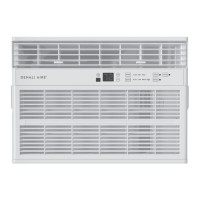
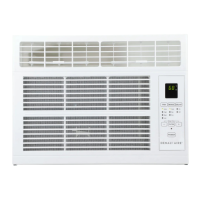
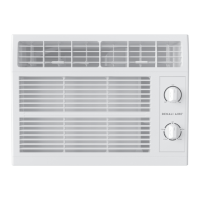
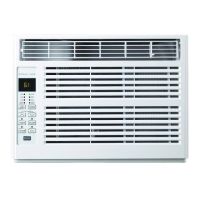
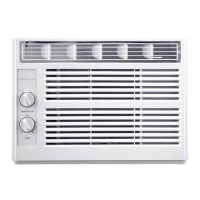
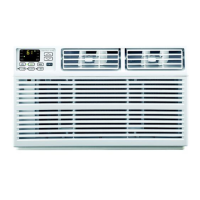
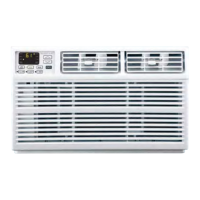
This document is an Owner's/Installation Manual for Denali Aire Room Air Conditioners, covering models 2DANC18K, 2DANC24K, 2DANCH18K, and 2DANCH24K.
Function Description
The Denali Aire Room Air Conditioner is designed to provide cooling and, in some models (2DANCH18K & 2DANCH24K), heating for a room. It features various operating modes including Cool, Fan Only, Eco, and Heat (for applicable models). The unit is designed for window installation and includes controls for temperature, fan speed, and a delay timer.
Important Technical Specifications
- Models Covered: 2DANC18K, 2DANC24K, 2DANCH18K, 2DANCH24K.
- Electrical Requirements:
- 230/208-volt AC.
- Protected with a time-delay fuse or circuit breaker.
- Requires its own individual electrical outlet with a voltage rating matching the rating plate.
- Equipped with a 3-prong (grounding) plug.
- Power cord includes a current interrupter device with a TEST and RESET button.
- Temperature Range:
- Minimum Indoor Operating Temperature: 64°F (18°C)
- Maximum Indoor Operating Temperature: 86°F (30°C)
- Minimum Outdoor Operating Temperature: 32°F (0°C)
- Maximum Outdoor Operating Temperature: 110°F (43°C)
- Refrigerant: Contains flammable refrigerant.
- Window Requirements:
- Designed for standard double-hung windows.
- Minimum window opening width (A): 19 1/8" (48.6 cm).
- Window opening width with accordion panel (B): 30"-39" (76.2 cm - 99.1 cm).
- Requires proper tilt towards the outside for drainage.
- Remote Control: Uses one CR 2025 (3V) Lithium battery. Signal range up to 20 feet.
Usage Features
- Control Panel: Features touch pads with indicator lights for selected settings. The lights turn off after one minute of inactivity; pressing any pad wakes them up. This feature can be toggled on/off by holding the SLEEP pad for 5 seconds.
- Power Pad: Turns the unit on/off. Displays the set temperature when on.
- Display: Shows the set temperature in Cool or ECO modes, or time remaining on the Delay timer.
- Temp and Delay Increase + / Decrease – Pads: Used to set temperature (in Cool, ECO, or Heat mode) or delay time. Temperature can be set in 1°F increments.
- Mode Pad: Selects operating mode: Fan Only, Cool, Heat (for 2DANCH18K & 2DANCH24K models), or Eco.
- Fan Speed Pad: Sets fan speed to Auto, High, Med, or Low in Cool, ECO, or Heat modes. In Fan Only mode, sets fan speed to High, Med, or Low.
- Delay ON/OFF:
- Delay ON: When the unit is off, it can be set to automatically turn on in 1 to 24 hours at previous mode and fan settings.
- Delay OFF: When the unit is on, it can be set to automatically turn off in 1 to 24 hours.
- Set in 1-hour intervals using the Increase + / Decrease – pads.
- To cancel, decrease the time to zero.
- SLEEP Mode (Panel Only): Gradually changes settings over an 8-hour period for energy efficiency. Available in COOL and FAN ONLY settings.
- In FAN ONLY mode, fan stays at LOW speed for 8 hours, then resumes previous settings.
- In COOL mode, fan stays at LOW speed for 8 hours. Set point raises 2°F after 30 minutes, and another 2°F after 30 minutes, remaining for 7 hours, then resumes previous settings.
- Pressing any pad exits SLEEP mode.
- Filter Reset Pad: Indicator light comes on after 250 hours of operation to remind the user to clean the air filter. Pressing the pad after cleaning turns the light off.
- AUTO FAN Mode: Automatically adjusts fan speed to maintain optimum comfort based on the set temperature.
- ECO Mode: Controls the fan.
- ON: Fan cycles on/off with the compressor, potentially causing wider temperature/humidity variations. Fan may run briefly or pulse intermittently after compressor cycles off to sample room air.
- OFF: Fan runs continuously while the compressor cycles on/off.
- Air Direction: Louvers can be adjusted left/right and tilted up/down to direct airflow.
- Remote Control: Aim at the signal receiver on the unit. Effective up to 20 feet. Requires fresh batteries.
Maintenance Features
- Grille and Case: Turn off and unplug the unit before cleaning. Clean with warm water and mild detergent. Do not use bleach or abrasives.
- Air Filter:
- Should be checked and cleaned at least every 30 days.
- To remove: Open grille by pulling tabs, then remove filter.
- To clean: Wash with warm, soapy water, rinse, and air dry. Do not use a dishwasher. Can also be vacuumed with a hose adapter.
- CAUTION: Do not operate without a filter to prevent dirt/lint buildup and performance reduction.
- Outdoor Coils:
- Check regularly for dirt or soot.
- May require professional cleaning with water or special dissolvent for copper coils.
- Battery Replacement (Remote Control):
- Remove screw on back cover.
- Pinch slide lock and pull battery tray out.
- Insert new CR 2025 (3V) Lithium battery, ensuring correct polarity.
- Reinsert tray and reinstall screw.
- Remove battery if not used for a long time.
- Normal Operating Sounds:
- Pinging noise from water being picked up and thrown against the condenser (normal, due to slinger blade for efficiency).
- Thermostat click when compressor cycles on/off.
- Water collection in base pan during high humidity or rainy days (may overflow and drip outside). Drain plug can be removed for quicker drainage but may reduce efficiency.
- Fan may run even when compressor is off.
- DO NOT drill any holes.
- General: Use only for intended purpose. Install according to instructions. Never unplug by pulling cord. Replace damaged power cords immediately. Unplug before cleaning. Do not store or use combustible materials near the unit. If receptacle doesn't match plug, have it changed by a qualified electrician.
- Flammable Refrigerant (R32):
- Do not use means to accelerate defrosting or clean other than recommended by manufacturer.
- Do not store in a room with continuously operating ignition sources (e.g., open flames, gas appliance, electric heater).
- Do not pierce or burn refrigerant tubing.
- Keep ventilation openings clear.
- Handle, install, and operate carefully to avoid damage to tubing.
- Do not drill holes.
- Maintenance/cleaning/service by properly trained technicians qualified in flammable refrigerants.
- Dispose of according to Federal and Local Regulations; contact authorities for environmentally safe disposal.
- Electrical Safety:
- NO Extension Cords, Surge Protectors, or Multi-outlet Adapters.
- Do not cut or remove the third (ground) prong.
- Do not use an adapter plug.
- Ensure wall outlet is properly grounded by a qualified electrician.
- Have a 3-prong wall outlet installed if a 2-prong is present.
- Test the current interrupter device on the power cord periodically (TEST then RESET). Discontinue use if it doesn't trip or reset.
- Aluminum house wiring may require consultation with a qualified electrician.
- Chemical Burn Hazard (Lithium Battery):
- Keep batteries away from children.
- Swallowing a lithium button/coin cell battery can cause severe internal burns or death.
- Secure battery compartment. If it doesn't close securely, stop using, remove batteries, and keep away from children.
- Seek immediate medical attention if batteries might have been swallowed or placed inside the body.
- Dispose of cells properly, away from children. Even used cells can cause injury.
- Operation in Freezing Outdoor Conditions: This cool-only air conditioner is not designed for freezing outdoor conditions and should not be used when the outdoor temperature is below 32°F.


 To Next Page
 General