7
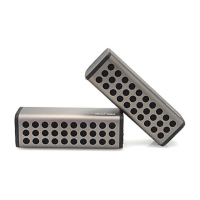
3. Now, both speakers can be found, as 2 separate devices in the Search list of your mobile device.
Resetting the speakers
1. Under unlikely circumstances when your device hangs and requires a reset.
2. Take a pin or similar object, and carefully insert it into the “Reset” slot, until you hear a click
sound.
3. The device should now reset and restart in seconds.
4. Press and hold the Power ON/OFF button to turn ON and restart the device after reset.
Specifications –
Bluetooth® Version: 2.1+EDR
Wireless Distance: 26 to 33 Feet
Speaker power: 2x3 Watts (RMS) per speaker
Dimension: 8.17” (L) x 2.70” (D) x 2.78” (H) per speaker
Weight: 1.6 Lb per speaker
Power Input: DC 5V
Charging time: 4 to 5 hours
Play time: 3 to 4 hours
Built-In Rechargeable Battery: 3.7V 1500mAh
(Note: Battery life & charging time may vary based on usage & types of devices used.)
Troubleshooting
Source (Tablet, Mobile Phone,
Laptop, etc.) volume too low.
Battery dead
Adjust source volume.
Charge Battery.
Source (Tablet, Mobile Phone,
Laptop.) turned off.
Speaker turned off.
Volume turned down source.
Media paused on source.
Turn the source on.
Turn the speaker on.
Adjust volume source.
Play media from source.
Care and maintenance
Read the following recommendations before using the Bluetooth speakers. Following these you will be
able to enjoy the product for many years.


 To Next Page