EasyManua.ls Logo

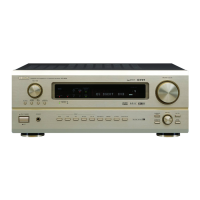
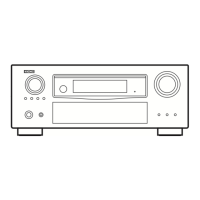
Denon AVR-3801 - Service Manual

Denon AVR-3801
137 pages
Print Icon
To Next Page IconTo Next Page
Loading...
Hi-Fi Component
SERVICE MANUAL
MODEL
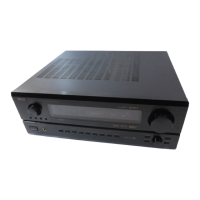
AVR-3801
AV SURROUND RECEIVER
Some illustrations using in this service manual are slightly different from the actual set.

Other manuals for Denon AVR-3801

Questions and Answers

  • D
    Debra RubioAug 14, 2025
    What to do if my Denon AVR-3801 Stereo Receiver display is lit but there's no sound?
    • F
      fmillerAug 14, 2025
      If your Denon Stereo Receiver's display is lit but no sound is produced, consider these potential causes: * **Speaker cords:** Ensure they are securely connected. * **Audio function button:** Make sure it is in the correct position. * **Volume:** Increase the volume level. * **Muting:** Check if muting is enabled and switch it off. * **Digital signals:** If using digital input, ensure digital signals are being input or that you've selected the correct input jacks.
  • H
    hurstaaronAug 17, 2025
    How to fix a Denon AVR-3801 Stereo Receiver when the display is not lit and there is no sound?
    • N
      Natalie BarnettAug 17, 2025
      If the display is not lit and no sound is produced when the power switch is on, check if the power cord is securely plugged in. Also, try turning on the power with the remote control after turning the POWER switch on.
  • K
    Kristen HernandezAug 20, 2025
    Why is the power indicator flashing rapidly and the display not lit on my Denon AVR-3801?
    • D
      dsharpAug 20, 2025
      If the display on your Denon Stereo Receiver is not lit and the power indicator is flashing rapidly, it could be due to: * **Short-circuited speaker terminals:** Switch the power off, properly connect the speakers, and then switch the power back on. * **Blocked ventilation holes:** Turn off the power, ensure the ventilation holes are unblocked to cool down the unit, and then turn the power back on. * **Continuous high power operation with inadequate ventilation:** Turn off the power, ventilate the unit well to cool it down, and then turn the power back on.
  • F
    Frank MyersAug 25, 2025
    Why is my Denon AVR-3801 not responding to the remote control?
    • P
      Pamela WyattAug 25, 2025
      If your Denon Stereo Receiver isn't responding to the remote control, try the following: * **Batteries:** Replace dead batteries with new ones. * **Distance:** Move closer to the unit. * **Obstacles:** Remove any obstacles between the remote and the unit. * **Button:** Ensure you are pressing the correct button. * **Battery insertion:** Verify the batteries are inserted correctly, with the < and > ends properly aligned.
  • R
    ramseyjohnAug 27, 2025
    What to do if sound is only coming from one channel on my Denon Stereo Receiver?
    • N
      nelsoncalvinAug 27, 2025
      If sound is only coming from one channel on your Denon Stereo Receiver, check the speaker cords and input/output cords to ensure they are securely connected.
  • R
    romerojonAug 30, 2025
    Why is my Denon AVR-3801 producing a humming noise when playing records?
    • C
      Corey WilliamsAug 31, 2025
      If your Denon Stereo Receiver is producing a humming noise when playing records, it could be due to: * The turntable's ground wire not being connected properly: Ensure it is securely connected. * An incomplete PHONO jack connection: Connect securely. * Proximity to a TV or radio transmission antenna: Contact your store of purchase.
  • S
    Susan KingSep 3, 2025
    Why are the instrument positions reversed during stereo playback on my Denon Stereo Receiver?
    • J
      James MooreSep 3, 2025
      If the positions of instruments are reversed during stereo playback, check the left and right connections of the speakers or the input/output cords on your Denon Stereo Receiver.
  • J
    John WebbSep 6, 2025
    How to stop a howling noise from my Denon Stereo Receiver when the volume is high?
    • T
      Taylor DavisSep 6, 2025
      If you are experiencing a howling noise when the volume is high on your Denon Stereo Receiver, consider that: * The turntable and speaker systems may be too close together: Separate them as much as possible. * The floor may be unstable and vibrates easily: Use cushions to absorb speaker vibrations transmitted by the floor. If the turntable lacks insulators, use audio insulators.
  • K
    Katie EdwardsSep 9, 2025
    How do I fix the on screen display not showing on my Denon Stereo Receiver?
    • R
      Roberto AlvaradoSep 9, 2025
      If the on-screen display is not showing, check the system setup menu screen and ensure that “on screen display” is set to on.

Summary

Safety Precautions

Leakage Current Check

Ensures unit safety before returning to customer by checking leakage current.

Specifications

Disassembly Procedure

Top Cover and Front Panel Removal

Steps to remove the top and front panels of the unit.

Inner Panel Removal

Procedure to access and remove the inner panel.

Disassembly Procedure (Continued)

Inner Panel Assembly and Power Transformer Removal

Steps for inner panel access and power transformer removal.

Unit Detachment

Steps to detach video, pre-out, amp, and regulator units.

Rear Panel and Power-on Check

Detaching rear panel and checking unit with power on.

Adjustment Procedures

Tuner Section Alignment

FM/MPX and AM alignment steps.

Audio Section Adjustment

Idling Current Setting

Procedure for setting idling current for the power unit.

Semiconductor Components

Schematic Diagrams (Part 1)

1 U-3320 Audio;DSP Unit (1;4)

Schematic for the audio/DSP unit, section A.

1 U-3320 Audio;DSP Unit (2;4)

Schematic for the audio/DSP unit, section B.

Schematic Diagrams (Part 2)

1 U-3320 Audio;DSP Unit (3;4)

Schematic for the audio/DSP unit, section C.

1 U-3320 Audio;DSP Unit (4;4)

Schematic for the audio/DSP unit, section D.

Schematic Diagrams (Part 3)

1 U-3316 Ext In VR Unit

Schematic for the external input VR unit.

Schematic Diagrams (Part 4)

1 U-3317-2 Connect Unit

Schematic for the connect unit.

Schematic Diagrams (Part 5)

Schematic Diagrams (Part 6)

Schematic Diagrams (Part 7)

Schematic Diagrams (Part 8)

Schematic Diagrams (Part 9)

Schematic Diagrams (Part 10)

Schematic Diagrams (Part 11)

Schematic Diagrams (Part 12)

Schematic Diagrams (Part 13)

Denon AVR-3801 Specifications

General IconGeneral
Channels7.1
Power Output105 W per channel (8 ohms, 20 Hz - 20 kHz, 0.05% THD)
Frequency Response10 Hz - 100 kHz (+1, -3 dB)
Total Harmonic Distortion0.05%
TypeAV Receiver
Input Sensitivity200 mV (Line)
Input Impedance47 kOhms (Line)
Output Voltage1.2 V (Pre Out)
Video SwitchingComposite, S-Video
Speaker Impedance6 - 16 Ohms
Tuning rangeFM, AM
Digital inputs/outputsoptical, coaxial
Signal-to-Noise Ratio100 dB (Line)
Output Impedance1.2k ohms

Related product manuals