EasyManua.ls Logo

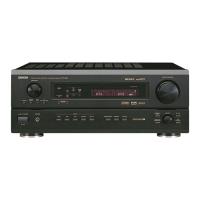
Denon AVR-3300 - User Manual

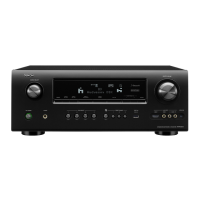
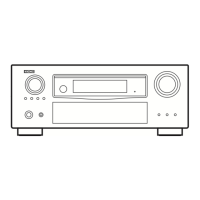
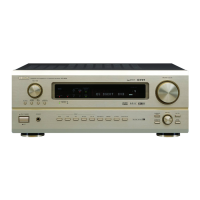
Denon AVR-3300
62 pages
Print Icon
To Next Page IconTo Next Page
Loading...
DVD
START LEARNED/TX
SPEAKER
TUNING
BAND
TITLE
MENU/GUIDE
MODE
MEMORY
USE/LEARN T.TONE MULTI OUTPUT SET UP
RETURN
STATUS
DISPLAY
ON SCREEN
DOLBY / DTS
SURROUND
DIRECT
DSP SIMULATION
5CH STEREO STEREO
INPUT MODE
ANALOG EXT.IN
MUTING
MASTER VOL.
VOLUME DISC SKIP+
SYSTEM CALL POWER
VDP TUNER SHIFT
TV/DBS PHONO
VCR-1 CD
MD
/
TAPE
CHANNEL
VCR-2/V.AUX
TV/VCR
AVR/AVC VIDEO DVD TV
AUDIO
VDP VCR
CD
MD
MULTI
DECK
SYSTEM
SETUP
SURROUND
PARAMETER
CH SELECT
SELECT
RC-860
123
4
SET
A / B
CALL OFF
ENTER
ON
/
SOURCE
56
789
+10
0
MASTER VOLUME
FUNCTION
TUNING
PRESET
REC/
MULTI
SOURCE
AVR-3300
PRECISION AUDIO COMPONENT / AV SURROUND RECEIVER
MD/TAPE MON
VOLUME LEVEL
AUTO
LOCK
ON / STANDBY
PCM
DTS
SIGNAL
DIGITAL
INPUT
REMOTE
SENSOR
SURROUND
SPEAKER
AB
PHONES
CH. VOL
SURROUND
MODE
SURROUND
PARAMETER
TONE
CONTROL
SELECT
INPUT
DIMMER
EXT. IN
ANALOG
DTS
AUTO
PCM
STATUS
VIDEO SELECT
B
AV SURROUND RECEIVER
RÉCEPTEUR AUDIO-VIDÉO
AVR-3300
OPERATING INSTRUCTIONS
MODE D’EMPLOI
2 We greatly appreciate your purchase of the AVR-3300.
2 To be sure you take maximum advantage of all the features the AVR-3300 has to offer, read these instructions
carefully and use the set properly. Be sure to keep this manual for future reference should any questions or
problems arise.
2 Nous vous remercions de l’achat de l’AVR-3300.
2 Pour être sûr de profiter au maximum de toutes les caractéristiques qu’a à offrir l’AVR-3300, lire avec soin ces
instructions et bien utiliser l’appareil. Toujours conserver ce mode d’emploi pour s’y référer ultérieurement en
cas de question ou de problème.
FOR ENGLISH READERS PAGE 02 ~ PAGE 062
POUR LES LECTEURS FRANCAIS PAGE 2, 3, 63 ~ PAGE 120

Other manuals for Denon AVR-3300

Questions and Answers

  • J
    Jessica CarsonAug 14, 2025
    What to do if my Denon Stereo Receiver display is lit but there's no sound?
    • T
      Tony Martin IVAug 14, 2025
      If your Denon Stereo Receiver's display is lit but no sound is produced, consider these potential causes: * **Speaker cords:** Ensure they are securely connected. * **Audio function button:** Make sure it is in the correct position. * **Volume:** Increase the volume level. * **Muting:** Check if muting is enabled and switch it off. * **Digital signals:** If using digital input, ensure digital signals are being input or that you've selected the correct input jacks.
  • B
    brandon05Aug 17, 2025
    How to fix a Denon Stereo Receiver when the display is not lit and there is no sound?
    • C
      Christopher HubbardAug 17, 2025
      If the display is not lit and no sound is produced when the power switch is on, check if the power cord is securely plugged in. Also, try turning on the power with the remote control after turning the POWER switch on.
  • E
    Erica HurstAug 20, 2025
    Why is the power indicator flashing rapidly and the display not lit on my Denon AVR-3300?
    • R
      rnelsonAug 21, 2025
      If the display on your Denon Stereo Receiver is not lit and the power indicator is flashing rapidly, it could be due to: * **Short-circuited speaker terminals:** Switch the power off, properly connect the speakers, and then switch the power back on. * **Blocked ventilation holes:** Turn off the power, ensure the ventilation holes are unblocked to cool down the unit, and then turn the power back on. * **Continuous high power operation with inadequate ventilation:** Turn off the power, ventilate the unit well to cool it down, and then turn the power back on.
  • K
    Kristen DanielsAug 25, 2025
    Why is my Denon AVR-3300 Stereo Receiver not responding to the remote control?
    • A
      Allison SullivanAug 25, 2025
      If your Denon Stereo Receiver isn't responding to the remote control, try the following: * **Batteries:** Replace dead batteries with new ones. * **Distance:** Move closer to the unit. * **Obstacles:** Remove any obstacles between the remote and the unit. * **Button:** Ensure you are pressing the correct button. * **Battery insertion:** Verify the batteries are inserted correctly, with the < and > ends properly aligned.
  • C
    Cassandra JohnsonAug 27, 2025
    What to do if sound is only coming from one channel on my Denon Stereo Receiver?
    • V
      vblackwellAug 27, 2025
      If sound is only coming from one channel on your Denon Stereo Receiver, check the speaker cords and input/output cords to ensure they are securely connected.
  • W
    wwilliamsAug 30, 2025
    Why is my Denon AVR-3300 Stereo Receiver producing a humming noise when playing records?
    • S
      Sabrina YorkAug 30, 2025
      If your Denon Stereo Receiver is producing a humming noise when playing records, it could be due to: * The turntable's ground wire not being connected properly: Ensure it is securely connected. * An incomplete PHONO jack connection: Connect securely. * Proximity to a TV or radio transmission antenna: Contact your store of purchase.
  • X
    xstokesSep 3, 2025
    Why are the instrument positions reversed during stereo playback on my Denon AVR-3300?
    • J
      josephknightSep 3, 2025
      If the positions of instruments are reversed during stereo playback, check the left and right connections of the speakers or the input/output cords on your Denon Stereo Receiver.
  • B
    Brandy CarpenterSep 6, 2025
    How to stop a howling noise from my Denon AVR-3300 Stereo Receiver when the volume is high?
    • G
      Grace PhillipsSep 6, 2025
      If you are experiencing a howling noise when the volume is high on your Denon Stereo Receiver, consider that: * The turntable and speaker systems may be too close together: Separate them as much as possible. * The floor may be unstable and vibrates easily: Use cushions to absorb speaker vibrations transmitted by the floor. If the turntable lacks insulators, use audio insulators.
  • R
    Rebecca GuzmanSep 9, 2025
    How do I fix the on screen display not showing on my Denon Stereo Receiver?
    • V
      Valerie GonzalesSep 9, 2025
      If the on-screen display is not showing, check the system setup menu screen and ensure that “on screen display” is set to on.

Summary

Before Using

Cautions on Handling

Connections

Connecting the audio components

Guidelines for connecting various audio equipment like CD players and tape decks.

Connecting video components

Instructions for connecting TV, DBS tuners, VDPs, and video decks.

Connecting the external input (EXT. IN) jacks

Connect multi-channel audio signals for advanced audio formats.

Speaker system connections

Guidance on connecting speakers, including polarity and impedance.

Part Names and Functions

Front Panel

Detailed layout and function of the front panel controls and indicators.

Remote control unit

SETTING UP THE SYSTEM

System setup items and default values (set upon shipment from the factory)

Overview of system setup parameters and their factory default settings.

REMOTE CONTROL UNIT

Learning function

System call function

System call buttons

Buttons used for transmitting multiple remote control signals (macros).

Operation

Before operating

Check connections and set up the unit before initial operation.

Playing the input source

Input mode selection function

Select input modes (Auto, PCM, DTS, Analog, EXT. IN) for different sources.

SURROUND

Before playing with the surround function

Use test tones to adjust playback levels for optimal surround sound.

Dolby Digital mode (only with digital input) and DTS Surround mode (only with digital input)

Surround parameters 1

Adjust parameters like Cinema EQ, Dynamic Range Compression, and LFE.

DSP SURROUND SIMULATION

Surround modes and their features

Overview of available DSP surround modes and their characteristics.

INITIALIZATION OF THE MICROPROCESSOR

TROUBLESHOOTING

Surround

SPECIFICATIONS

Denon AVR-3300 Specifications

Audio Specifications IconAudio Specifications
rated output (front)105 W + 105 W (8 Ω, 20 Hz ~ 20 kHz with 0.05% T.H.D.)
rated output (center)105 W (8 Ω, 20 Hz ~ 20 kHz with 0.05% T.H.D.)
dynamic power140 W x 2 ch (8 Ω)
input sensitivity / input impedance200 mV / 47 kΩ
frequency response (analog)10 Hz ~ 50 kHz: +0, –3 dB (DIRECT mode)
S/N (analog)102 dB (DIRECT mode)
distortion (analog)0.01% (20 Hz ~ 20 kHz) (DIRECT mode)
D/A output (rated)2 V (at 0 dB playback)
total harmonic distortion (digital)0.008% (1 kHz, at 0 dB)
S/N ratio (digital)102 dB
dynamic range (digital)96 dB
phono input sensitivity2.5 mV
RIAA deviation±1 dB (20 Hz to 20 kHz)
signal-to-noise ratio (phono)74 dB (A weighting, with 5 mV input)
distortion factor (phono)0.03% (1 kHz, 3 V)
Video Specifications IconVideo Specifications
input / output level and impedance (standard video)1 Vp-p, 75 Ω
frequency response (standard video)5 Hz ~ 10 MHz — +0, –3 dB
input / output level and impedance (S-video)Y signal — 1 Vp-p, 75 Ω; C signal — 0.286 Vp-p, 75 Ω
frequency response (S-video)5 Hz ~ 10 MHz — +0, –3 dB
input / output level and impedance (color component video)Y signal — 1 Vp-p, 75 Ω; Cb/Cr signal — 0.7 Vp-p, 75 Ω
frequency response (color component video)5 Hz ~ 20 MHz — +0, –3 dB
Tuner Specifications IconTuner Specifications
receiving range (FM)87.50 MHz ~ 107.90 MHz
receiving range (AM)520 kHz ~ 1710 kHz
usable sensitivity (FM)1.0 µV (11.2 dBf)
50 dB quieting sensitivity (MONO)1.6 µV (15.3 dBf)
S/N (IHF-A) (MONO)80 dB
total harmonic distortion (MONO)0.15% (at 1 kHz)
General Specifications IconGeneral Specifications
power supply (North America model)AC 120 V, 60 Hz
power consumption (North America model)5.6 A
maximum external dimensions434 (W) x 171 (H) x 416 (D) mm
weight15.0 kg (33 lbs 2 oz)
batteries (remote control)R6P/AA Type (two batteries)
external dimensions (remote control)70 (W) x 215 (H) x 24 (D) mm
weight (remote control)200 g (Approx. 7 oz) (including batteries)

Related product manuals