EasyManua.ls Logo

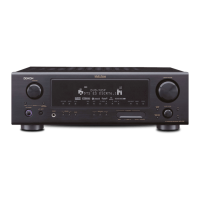
Denon AVR-786 - User Manual

Denon AVR-786
68 pages
Print Icon
To Next Page IconTo Next Page
Loading...
AV SURROUND RECEIVER
AVR-786
OPERATING INSTRUCTIONS
MODE D’EMPLOI

Table of Contents

Other manuals for Denon AVR-786

Questions and Answers

  • D
    David MillerJul 29, 2025
    What to do if my Denon Stereo Receiver display is lit but no sound is produced?
    • K
      Kim WilliamsJul 29, 2025
      If the display is lit but no sound is coming from your Denon Stereo Receiver, there are several possible reasons: * Check that the speaker cables are securely connected. * Ensure the FUNCTION knob is set to a suitable position. * Verify that the volume control is not set to the minimum; turn it up to a suitable level. * Make sure MUTING is switched off. * Confirm that digital signals are being input, or select the correct input terminals for digital signals.
  • H
    hkellyAug 3, 2025
    Why is my Denon Stereo Receiver display not lit but sound not produced?
    • S
      Shawn SaundersAug 3, 2025
      If the display is not lit and no sound is produced when the power switch is on, it could be due to the power supply cord not being securely plugged in. Check the insertion of the power supply cord plug. Alternatively, try turning the power on with the remote control after turning the POWER switch on.
  • C
    cjamesAug 8, 2025
    What to do if my Denon Stereo Receiver display is not lit and the power indicator is flashing rapidly?
    • H
      hgarciaAug 8, 2025
      If the display of your Denon Stereo Receiver is not lit and the power indicator is flashing rapidly, it could be due to a short-circuit in the speaker terminals. Switch the power off, connect the speakers properly, and then switch the power back on. Another possibility is that the ventilation holes are blocked, or the unit is operating at continuous high power with inadequate ventilation. In this case, turn off the power, ventilate the unit well, allow it to cool down, and then turn the power back on.
  • T
    Travis MoodyAug 13, 2025
    Why is sound produced only from one channel on my Denon Stereo Receiver?
    • J
      John DavisAug 13, 2025
      If sound is only coming from one channel on your Denon Stereo Receiver, it is likely due to an incomplete connection of the speaker cables or the input/output cables. Ensure that all connections are securely made.
  • A
    Ashley BrooksAug 18, 2025
    Why are the positions of instruments reversed during stereo playback on my Denon Stereo Receiver?
    • J
      Jackson FisherAug 18, 2025
      If the positions of instruments are reversed during stereo playback on your Denon Stereo Receiver, it's probably due to reversed connections of the left and right speakers or the left and right input/output cables. Check the left and right connections to ensure they are correct.
  • S
    sarah80Aug 23, 2025
    Why is there a howling noise produced when the volume is high on my Denon Stereo Receiver?
    • R
      robertwilliamsAug 23, 2025
      A howling noise when the volume is high on your Denon Stereo Receiver can be caused by speaker systems being too close together; separate them as much as possible. It can also occur if the floor is unstable and vibrates easily; use cushions to absorb speaker vibrations transmitted by the floor.

Summary

Safety Precautions

Safety Instructions

Easy Setup and Operation

Auto Setup Procedure

Guides users through the automatic setup process.

Connecting External Sources

Instructions for connecting DVD players, monitors, and other audio/video sources.

Auto Setup Troubleshooting

Information on error messages and checking measurement results.

Basic Operation

DTS Neo:6 Surround Modes

Describes DTS Neo:6 modes and surround parameter settings.

Digital Surround Modes

Explains Dolby Digital and DTS modes with parameter details.

Advanced Operation

Multi-Zone Audio System

Guides for setting up a multi-zone audio system.

ZONE2 Operation

Instructions for outputting audio to another room and multi-source playback.

Advanced Setup - Part 1

System Setup Navigation

Explains how to navigate and use the system setup menus.

Input Setup Configuration

Guides for digital input assignment, external SW level, and input function levels.

Advanced Setup - Part 2

Speaker Configuration

Details on setting speaker configuration and parameters.

Speaker Setup Parameters

Guides for setting speaker delay time and adjusting channel levels.

Troubleshooting Guide

Common Issues and Solutions

Lists common problems, their causes, and solutions.

Additional Information

Dolby Surround Formats

Details Dolby Digital and Dolby Pro Logic surround formats.

DTS Surround Formats

Details DTS-ES, DTS Neo:6, and DTS 96/24 surround formats.

DTS Format Details

Provides specifics on DTS Neo:6 modes and DTS 96/24 compatibility.

Denon AVR-786 Specifications

General IconGeneral
BrandDenon
ModelAVR-786
CategoryStereo Receiver
LanguageEnglish

Related product manuals