EasyManua.ls Logo

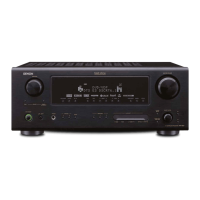
Denon AVR-888 - User Manual

Denon AVR-888
78 pages
Print Icon
To Next Page IconTo Next Page
Loading...
AV SURROUND RECEIVER
AVR-888
Owners Manual
Manuel de l’Utilisateur
1.AVR888E3_ENG_1st.indd 1 2007/07/18 21:51:58

Table of Contents

Other manuals for Denon AVR-888

Questions and Answers

  • E
    Erin PalmerAug 18, 2025
    What to do if no sound is coming from the speakers of my Denon AVR-888?
    • X
      xhuntAug 18, 2025
      If no sound is coming from your speakers, consider these potential causes: * There might be a faulty connection with the input devices or speaker cables. Check all connections to ensure they are secure. * The device you want to play and the set input source may not match. Select the appropriate input source. * The master volume might be turned too low. Adjust the master volume to an appropriate level. * Mute mode may be set. Cancel the mute mode. * Headphones may be connected. Disconnect the headphones. * No digital signals may be input. Select an input source for which the digital input setting has been made. * The connectors to which the digital inputs are assigned and the settable input modes may not match. Set the input mode.
  • S
    Stephanie WilliamsAug 21, 2025
    Why is there no sound coming from the subwoofer connected to my Denon AVR-888 Stereo Receiver?
    • P
      Paul PatelAug 21, 2025
      If your subwoofer isn't producing sound, consider these possibilities: * The subwoofer's power may not be turned on. Turn on the subwoofer's power. * The “Subwoofer” setting at “Speaker Configuration” may be set to “No”. Set it to “Yes”. * The subwoofer may not be properly connected. Check the connections. * The subwoofer’s volume may be turned off. Adjust the subwoofer’s volume to an appropriate level.
  • C
    Christopher GreenAug 23, 2025
    Why is there no sound coming from the surround speakers of my Denon AVR-888 Stereo Receiver?
    • T
      Timothy JohnsonAug 23, 2025
      If you're not getting sound from your surround speakers, the surround mode might be set to “STEREO”, “DIRECT” or “PURE DIRECT”. Set to a surround playback mode.
  • M
    Mariah GarciaAug 26, 2025
    Why is there no sound coming from the center speaker of my Denon AVR-888 Stereo Receiver?
    • K
      Kendra SandersAug 26, 2025
      If you're not hearing sound from the center speaker, you might be playing a monaural source (TV, AM radio broadcast, etc.) in the STANDARD mode. Change the mode to something other than “STANDARD”.
  • M
    Michelle SandersAug 28, 2025
    Why is there no sound from the surround back speaker on my Denon AVR-888 Stereo Receiver?
    • C
      Courtney ArnoldAug 28, 2025
      If there's no sound from the surround back speaker, it could be due to the following: * The surround back speaker’s power amplifier may be assigned to a different channel. Check the setting and change it as necessary. * The surround back speaker setting may be set to “None”. Set to something other than “None”. * The surround mode may not be set to a mode for 6.1- or 7.1-channel playback. Select a surround playback mode.
  • J
    John DavisAug 31, 2025
    Why does my Denon AVR-888 Stereo Receiver power off suddenly and the power indicator flashes red?
    • R
      Robert WatsonAug 31, 2025
      This issue can occur for several reasons: * The protection circuit may be activated due to a rise in internal temperature. In this case, turn off the power, wait for the unit to fully cool down, and then turn it back on. * Core wires of two speakers may be touching, or a core wire may be sticking out and touching the set’s rear panel, activating the protection circuit. Unplug the power cord, twist the core wires tightly or terminate the speaker cables, and then reconnect. * Speakers with an impedance other than specified may be in use. Use speakers with the specified impedance. * The set may be damaged. Turn off the power and contact a DENON service center.
  • D
    Donna ReedSep 2, 2025
    Why is my Denon AVR-888 Stereo Receiver not responding to the remote control?
    • E
      emily56Sep 2, 2025
      If your device isn't responding to the remote, here are some possible reasons: * The batteries may be worn. Replace them with new ones. * You may be operating outside of the specified range. Operate within the specified range. * There may be an obstacle between the main unit and the remote control. Remove any obstacles. * The batteries may not be inserted correctly. Insert them in the proper direction, following the polarity marks in the battery compartment. * The remote control sensor may be exposed to strong light. Move the set to a place where the sensor won't be exposed to strong light. * The remote ID of the main unit and remote may not match. Set the Remote ID for the main unit to '1'.
  • N
    Nicole GuzmanSep 5, 2025
    How to turn on the display on my Denon Stereo Receiver?
    • A
      Amber MorganSep 5, 2025
      If the display is off, it could be due to these reasons: * The “Dimmer” setting is set to “OFF”. Set it to something other than “OFF”. * The PURE DIRECT mode is set. Set a surround mode other than the PURE DIRECT mode.
  • A
    Amy BaldwinSep 7, 2025
    Why can't I play my iPod on my Denon Stereo Receiver?
    • A
      Aaron GibsonSep 7, 2025
      If you're unable to play your iPod, consider the following: * The input source assigned to “iPod dock” may not be selected. Switch to the input source assigned at “iPod dock.” * The cable may not be properly connected. Reconnect it. * The Control Dock for iPod’s AC adapter may not be connected to a power outlet. Plug the Control Dock for iPod’s AC adapter into a power outlet.
  • M
    michelle28Sep 9, 2025
    What does 'CHECK ANTENNA' mean on my Denon AVR-888 in XM mode?
    • H
      Helen BakerSep 9, 2025
      If you see ”CHECK ANTENNA” displayed in the XM mode, the AVR-888’s XM connector and the XM Mini-Tuner and Home Dock may not be properly connected. Check that the connections are correct.

Summary

Safety Precautions

General Safety Warnings

Alerts regarding electric shock, fire, and proper use of the appliance.

Operating and Installation Safety

Guidelines for safe operation, installation, and servicing.

Getting Started

Handling and Remote Control Basics

Rear Panel Connections

Connector Identification

Identifies all rear panel input/output connectors.

Remote Control Unit Details

Front and Rear Button Identification

Identifies buttons on the front and rear of the remote control.

Connections Overview

Speaker Setup

Connecting Speaker Cables

HDMI Connectivity

Connecting HDMI Devices

Instructions for connecting equipment via HDMI.

Connecting Playback Components

DVD Player Connection

Instructions for connecting a DVD player.

Recording Component Connections

Multi-zone and Power Setup

Initial Power On Procedure

Steps to turn the unit on for the first time.

Menu Navigation

Menu Operations Guide

How to navigate and operate unit menus.

On-Screen Display Examples

Typical Display Screen Examples

Illustrates typical menu and front display screens.

Menu Structure Overview

Menu Map and Navigation

Visual map of the unit's menu system and navigation.

Auto Setup Procedure

Auto Setup Steps

Steps 1-5: Detection, Measurement, Check, Store

Detailed steps for automatic speaker setup.

Setup Error Handling and Options

Auto Setup Error Messages

Lists common errors and corrective actions.

Manual Speaker Configuration

Speaker Size and Type Settings

Manually configure speaker size and type.

Surround and Subwoofer Settings

Configure surround and subwoofer usage.

Distance and Crossover Settings

Set speaker distances and crossover frequencies.

Audio and HDMI Setup

Distance, Crossover, and HDMI Settings

Adjust speaker distance, crossover, and HDMI output.

HDMI Video and Audio Settings

HDMI Video Output Settings

Configure i/p Scaler, Resolution, Aspect, Progressive Mode, Color Space, RGB Range.

Audio Setup Options

Configure EXT. IN Subwoofer Level and 2ch Direct/Stereo.

Tone, EQ, and Zone 2 Settings

Input Source Configuration

Input Setup Navigation

Select and configure input sources.

Input Source Details

Surround Modes

Standard, 2-channel, and Multi-channel Modes

Select and understand different surround sound modes.

Advanced Playback Modes

DSP Simulation and PURE DIRECT

Explore DSP Simulation, Stereo, Direct, and PURE DIRECT modes.

Sound Parameter Adjustments

More Sound Parameter Adjustments

System Information and Modes

Multi-zone Operations

Playback Controls and Source Selection

Control playback and select input sources for multi-zone.

Audio and Radio Playback

XM Satellite Radio

iPod Playback

iPod Playback Basics

Basic steps for playing music from an iPod.

iPod Music and Video Playback

Memory and Reset Functions

Remote Control Operations

Operating Components and Preset Setup

Operate components and set up preset memory.

Amp Assign and Multi-zone Setup

Multi-zone Operation Details

Surround Sound Formats

Dolby and DTS Surround Formats

Explains various Dolby and DTS surround sound formats.

Advanced Audio Technologies

Surround Mode Parameters Overview

Signal Adjustability Across Modes

Summarizes signal adjustability across surround modes.

Troubleshooting Guide

Troubleshooting Steps

Product Specifications

Denon AVR-888 Specifications

General IconGeneral
Response Bandwidth10 Hz - 100 kHz
Signal-To-Noise Ratio102 dB
Total Harmonic Distortion0.08%
Input Impedance47 kOhm
Input Sensitivity200 mV
Tuner BandsAM/FM
Frequency Response10 Hz - 100 kHz
Surround Sound EffectsDolby Digital
HDMI Switching1 out
Dimensions17.1 x 6.7 x 15.4 inches
Weight11.5 kg

Related product manuals