EasyManua.ls Logo

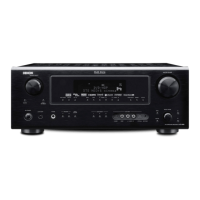
Denon AVR-887 - User Manual

Denon AVR-887
82 pages
Print Icon
To Next Page IconTo Next Page
Loading...
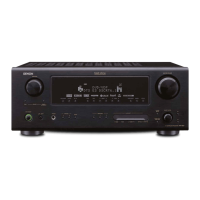
AV SURROUND RECEIVER
AVR-887
OPERATING INSTRUCTIONS

Table of Contents

Other manuals for Denon AVR-887

Questions and Answers

  • W
    William LeeAug 19, 2025
    Why is my Denon Stereo Receiver display on but there is no sound?
    • S
      Scott JonesAug 19, 2025
      If your Denon Stereo Receiver's display is lit but there's no sound, here's what you can check: * Ensure the speaker cables are securely connected. * Verify the FUNCTION knob is in the correct position. * Increase the volume level, as it might be set to minimum. * Deactivate MUTING if it's on. * Confirm a digital signal is being input and that the correct input source is selected.
  • W
    William RothAug 21, 2025
    How to fix no sound from the subwoofer on my Denon Stereo Receiver?
    • A
      Ashlee FloresAug 21, 2025
      If you're not getting any sound from your Denon Stereo Receiver's subwoofer, consider the following: * Make sure the subwoofer is powered on. * Check that the subwoofer's initial setting is set to “YES”. * Verify the subwoofer's output is properly connected. * Ensure the subwoofer's channel volume level is not set to “OFF”; increase it as needed.
  • A
    angierodgersAug 25, 2025
    How to fix HDMI audio not outputting on my Denon Stereo Receiver?
    • O
      oliviaharringtonAug 25, 2025
      If HDMI audio is not being output from your Denon AVR-887, consider the following: * The AVR-887 may not be set to play HDMI audio signals. Set the HDMI audio playback setting at the “HDMI In Assignment” settings to “AMP.” * The connected monitor device may not be outputting HDMI audio signals. Set the HDMI audio playback setting at the “HDMI In Assignment” settings to “TV.”
  • S
    Sara RangelAug 26, 2025
    What to do if my Denon Stereo Receiver power indicator is blinking red?
    • J
      johnthomasAug 27, 2025
      If the power indicator on your Denon AVR-887 is blinking red and the power has turned off, this indicates the protection circuit has been activated. Here's what to do: 1. Ensure the unit is in a well-ventilated area to prevent overheating. 2. Check all speaker cable connections to ensure the core wires are not touching each other or the receiver's rear panel. 3. If the issue persists, the AVR-887 may be malfunctioning. Turn off the power and contact a DENON customer service center.
  • B
    bgonzalezAug 28, 2025
    Why is my Denon Stereo Receiver not responding to the remote control?
    • K
      Karen ChangAug 28, 2025
      If your Denon unit isn't responding to the remote control, try these steps: * Replace the batteries with new ones. * Move closer to the unit. * Remove any obstacles between the remote and the unit. * Ensure you're pressing the correct button. * Verify the batteries are inserted with the correct polarity (+ and -).
  • P
    Parker HarrisonAug 30, 2025
    Why is there no image with HDMI connection on my Denon Stereo Receiver?
    • J
      jenniferharrisonAug 30, 2025
      If you're not getting an image with an HDMI connection on your Denon AVR-887, check these items: * Confirm that the AVR-887’s HDMI output terminals and the monitor’s input terminals are correctly connected. * Ensure that an HDMI signal is being input and the correct HDMI input source is selected. * Verify that the connected monitor and other equipment support HDCP, as the AVR-887 requires HDCP support to output video. * Check that the output format of the connected player (HDMI FORMAT) matches the supported input format of your monitor.
  • L
    Lynn LiSep 1, 2025
    Why is nothing displayed on the monitor connected to my Denon Stereo Receiver?
    • U
      ucastilloSep 1, 2025
      If nothing is displayed on the monitor connected to your Denon AVR-887, consider these potential causes: * Ensure the AVR-887’s video output terminals and the monitor’s input terminals are correctly connected. * Verify the monitor’s input setting is set to the terminals to which the video signals are connected. * If the PURE DIRECT mode is active, set a different surround mode. * If using component cables for the player and video or S-Video for the TV, progressive video signals may not be down-converted. Adjust the player's settings to interlace.
  • D
    Deborah MartinSep 3, 2025
    Why is there no DTS sound on my Denon Stereo Receiver?
    • J
      Jeffrey MarshallSep 3, 2025
      If you're not getting DTS sound from your Denon AVR-887, here are a few things to check: * Make sure the DVD player’s audio output setting is set to bit stream by checking the DVD player’s default settings. * Confirm that your DVD player is DTS-compatible; if not, use a DTS-compatible player. * Ensure the AVR-887’s input setting is set to “AUTO” or “DTS,” not analog.
  • E
    Erica HardySep 5, 2025
    What to do if my Denon Stereo Receiver display is not lit?
    • B
      Barry MorrisSep 5, 2025
      If the display isn't lit and there's no sound when the power switch is on for your Denon Stereo Receiver, check the insertion of the power supply cord plug to ensure it is securely plugged in.
  • C
    Courtney SmithSep 7, 2025
    Why is sound only coming from the center speaker on my Denon Stereo Receiver?
    • D
      David DuncanSep 8, 2025
      If sound is only coming from the center speaker on your Denon Stereo Receiver, and you're playing a monaural source like TV or AM radio, it's likely because you're in STANDARD (Dolby/DTS Surround) mode. Select a different surround mode for monaural sources.

Summary

SAFETY PRECAUTIONS

CAUTION: RISK OF ELECTRIC SHOCK

Warning about electric shock hazard and user serviceability.

WARNING: TO REDUCE THE RISK OF FIRE OR ELECTRIC SHOCK

Precautions to prevent fire or electric shock due to exposure.

SAFETY INSTRUCTIONS

GETTING STARTED

Cautions on installation

Advice on safe and proper placement of the unit.

EASY SETUP PROCEDURE

Speaker layout [Basic layout]

Diagram showing an example of speaker placement for surround sound.

Speaker connections

Instructions for connecting speakers to the unit.

Connecting a DVD player and monitor

Guide to connecting DVD players and monitors for audio/video.

BASIC OPERATION

Auto Setup;Room Equalizer (Room EQ) Functions

Explanation of the automatic speaker setup and room equalization.

ADVANCED SETUP - PART 1

ADVANCED SETUP - PART 2

Speaker Setup

Manual configuration of speaker system parameters.

Denon AVR-887 Specifications

Power IconPower
rated output front100 W + 100 W (8 ohms, 20 Hz - 20 kHz, 0.08 % THD)
rated output front alternative135 W + 135 W (6 ohms, 1 kHz, 0.7 % THD)
rated output center100 W (8 ohms, 20 Hz - 20 kHz, 0.08 % THD)
rated output center alternative135 W (6 ohms, 1 kHz, 0.7 % THD)
rated output surround100 W + 100 W (8 ohms, 20 Hz - 20 kHz, 0.08 % THD)
rated output surround alternative135 W + 135 W (6 ohms, 1 kHz, 0.7 % THD)
rated output surround back100 W + 100 W (8 ohms, 20 Hz - 20 kHz, 0.08 % THD)
rated output surround back alternative135 W + 135 W (6 ohms, 1 kHz, 0.7 % THD)
power supplyAC 120 V, 60 Hz
power consumption5.5 A
Audio Inputs and Outputs IconAudio Inputs and Outputs
analog inputs9 sets
analog ext inputs8
digital inputs optical4
digital inputs coaxial2
audio delay function0 - 200 msec.
variable subwoofer crossover40/60/80/90/100/110/120/150/200/250 Hz
Video Inputs and Outputs IconVideo Inputs and Outputs
component video inputs3 sets
composite inputs5
s-video inputs5
component video outputs1 set
composite outputs3
s-video outputs3
Audio Performance IconAudio Performance
frequency response10 Hz - 100 kHz (+1, -3 dB)
signal-to-noise ratio100 dB (IHF-A weighted)
tone control treble±6 dB at 10 kHz
tone control bass±6 dB at 100 Hz
Weight and Dimensions IconWeight and Dimensions
dimensions17-3/32” (W) x 6-47/64” (H) x 16-27/64” (D)
dimensions metric434 (W) x 171 (H) x 417 (D) mm
weight29 lbs 5 oz
weight metric13.0 kg

Related product manuals