EasyManua.ls Logo

Denon AVR-787 - User Manual

Denon AVR-787
74 pages
Print Icon
To Next Page IconTo Next Page
Loading...
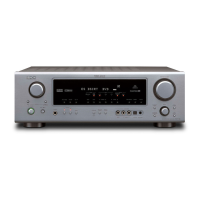
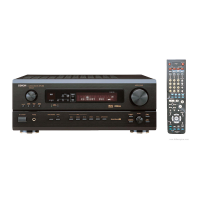
AV SURROUND RECEIVER
AVR-787
OPERATING INSTRUCTIONS

Table of Contents

Other manuals for Denon AVR-787

Questions and Answers

  • W
    William WilliamsJul 30, 2025
    Why is there no sound coming from my Denon Stereo Receiver even though the display is lit?
    • X
      xclayJul 30, 2025
      Several factors could be at play here. First, check that the speaker cables are securely connected. Ensure the FUNCTION knob is in the correct position. Also, verify the volume isn't set to minimum and that MUTING is switched off. Finally, make sure a digital signal is being input and that you've properly selected a digital signal input source.
  • L
    Laura McleanAug 7, 2025
    How to fix no DTS sound on my Denon AVR-787?
    • R
      rachelguzmanAug 7, 2025
      If you're not getting any DTS sound, there are a few things to check. Start by ensuring your DVD player’s audio output setting is set to bit stream by making the DVD player’s default settings. Verify that you are using a DTS-compatible player. Also, confirm that the AVR-787’s input setting is set to “AUTO” or “DTS.”
  • J
    juanenglishAug 15, 2025
    How to troubleshoot a Denon Stereo Receiver when the display isn't lit and no sound is produced?
    • J
      Jeanette ThomasAug 15, 2025
      The most likely cause is that the power supply cord isn't plugged in securely. Check the insertion of the power supply cord plug.
  • M
    mmullenAug 21, 2025
    What to do if nothing is displayed on the monitor when using my Denon AVR-787 Stereo Receiver?
    • R
      Robert ThomasAug 22, 2025
      First, ensure that the video output terminals on your AVR-787 and the input terminals on your monitor are correctly connected. Next, check that your monitor’s input setting is set to the correct terminals to which the video signals are connected. Lastly, if you've connected a player with a component terminal and your TV with a video (yellow) or S-Video terminal, adjust the interlace settings on the player.

Summary

Safety Precautions

Safety Instructions

Detailed safety and operating instructions to follow for safe use of the unit.

Easy Setup Procedure

Speaker Layout and Auto Setup Overview

Recommended speaker placement and outline of the automatic setup process.

Connecting DVD Player and Monitor

Detailed instructions for connecting a DVD player and a monitor to the receiver.

Microphone Connection and Pre-Setup Checks

Instructions for connecting the setup microphone and prerequisites for auto setup.

Performing Auto Setup and Amplifier Assignment

Steps to execute auto setup and assign power amplifiers.

Checking and Storing Auto Setup Results

How to review and save auto setup measurements.

Speaker Switching and Starting Auto Setup

How to switch front speakers and initiate the auto setup process.

Connecting Other Sources

Basic Operation

Playing the Input Source

How to select and play different audio and video sources.

Dolby Digital and DTS Surround Mode Selection

Selecting digital surround modes like Dolby Digital and DTS.

Selecting Dolby Pro Logic IIx Mode

Using Dolby Pro Logic IIx for surround sound with stereo sources.

Selecting DTS NEO:6 and Neural Surround Modes

Using DTS NEO:6 and Neural Surround for immersive audio playback.

Surround Modes and Parameters

Detailed overview of surround modes and their adjustable parameters.

DENON Original Surround Modes

Explanation of DENON's proprietary surround sound modes.

Selecting DSP Surround Simulation

How to select and adjust surround sound simulation modes.

Listening to the Radio

How to tune in and manage radio stations.

Using Surround Modes

How to select and utilize various surround sound modes.

Selecting Play Mode (DIRECT;STEREO)

Choosing between DIRECT and STEREO modes for music playback.

Advanced Operation

Multi Zone System Configuration

Setting up and operating audio in multiple zones.

Advanced Setup - Part 1

System Setup Items and Auto;Speaker Setup

Overview of setup items, auto setup, and speaker configuration.

Audio Input Setup Configuration

Configuring digital and analog audio input assignments.

Advanced Playback and Option Setup

Tuning playback modes and system options like amplifier assignment.

Navigating the System Setup Menu

Step-by-step guide to access and navigate the system setup menu.

Advanced Setup - Part 2

Speaker Setup and Configuration

Defining speaker types, subwoofer presence, and surround back speakers.

Advanced Setup - Part 2

Subwoofer Setup and Speaker Distance

Selecting subwoofer modes and setting speaker distances.

Operating the Remote Control Unit

Troubleshooting

Denon AVR-787 Specifications

General IconGeneral
Total Harmonic Distortion (THD)0.08%
Frequency Response10 Hz - 100 kHz (+1, -3 dB)
Input Impedance47 k ohms
HDMI Inputs3
HDMI Outputs1
Input Sensitivity/Impedance200 mV / 47 k ohms
Signal-to-Noise Ratio98 dB
Dimensions (W x H x D)434 x 171 x 377 mm
Digital audio input2 Optical, 1 Coaxial
Tuner Frequency RangeFM 87.5 - 108 MHz, AM 522 - 1611 kHz

Related product manuals