Operating with the AVR control
function
If you have an 8K-compatible Denon AV receiver/AV amplifier, you can
use the remote control unit for the AV receiver/AV amplifier to switch the
HDMI input for this unit.
The 8K, GAME, and MEDIA PLAYER buttons on the remote control unit
for the AV receiver/AV amplifier can be used to switch the HDMI input for
this unit as follows.
Buttons on remote control unit for AV
receiver/AV amplifier
Input selection on this
unit
8K HDMI 1
GAME HDMI 2
MEDIA PLAYER HDMI 3
NOTE
0
This function cannot be used on the AVR-X8500H, AVC-X8500H, AVR-X8500HA,
or AVC-X8500HA. It is recommended to use the learning function on the remote
control unit for the AV receiver/AV amplifier.
If you want to use the AVR control function, change the settings and
connections for the AV receiver/AV amplifier according to the following
procedure.
o
Positioning
1
Turn the AVR CONTROL switch on the side panel of
this unit ON.
2
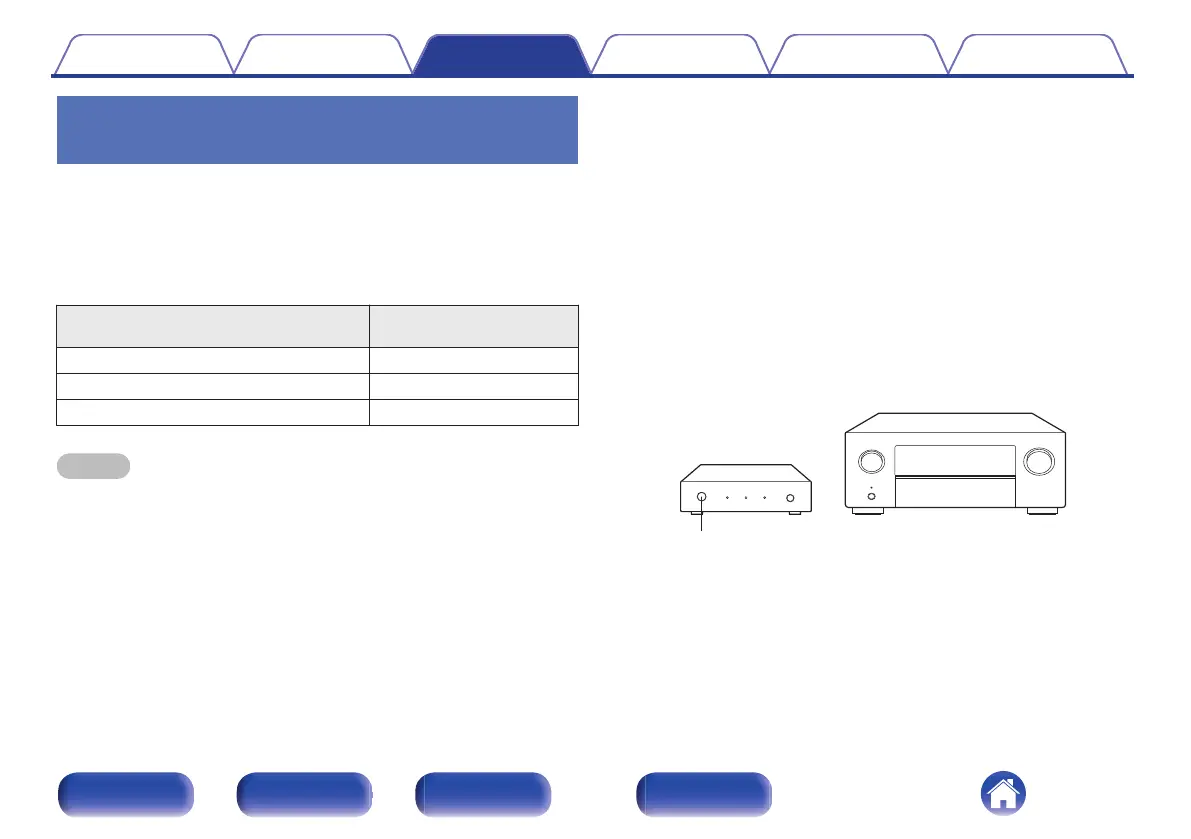
Position this unit close to your AV receiver/AV amplifier
so that the remote control sensor on this unit can
receive remote control signals from the AV receiver/AV
amplifier.
.
This unit
AV receiver /
AV amplifier
Remote control sensor
Contents
Connections Operations Troubleshooting Appendix Specifications
17
Front panel Rear panel Side panel Remote


 To Next Page