5
ENGLISH
Basic version Advanced version InformationSimple version
Connect
1 2 3 4
1
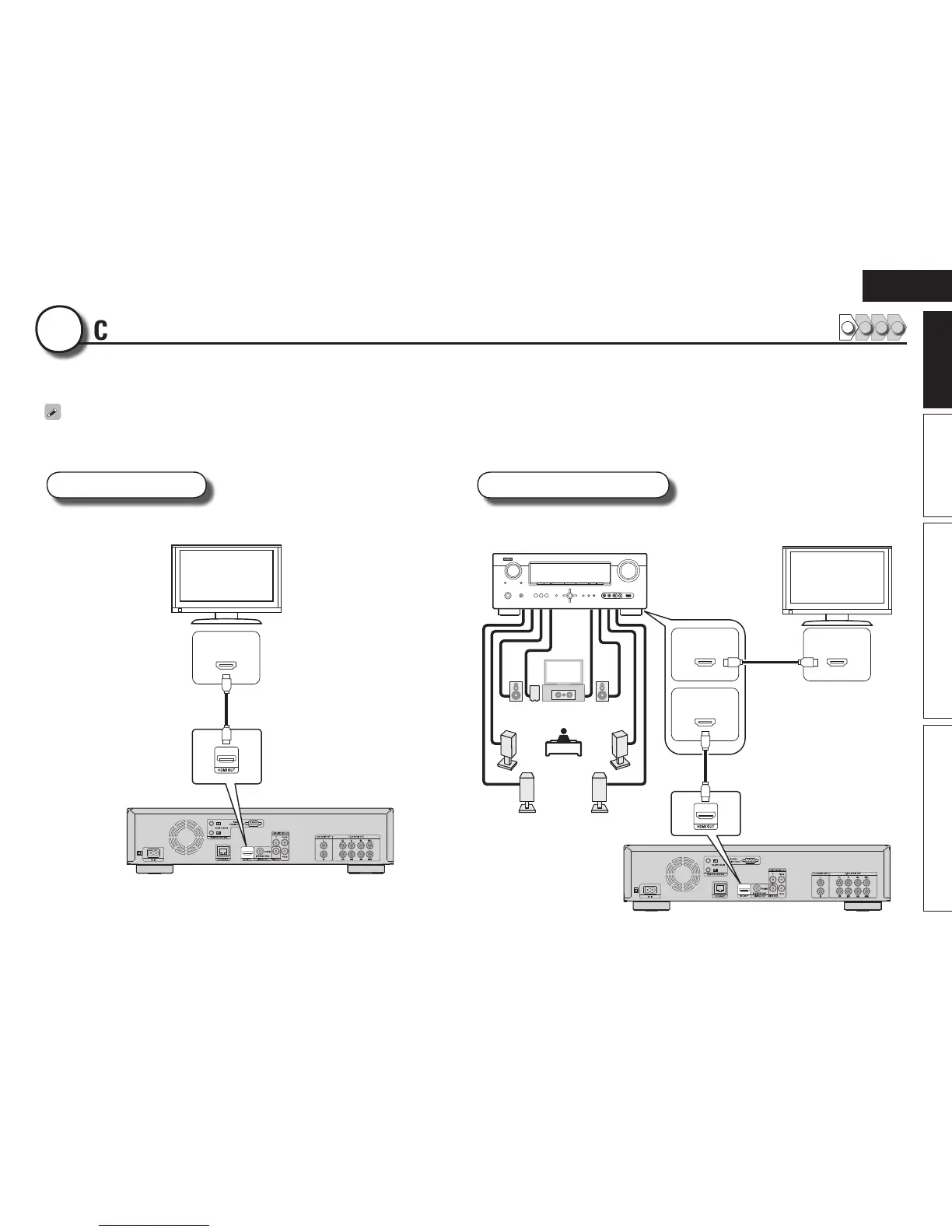
This section describes two methods for connecting this unit and a television, connecting directly or via an AV receiver.
Use an appropriate method depending on the television to be used. For the connection, use an HDMI cable (sold separately).
•If the device to be connected to the unit does not support the HDMI connection, see “Basic connections” (vpage10), and make connections depending upon the conditions.
•Use only HDMI (High Definition Multimedia Interface) cable that bears the HDMI logo (genuine HDMI product). Using cable without the HDMI logo (non-genuine HDMI product) may result in abnormal playback.
•When outputting Deep Color or 1080p, etc., we recommend you use “High Speed HDMI cable” or “High Speed HDMI cable with Ethernet” for enhanced high-quality playback.
TV AV receiver and TV
This method is for connecting the unit and a television directly. This method is for connecting the unit to an AV receiver.
IN
HDMI
TV
HDMI cable
(sold separately)
IN
HDMI
IN
HDMI
OUT
HDMI
FL FR
C
SL
SR
SW
SBL SBR
AV receiver
TV
HDMI cable
(sold separately)
HDMI cable
(sold separately)
FL Front speaker (L)
FR Front speaker (R)
C Center speaker
SW Subwoofer
SL Surround speaker (L)
SR Surround speaker (R)
SBL Surround back speaker (L)
SBR Surround back speaker (R)


 To Next Page