EasyManua.ls Logo

Denon DVD DVD-3800BDCI - User Manual

Denon DVD DVD-3800BDCI
44 pages
Print Icon
To Next Page IconTo Next Page
Loading...
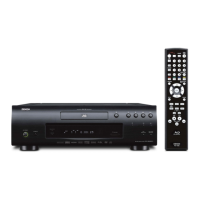
BLU-RAY DISC / DVD VIDEO PLAYER
DVD-3800BDCI
OPERATING INSTRUCTIONS
MODE D’EMPLOI
INSTRUCCIONES DE FUNCIONAMIENTO
E5E00UD_EN.book Page 1 Friday, January 18, 2008 6:59 PM

Table of Contents

Questions and Answers

  • E
    ecollinsAug 12, 2025
    How to reset a Denon Blu-ray Player that is not responding?
    • W
      Wendy DennisAug 12, 2025
      If the buttons on your Denon Blu-ray Player aren't working or the unit stops responding, you can completely reset it by unplugging the AC cord from the AC outlet for 5-10 seconds, and then plugging it back in.
  • V
    Vanessa HollowayAug 16, 2025
    What to do if my Denon Blu-ray Player has no sound or picture?
    • S
      smithkellyAug 16, 2025
      If your Denon Blu-ray Player isn't producing sound or a picture, here are a few things to check: * Ensure the connected display device is turned on. * Verify the HDMI connection and check the status of any HDMI-related indicators. * Inspect the RCA audio/video cable connections. * Confirm that Pure Direct mode is not set to “Video Off” or “All Off”. If it is, change it to “Display Off” or “Normal”. * Check if your display device supports HDCP, as the unit requires it to output a video signal. * Ensure the unit's HDMI format output matches the supported input format of the connected device. * Set “HDMI Deep Color” to “Off” if it’s currently set to “Auto”. * Turn “I/P Direct” to “Off” if it’s currently “On”.
  • G
    greenejennaAug 23, 2025
    What to do if my Denon Blu-ray Player cannot read a disc?
    • J
      Justin RomeroAug 25, 2025
      If your Denon Blu-ray Player can't read a BD, DVD, or CD, condensation may be the cause. If so, let the unit sit for 1 to 2 hours. Also, wipe any dirt off the disc or try replacing it.
  • R
    Rhonda MeyerAug 27, 2025
    Why does angle not switch on my Denon Blu-ray Player?
    • A
      Anthony LopezAug 27, 2025
      The angle may not switch on your Denon Blu-ray Player because the BD/DVD does not contain multiple angles. In some cases, multiple angles are only recorded for specific scenes.
  • Y
    ygonzalesAug 31, 2025
    What to do if playback does not start when the title is selected on Denon Blu-ray Player?
    • L
      Lisa FordAug 31, 2025
      If playback doesn't start when you select a title on your Denon Blu-ray Player, check the “Ratings” setting.
  • W
    William HerringSep 3, 2025
    How to reset forgotten password for rating level on Denon Blu-ray Player?
    • R
      Ronald KramerSep 3, 2025
      If you've forgotten the password for the rating level on your Denon Blu-ray Player, enter the default password “4737”. This will clear your forgotten password.
  • H
    Henry JohnsonSep 7, 2025
    Why is the picture completely distorted or black/white with BD/DVD on my Denon Blu-ray Player?
    • J
      Jeffrey JacobsSep 8, 2025
      If you're seeing a completely distorted picture or a black and white picture with BD/DVD on your Denon Blu-ray Player, make sure the disc is compatible with the unit.
  • V
    valerie22Sep 10, 2025
    How to fix a Denon Blu-ray Player that won't power on?
    • J
      john92Sep 12, 2025
      If your Denon Blu-ray Player isn't powering on, make sure the AC cord is properly connected. If it is, try unplugging the AC cord, waiting 5-10 seconds, and then plugging it back in.

Summary

Introduction

Safety Precautions

Essential safety instructions and warnings for operating the product.

Playable Discs and Files

Information on supported media types and formats.

Connections

HDMI Connection to Display

Using an HDMI cable for digital video and audio transfer.

HDMI Output Mode and Signals

Configuring HDMI output resolution and signal settings.

Playback Operations

File Playback (MP3, WMA, JPEG, DivX)

Playing various media files from discs or SD cards.

Function Setup

Video Settings Configuration

Configuring aspect ratio, HDMI, component output, etc.

Audio Settings Configuration

Configuring audio output modes, surround sound, and speaker settings.

Troubleshooting

Power and Picture Issues

Solutions for power, sound, and picture problems.

Denon DVD DVD-3800BDCI Specifications

General IconGeneral
Audio Output (Analog)7.1 Channel
HDMI Version1.3a
HDMI Outputs1
Ethernet PortYes
BD ProfileProfile 2.0
Audio DAC24-bit/192kHz
Disc FormatsCD
Disc CompatibilityBD-ROM, DVD, CD
Video OutputHDMI, Component, Composite
Audio OutputHDMI, Digital Coaxial, Digital Optical
UpscalingUp to 1080p
USB PortYes
Video DAC12-bit
Dimensions (W x H x D)434 x 135 x 370 mm
Audio Formats SupportedDolby TrueHD, DTS-HD Master Audio, Dolby Digital, DTS, LPCM

Related product manuals