EasyManua.ls Logo

Denon DBP-A100 - User Manual

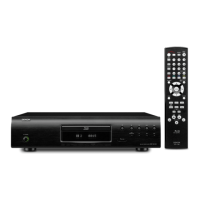
Denon DBP-A100
79 pages
Print Icon
To Next Page IconTo Next Page
Loading...
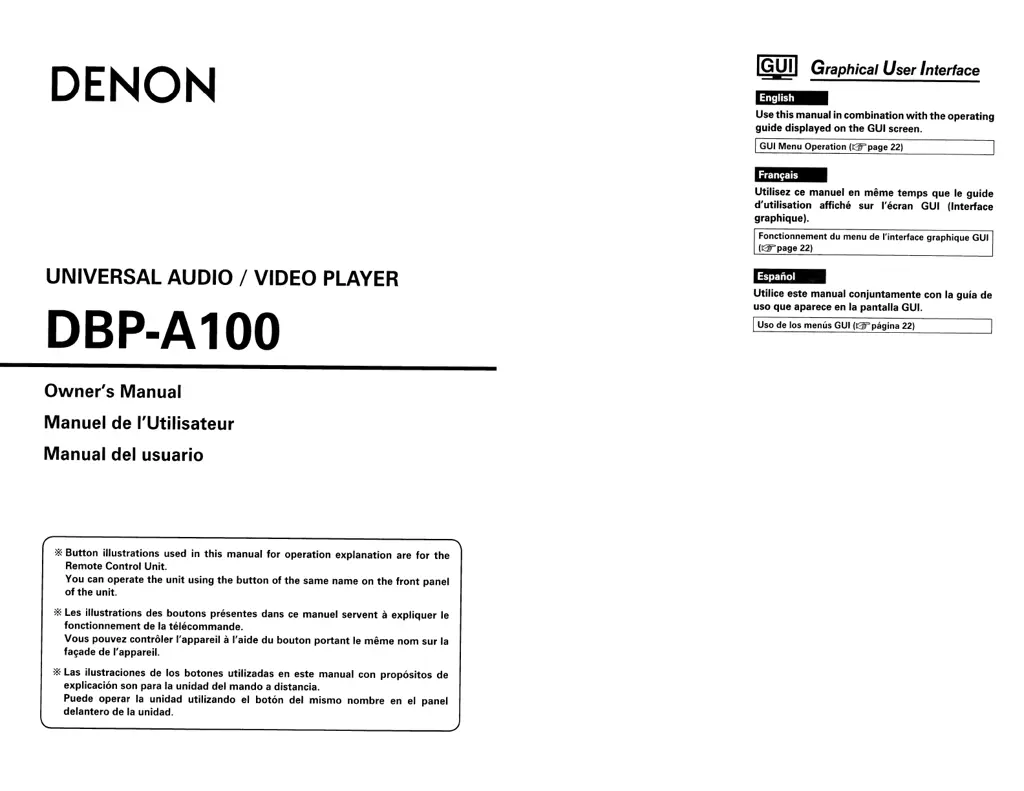
DENON
UNIVERSAL AUDIO / VIDEO PLAYER
DBP-A100
Owner's Manual
Manuel
de
l'Utilisateur
Manual del usuario
'*'
Button
illustrations
used in
this
manual
for
operation
explanation
are
for
the
Remote
Control
Unit.
You can operate
the
unit
using
the
button
of
the
same name on
the
front
panel
of
the
unit.
'*'
Les
illustrations
des
boutons
presentes dans
ce
manuel servent a
expliquer
Ie
fonctionnement
de la telecommande.
Vous
pouvez
controler
I'appareil aI'aide du
bouton
portant
Ie
meme
nom
sur la
fal<ade de I'apparei!.
'*'
Las ilustraciones de los
botones
utilizadas en este manual con
propositos
de
explicacion son para la unidad del man
do
a distancia.
Puede operar la unidad
utilizando
el
boton
del
mismo
nombre
en
el
panel
delantero de la unidad.
IGUI~
Graphical User Interface
~
Use
this
manual in
combination
with
the
operating
guide
displayed on
the
GUI screen.
IGUI Menu Operation (@",page
22)
Utilisez
ce
manuel en
meme
temps
que Ie
guide
d'utilisation
affiche sur I'ecran GUI (Interface
graphiquel.
Fonctionnement du menu de !'interface graphique GUI
(&,page22)
Utilice
este manual
conjuntamente
con la guia de
uso
que
aparece en la pantalla GUI.
IUso de los menus GUI
(&'pagina
22)

Table of Contents

Questions and Answers

  • A
    aarnoldAug 15, 2025
    What to do if the Denon DBP-A100 Blu-ray Player cannot be operated with the remote control?
    • J
      John SchneiderAug 16, 2025
      If your Denon Blu-ray Player isn't responding to the remote control, try these steps: * Make sure you're aiming the remote directly at the infrared sensor window on the front of the unit. * Ensure you're within 7 meters of the remote control sensor. * Remove any obstructions between the remote and the player. * Replace the batteries in the remote with new ones, inserting them in the proper direction (check the + and - marks). * Match the signal code of the remote control to the signal code of the unit.
  • M
    Matthew SchwartzAug 18, 2025
    Why are video and audio not output via HDMI connection on my Denon DBP-A100 Blu-ray Player?
    • K
      kkaneAug 18, 2025
      There could be several reasons why you're not getting video and audio through the HDMI connection on your Denon Blu-ray Player. Here are some things to check: * Make sure the HDMI cable is properly connected. * Verify that the “HDMI” indicator on the display of the Blu-ray Player is lit. * Ensure the Pure Direct function is set to “Off”. Also, in the GUI menu, check that “Pure Direct Setup” – “Video Out” is set to “On” at the “User Preset 1” or “User Preset 2” setting. * Confirm the HDMI mode is not set to “HDMI Off”. When set to “HDMI Off”, video signals are output from the video and S-Video terminals, but not from the HDMI terminal. * Check that the connected display device supports HDCP. * Verify that the HDMI video resolution setting is supported by the connected device.
  • S
    Shane PatrickAug 22, 2025
    What to do if the Denon Blu-ray Player doesn't turn on?
    • B
      Brandon FloresAug 22, 2025
      If your Denon Blu-ray Player isn't turning on, try these steps: 1. Ensure the power cord is properly connected to both the player and the power outlet. 2. If it's still not working, the safety protection device may have been activated. Unplug the power cord, wait 5-10 seconds, and then plug it back in. 3. Also, the player has a safety function that puts it into standby if the fan stops working. Check the back of the unit to make sure nothing is blocking the fan.
  • R
    Rebecca DanielsAug 25, 2025
    Why is there no sound or the sound is hard to hear on my Denon DBP-A100?
    • J
      Jason RodriguezAug 25, 2025
      If you're experiencing sound issues with your Denon Blu-ray Player, here are a few things to investigate: * Check the audio connections of all connected devices, including speakers. * Make sure all connected audio devices are powered on. * Verify that the input selection on your receiver or amplifier is set to the input connected to the Blu-ray Player. * Confirm that the audio output is properly selected in the Blu-ray Player's settings.
  • E
    Elizabeth ThompsonAug 27, 2025
    How to fix Denon DBP-A100 when playback does not start?
    • J
      Jill McintyreAug 27, 2025
      If playback on your Denon Blu-ray Player doesn't start when you press play, or starts and stops immediately, consider the following: * Check for condensation inside the player or on the disc. If present, let it sit for 1 to 2 hours with the power off. * Examine the disc for scratches or fingerprints, as these can prevent proper playback. * Ensure the disc is loaded correctly, with the side to be played face down. * Make sure you are using a playable disc format.
  • K
    Kimberly HollandAug 30, 2025
    Why does the picture freeze momentarily during playback on my Denon DBP-A100?
    • M
      Mary CurtisAug 30, 2025
      If the picture freezes momentarily during playback on your Denon Blu-ray Player, it could be due to: * A scratched or contaminated disc. * A problem with the data recorded on the disc.
  • J
    James GarciaSep 2, 2025
    How do I enable HD audio output on my Denon Blu-ray Player?
    • A
      Ashley BirdSep 3, 2025
      To enable HD audio output on your Denon Blu-ray Player, set “BD Audio Mode” to “HD Audio Output”.
  • T
    Timothy ClarkSep 5, 2025
    How to enable subtitles on Denon DBP-A100 Blu-ray Player?
    • L
      Larry FreemanSep 5, 2025
      If subtitles are not displayed on your Denon Blu-ray Player, consider the following: * Subtitles cannot be displayed for BD-Video, DVD-Video or DivX® files that do not contain subtitles. * Ensure the subtitle setting is not set to “Off”. Use the disc menu to set the subtitles to display.
  • A
    Arthur IngramSep 9, 2025
    Why can't my Denon Blu-ray Player read my SD Memory Card?
    • A
      alannicholsSep 9, 2025
      If your Denon Blu-ray Player can't read your SD Memory Card, it could be due to: * The format of the card not being compatible with the unit. * The playback media mode not being set to “SD CARD MODE”. Select “SD CARD MODE”.
  • C
    Carlos MezaSep 12, 2025
    What to do if I can't play BD-LIVE / bonus view on my Denon Blu-ray Player?
    • B
      blaketheresaSep 12, 2025
      If you're having trouble playing BD-LIVE or bonus view content on your Denon Blu-ray Player, check these things: * Make sure the SD Memory Card has more than 1GB of available space. * Verify that the SD Memory Card has been initialized by the Blu-ray Player. * Ensure the SD Memory Card was inserted while the unit was powered on. * Remove the write protection from the SD Memory Card.

Summary

Important Safety Instructions

Safety Precautions

Specific warnings regarding electric shock, fire, and radiation exposure.

FCC Information (For US customers)

Cautions on Installation

Guidelines for proper placement and ventilation to ensure safe operation.

Cautions on Handling Media

Cautions on Using Media

How to Handle Media

Best practices for handling discs and memory cards to ensure longevity.

About the Remote Control

Part Names and Functions

Part Names and Functions (continued)

Connections

Home Theater Playback

Instructions for connecting the DBP-A100 for multi-channel audio playback.

Using an HDMI Cable for Home Theater Playback

Setting HDMI Audio Output

Connecting to an AV Amp with No HDMI Audio Input

Connecting to a Device with Analog Multi-channel Audio Input

DENON LINK Connection

Making a Jitter-free Connection

Steps to achieve high-quality digital audio transmission with minimal jitter via DENON LINK 4th.

Playing with a Direct Connection to a TV

Playing Back 2-Channel Audio

Connecting for stereo audio playback using analog 2-channel output terminals.

Setup

GUI Menu Setup

Overview of the graphical user interface menu structure and navigation.

Menu Map

Visual guide to the DBP-A100's menu hierarchy and available settings.

GUI Menu Operation

Language Setup

HDMI Setup

Configuring HDMI output signals and control functions for connected devices.

Video Setup

Audio Setup

Subwoofer Mode Settings

Selecting the type of low-frequency signal output from the subwoofer.

DENON LINK Setup

Adjusting the Picture Quality (Picture Control)

Playback

About Playback Information

Playing BDs and DVD-Videos

Playing Super Audio CDs

Playing DVD-Audio

Playing Files

File Playback

Operations Enabled During Playback

Finding Specific Sections with Search Modes

Memorizing Locations to Replay (Marker Function)

Playing in Random Order (Random Playback)

Playing in Your Preferred Order (Program Playback)

Audio Switching (Media Other than BD)

Web control function

HDMI Control Functions

Troubleshooting

Specifications

Limited Warranty (USA)

Limited Warranty (Canada)

Denon DBP-A100 Specifications

General IconGeneral
HDMI Outputs1
Ethernet PortYes
USB Ports1
Video OutputHDMI, Component, Composite
UpscalingUp to 1080p
BD ProfileBD-Live (Profile 2.0)
Dolby DecodingDolby Digital, Dolby Digital Plus, Dolby TrueHD
Disc Capacity1
Disc TypesBD, DVD, CD
Video Formats SupportedMPEG-2, MPEG-4 AVC, VC-1
Audio Formats SupportedDolby Digital, Dolby TrueHD, DTS, DTS-HD Master Audio
Audio OutputHDMI, Optical, Coaxial
HDMI Version1.4a
DTS DecodingDTS, DTS-HD Master Audio
Video DAC12-bit
Audio DAC192kHz/32-bit
Analog Audio OutputStereo

Related product manuals