EasyManua.ls Logo

Denon DCD-315 - Page 4

Denon DCD-315
34 pages
Print Icon
To Next Page IconTo Next Page
To Previous Page IconTo Previous Page
Loading...
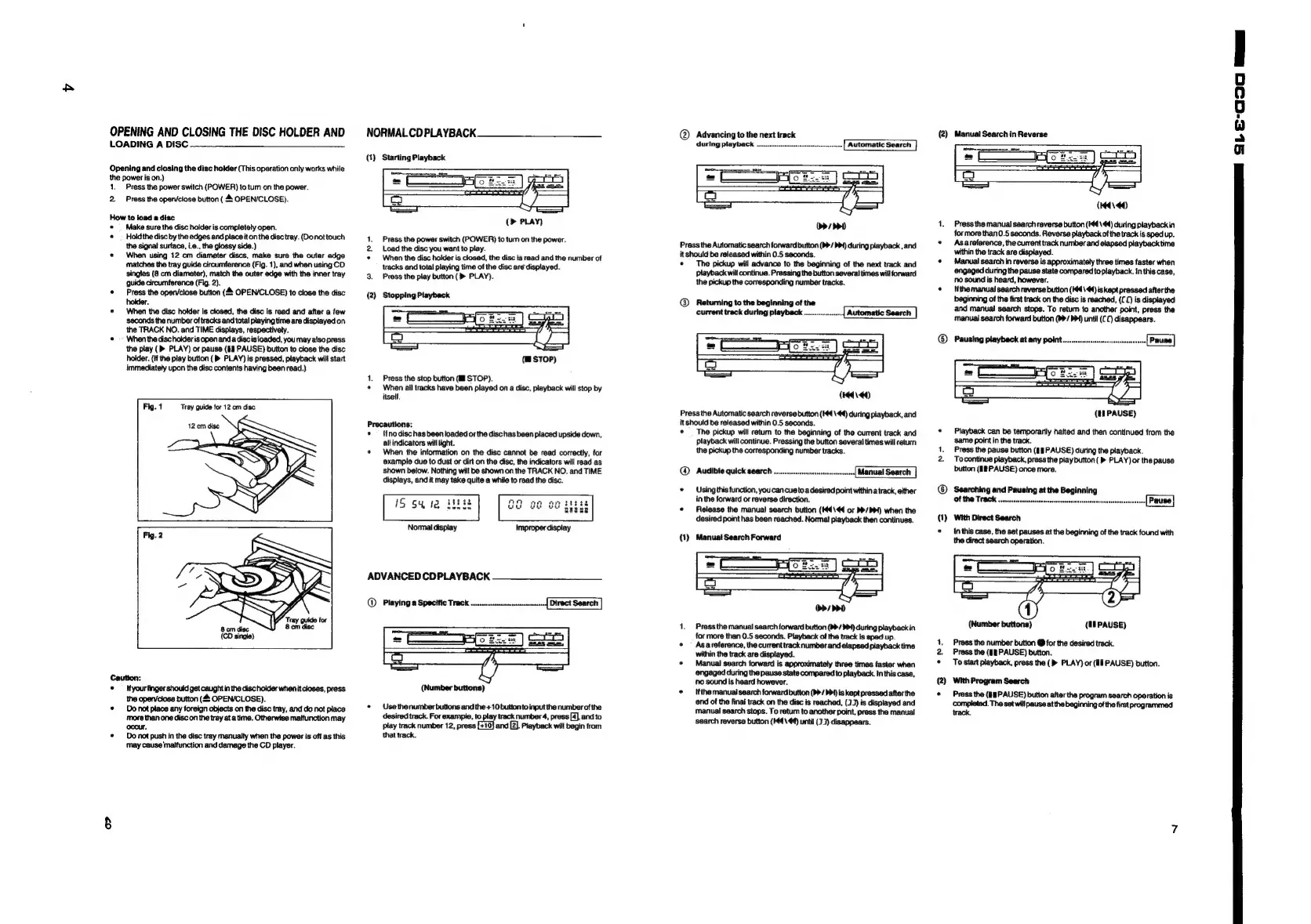
OPENING
AND
CLOSING
THE
DISC
HOLDER
AND
LOADING
A
DISC
Opening
and
closing
the
disc
hokder
(This
operation
only
works
while
the
power
is
on.)
1.
Press
the
power
switch
(POWER)
to
tum
on
the
power.
2.
Press
the
open/close
button
(4
OPEN/CLOSE).
How
to
load
a
disc
«
Make
sure
the
disc
holder
is
completely
open.
*
Hokdthe
disc
by
the
edges
and
place
it
on
the
disc
tray.
(Do
nottouch
the
signal
surface,
i.e.,
the
glossy
side.)
*
When
using
12
cm
diameter
discs,
make
sure
the
outer
edge
matches
the
tray
guide
circumference
(Fig.
1),
and
when
using
CD
singles
(8
cm
diameter),
match
the
outer
edge
with
the
inner
tray
guide
circumference
(Fig.
2).
*
Press
the
open/close
button
(4
OPEN/CLOSE)
to
close
the
disc
holder.
*
When
the
disc
holder
is
closed,
the
disc
is
read
and
after
a
few
seconds
the
number
of
tracks
and
tatal
playing
time
are
displayed
on
the
TRACK
NO. and
TIME
displays,
respectively.
«
When
the
dischotderis
open anda
discis
joaded,
you may
atso
press
the
play
(>
PLAY)
or
pause
(§&
PAUSE)
button
to
close
the disc
holder.
(H
the
play
button
(>
PLAY)
is
pressed,
playback
will
start
immediatety
upon
the
disc
contents
having
been
read.)
Fig.
1
Tray
guide
for
12
cm
disc
Caution:
¢
Ifyourfinger
should
get
caught
in
the
disc
holder
when
it
closes,
press
the
open/close
button
(4
OPEN/CLOSE).
*
Donot
place
any
foreign
objects
on
the
disc
tray,
and
do
not
place
More
than
one
disc
on
the
tray
ata
time.
Otherwise
malfunction
may
occur,
*
Do
not
push
in
the
disc
tray
manually
when
the
power
is
off
as
this
may
cause
'matfunction
and
damage
the
CD
player.
NORMAL
CDPLAYBACK
(1)
Starting
Playback
1.
Press
the
power
switch
(POWER)
to
tum
on
the
power.
.
Load
the
disc
you
want
to
play.
*
When
the
disc
holder
is
closed,
the
disc
is
read
and
the
number
of
tracks
and
total
playing
time
of
the
disc
aré
displayed.
3.
Press
the
play
button
(>
PLAY).
(2)
Stopping
Playback
(BsTOP)
1.
Press
the
stop
button
(J
STOP).
«
When
ail
tracks
have
been
played
on
a
disc,
playback
will
stop
by
itself.
Precautions:
*
{fno
disc
has
been
loaded
or
the
disc
has
been
placed
upside
down,
altindicators
will
light.
*
When
the
information
on
the
disc
cannot
be
read
correctly,
for
example
due
to
dust
or
dirt
on
the
disc,
the
indicators
will
read
as
shown
below.
Nothing
will
be
shown
on
the
TRACK
NO.
and
TIME
displays,
and
it
may
take
quite
a
while
to
read
the
disc.
ADVANCED
CDPLAYBACK
@
Playing
a
Specific
Track
.......
(Number
buttons)
*
Usethenumber
buttons
and
the
+10
button
to
input
the
number
of
the
desired
track.
For
exampie,
to
play
track
number
4,
press
[4],
andto
play
track
number
12,
press
[+10}
and
[2].
Playback
will
begin
from
that
track.
@
Advancing
to
the
next
track
uring
playback
.-eccersrneensenneneenseet
Press
the
Automatic
search
forward
button
(b>/
Ppt)
during
playback,
and
it
should
be
released
within
0.5
seconds.
*
The
pickup
will
advance
to
the
beginning
of
the
next
track
and
Playback
will
continue.
Pressing
the
button
several
times
will
forward
the
pickup
the
corresponding
number
tracks.
@
Returning
to
the
beginning
of
the
current
track
during
playback
............|
Automatic
Search
|
(2)
Manual
Search
in
Reverse
Press
the
manual
search
reverse
button
(I44\44)
during
playback
in
for
more
than
0.5
seconds.
Reverse
playback
of
the
track
is
sped
up.
Asareference,
the
current
track
number
and
elapsed
piayback
time
within
the
track
are
displayed.
Manual
search
in
reverse
is
approximately
three
times
faster
when
engaged
during
the
pause
state
compared
toplayback.
In
this
case,
no
sound
is
heard,
however.
Hthe
manual
search
reverse
bution
(I44\44)
is
kept
pressed
after
the
beginning
of
the
first
track
on
the
disc
is
reached,
(£0)
is
disptayed
and
manual
search
stops.
To
retum
to
another
point,
press
the
manual
search
forward
button
(>>/
PPI)
until
(CC)
disappears.
(H44\
44)
Press
the
Automatic
search
reverse
button
(44
\44)
during
playback,
and
it
should
be
released
within
0.5
seconds.
¢
The
pickup
will
retum
to
the
beginning
of
the
current
track
and
playback
will
continue.
Pressing
the
button
several
times
will
return
the
pickup
the
corresponding
number
tracks.
@
*
Using
this
function,
you can cue
to
a
desired
point
within
a
track,
either
in
the
forward
or
reverse
direction.
*
Release
the
manual
search
button
(H44\4¢
oF
D/P)
when
the
desired
point
has
been
reached.
Normal!
playback
then
continues.
{1)
Manual
Search
Forward
(tN
PAUSE)
Playback
can
be
temporarily
halted
and
then
continued
from
the
same
point
in
the
track.
Press
the
pause
button
(lB
PAUSE)
during
the
playback.
Tocontinue
playback,
press
the
play
button
(>
PLAY)
or
the
pause
button
(1
PAUSE)
once
more.
Searching
and
Pausing
at
the
Beginning
With
Direct
Search
In
this
case,
the
set
pauses
at
the
beginning
of
the
track found
with
the
direct
search
operation.
1.
Pressthe
manual
search
forward
button
(b>/
PP)
during
playback
in
for
more than
0.5
seconds.
Playback
of
the
track
is
sped
up.
¢
Asareference,
the
current
track
number
and
elapsed
playback
time
within
the
track
are
displayed.
*
Manual
search
forward
is
approximately
three
times
faster
when
engaged
during
the
pause
state
compared
to
playback.
In
this
case,
no
sound
is
heard
however.
*
_
ifthe
manual
search
forward
button
(p>/
b>)
is
kept
pressed
afterthe
end
of
the
final track
on
the
disc
is
reached,
(3)
is
displayed
and
manual
search
stops.
To
retum
to
another
point,
press
the
manual
search
reverse
button
(H44\4@)
until
(33)
disappears.
(2)
(Number
buttons)
(U8PAUSE)
Press
the
number
button
@
for
the
desired
track.
Prass
the
(§—
PAUSE)
button.
To
start
playback,
press
the
(>
PLAY)
or
(Wl
PAUSE)
button.
With
Program
Search
Press
the
(18
PAUSE)
button
after
the
program
search
operation
is
completed.
The set
will
pause
at
the
beginning
of
the
first
programmed
track.
a
a
a
S.-C)
maa

Related product manuals