EasyManua.ls Logo

Denon DCD-315 - Page 3

Denon DCD-315
34 pages
Print Icon
To Next Page IconTo Next Page
To Previous Page IconTo Previous Page
Loading...
Thank
you
for
purchasing
this
DENON
Compact
Disc
Player.
Please
read
the
operating
instructions
thoroughly
in
order
to
acquaint
yourself
with
the
CD
player
and
achieve
maximum
satisfaction
from
it.
TABLE
OF
CONTENTS
FEATURES
....
CONNECTION
THE
COMPACT
DISK
NAMES
AND
FUNCTIONS
OF
PARTS
OPENING
AND
CLOSING
THE
DISC
HOLDER
AND
LOADING
A
DISC...
NORMAL
CD
PLAYBACK
.
ADVANCED
CD
PLAYBACK
ADVANCED
FUNCTION
..
TIMER-CONTROLLED
PLAYBACK
..
_
PLAYBACK
USING
THE
REMOTE
CONTROL
UNIT
INSTALLATION
PRECAUTIONS
.
TROUBLESHOOTING
SPECIFICATIONS
....
Please
check
to
make
sure
the
following
items
are
included
with
the
main
unit
In
the
carton:
(1)
Operating
instructions
(2)
Connection
Cord
(3)
AC
Cord
FEATURES
The
DCD-315
includes
a
mutti-noise
shaping
D/A
converter
which
has
a
built-in
high
performance
digital
filter.
This
assures
accurate
reproduction
of
the
digital
signals
recorded
on
compact
discs
no
matter
whether
they
are
pure
studio
recordings
or
“live”
performance
recordings.
All
parts
making
up
this
CD
player
have
selected
with
the
greatest
care
in
order
to
produce
high
quality
realistic
playback
of
the
full
musical
content
on
compact
discs.
(1)
Multi-Level
Noise
Shaping
D/A
Converter
The
newly
developed
multi-noise
shaping
system
is
employed
in
the
D/A
converter
to
contro!
distortion
and
to
permit
rich
sound
Playback.
(2)
High
Performance
Digital
Fitter
The
DCD315
uses
a
highly
accurate
8
times
oversampling
digital
filter
to
achieve
characteristics
equal
to
those
of
the
optimum
analogue
fitter.
This
permits
clear
and
vivid
playback.
(3)
Remote
Sensor
Aremote
sensoris
builtin,
so
ifthe
remote
control
unit
for
DENON’s
receivers
and
amplifiers
or
a
separately
purchased
remote
contro!
unit
(RC-241)
is
used,
the
DCD-315
can
be
operated
from
the
optimum
listening
position.
The
remote
control
unit,
of
course,
includes
play,
stop,
and
pause
functions,
butis
also
capable
of
such
functions
as
direct
selection
and
direct
programming.
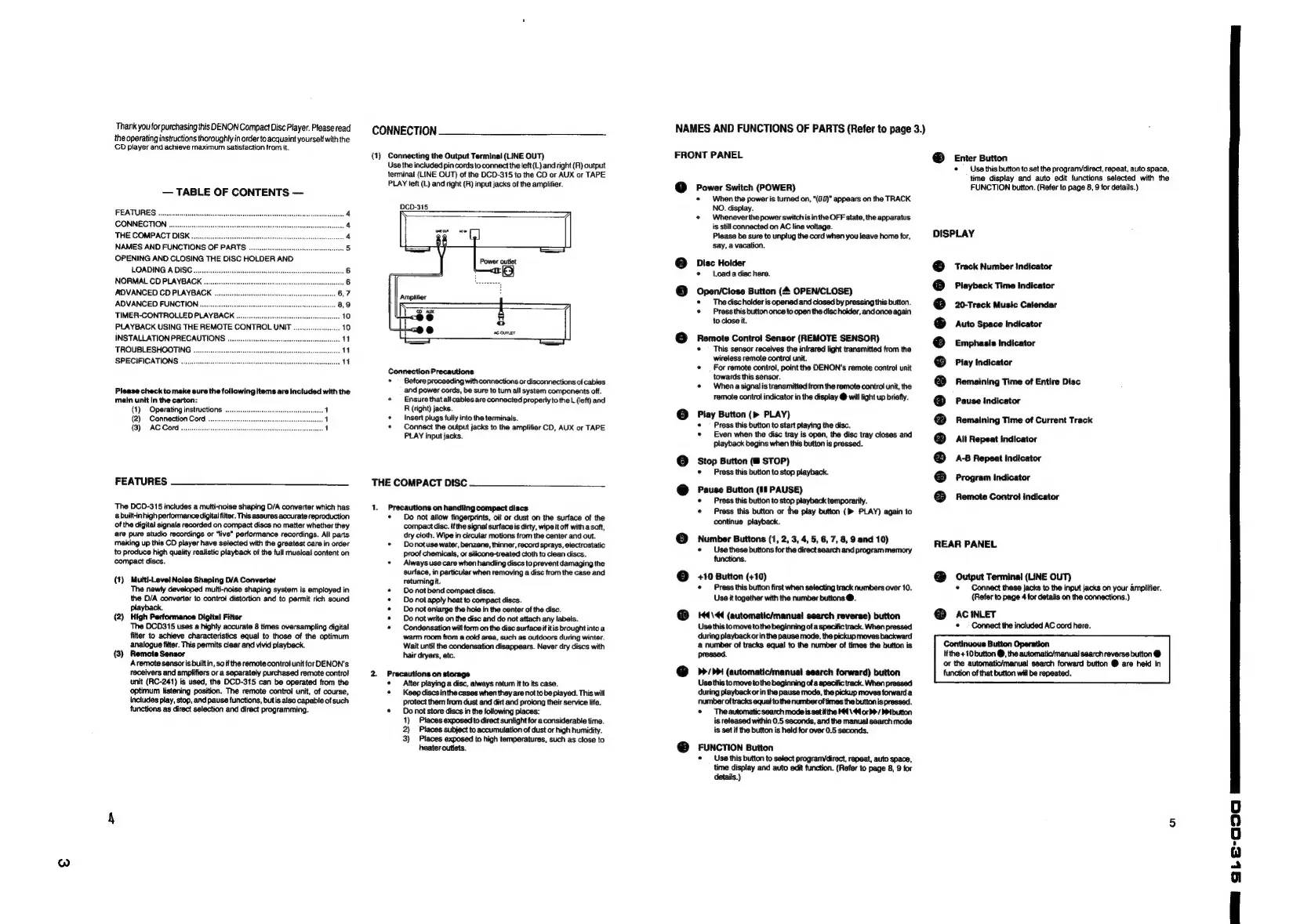
CONNECTION
(1)
Connecting
the
Output
Terminal
(LINE
OUT)
Use
the
included
pin
cords
to
connect
the
left
(L)
and
right
(R)
output
terminal
(LINE
OUT)
of
the
DCD-315
to
the
CD
or
AUX
or
TAPE
PLAY
left
(L)
and
right
(R)
input
jacks
of
the
amplifier.
DCO-315
Power
outiet
i
Amplifier
AK
Connection
Precautions
°
Before
proceeding
with
connections
or
disconnections
of
cables
and
power
cords,
be
sure
to
tum
all
system
components
off.
*
Ensure
thatall
cables
are
connected
properly
tothe
L
(left)
and
R
(right)
jacks.
*
Insert
plugs
fulty
into
the
terminals.
*
Connect
the
output
jacks
to
the
amplifier
CD,
AUX
or
TAPE
PLAY
input
jacks.
THE
COMPACT
DISC
1.
Precautions
on
handling
compact
discs.
Do
not
allow
fingerprints,
oi!
or
dust
on
the
surface
of
the
compact
disc.
ifthe
signal
surface
is
dirty,
wipe
it
off
with
a
soft,
dry
cloth.
Wipe
in
circular
motions
from
the
center
and
out.
°
—Donotuse
water,
benzene,
thinner,
record
sprays,
electrostatic
Proof
chemicals,
or
silicone-treated
cloth
to
clean
discs.
*
Always
use
care
when
handling
discs
to
prevent
damaging
the
surface,
in
particular
when
removing
a
disc
from
the
case
and
retuming
it.
Do
not
bend
compact
discs.
Do
not
apply
heat
to
compact
discs.
Do
not
enlarge
the
hole
in
the
center
of
the
disc.
Do
not
write
on
the
disc
and
do
not
attach
any
labels.
Condensation
will
form
on
the
disc
surface
if
itis
brought
into
a
warm
room
from
a
cold
area,
such
as
outdoors
during
winter.
Wait
until
the
condensation
disappears.
Never
dry
discs
with
hair
dryers,
etc.
2
Precautions
on
storage
After
playing
a
disc,
always
retum
it
to
its
case.
*
Keep
discsin
the
cases
when
they
are not
to
be
played.
This
will
protect
them
from
dust
and
dist
and
prolong
their
service
life.
*
Donat
store discs
in
the
following
places:
1)
Places
exposed
to
direct
sunlight
for
a
considerabie
time.
2)
Places
subject
to
accumulation
of
dust
or
high
humidity.
3)
Places
exposed
to
high
temperatures,
such
as
close
to
heater
outlets.
NAMES
AND
FUNCTIONS
OF
PARTS
(Refer
to
page
3.)
FRONT
PANEL
Power
Switch
(POWER)
When
the
power
is
turned
on,
“(00)”
appears
on
the
TRACK
NO.
display.
«
Wheneverthe
power
switchis
in
the
OFF
state,
the
apparatus
is
stil
connected
on
AC
line
voltage.
Please
be
sure
to
unplug
the
cord
when
you
leave
home
for,
Say,
a
vacation.
Disc
Holder
°
Load
a
disc
here.
Open/Close
Button
(4
OPEN/CLOSE)
*
The
disc
holder
is
opened
and
closed
by
pressing
this
button.
*
Press
this
button
once
to
open
the
disc
holder,
and
once
again
to
close
it.
@
Remote
Contro!
Sensor
(REMOTE SENSOR)
*
This
sensor
receives
the
infrared
light
transmitted
from
the
wireless
remote
control
unit.
¢
For
remote
control,
point
the
DENON’s
remote
control
unit
towards
this
sensor.
*
When
a
signal
is
transmitted
from
the
remote
control
unit,
the
remote
control
indicator
in
the
display
@
will
fight
up
briefty.
@
Play
Button
(>
PLAY)
Press
this
button
to
start
playing
the
disc.
*
Even when
the
disc
tray
is
open,
the
disc tray
closes
and
playback
begins
when
this
button
is
pressed.
Stop
Button
(@
STOP)
*
Press
this
button
to
stop
playback.
@
Pause
Button
(Il
PAUSE)
*
Press
this
button
to
stop
playback
temporarily.
¢
Press
this
button
or
the
play
button
(>
PLAY)
again
to
continue
playback.
©
Number
Buttons
(1,
2,
3,
4,
5, 6,
7,
8,
9
and
10)
«¢
Usethese
buttons
for the
direct
search
and
program
memory
functions.
©
+10
Button
(+10)
*
Press
this
button
first
when
selecting
track
numbers
over
10.
Use
it
together
with
the
number
buttons
@.
@
144\<4
(automatic/manuai
search
reverse)
button
Use
this
tomove
to
the
beginning
of
a
specific
track.
When
pressed
during
playback
orin
the
pause
mode,
the
pickup
moves
backward
a
number
of
tracks
equal
to
the
number
of
times
the
button
is
pressed.
@
_
>>>
(automatic/manual
search
forward)
button
Use
this
to
move
to
the
beginning
of
a
specific
track.
When
pressed
during
playback
or
in
the
pause
mode,
the
pickup
moves
forward
a.
number
of
tracks
equal
to
the
number
of
times
the
button
is
pressed.
*
Theautomatic
search
mode
is
set
if
the
K44\44
or b>
/
PPibutton
is
released
within
0.5
seconds,
and
the
manual
search
mode
is
set
if
the
button
is
held
for
over
0.5
seconds.
@
FUNCTION
Button
«
Use
this
button
to
select
progranydirect,
repeat,
auto
space,
time
display
and
auto
edit
function.
(Refer
to
page
8,
9
for
details.)
®
Enter
Button
*
Use
this
button
to
set
the
progranvdirect,
repeat,
auto
space,
time
display
and
auto
edit
functions
selected
with
the
FUNCTION
button.
(Refer
to
page
8,
9
for
details.)
DISPLAY
Track
Number
Indicator
Playback
Time
Indicator
20-Track
Music
Calendar
Auto
Space
Indicator
Emphasis
Indicator
Play
Indicator
Remaining
Time
of
Entire
Disc
Pause
indicator
Remaining
Time
of
Current
Track
All
Repeat
indicator
A-B8
Repeat
Indicator
Program
Indicator
Remote
Contro!
indicator
REAR
PANEL
@
Output
Terminal
(LINE
OUT)
©
Connect
these
jacks
to
the
input
jacks
on
your
amplifier.
(Refer
to
page
4
for
details
on
the
connections.)
@
AciINLET
¢
Connect
the
included
AC
cord
here.
Continuous
Button
Operation
Ifthe
+10
button
@,
the
automatic/manual
search
reverse
button
@
or
the
automatic/manual
search
forward
button
@
are
held
in
function
of
that
button
will
be
repeated.
22
8b
60
aaa
a
ae
a
ay

Related product manuals