EasyManua.ls Logo

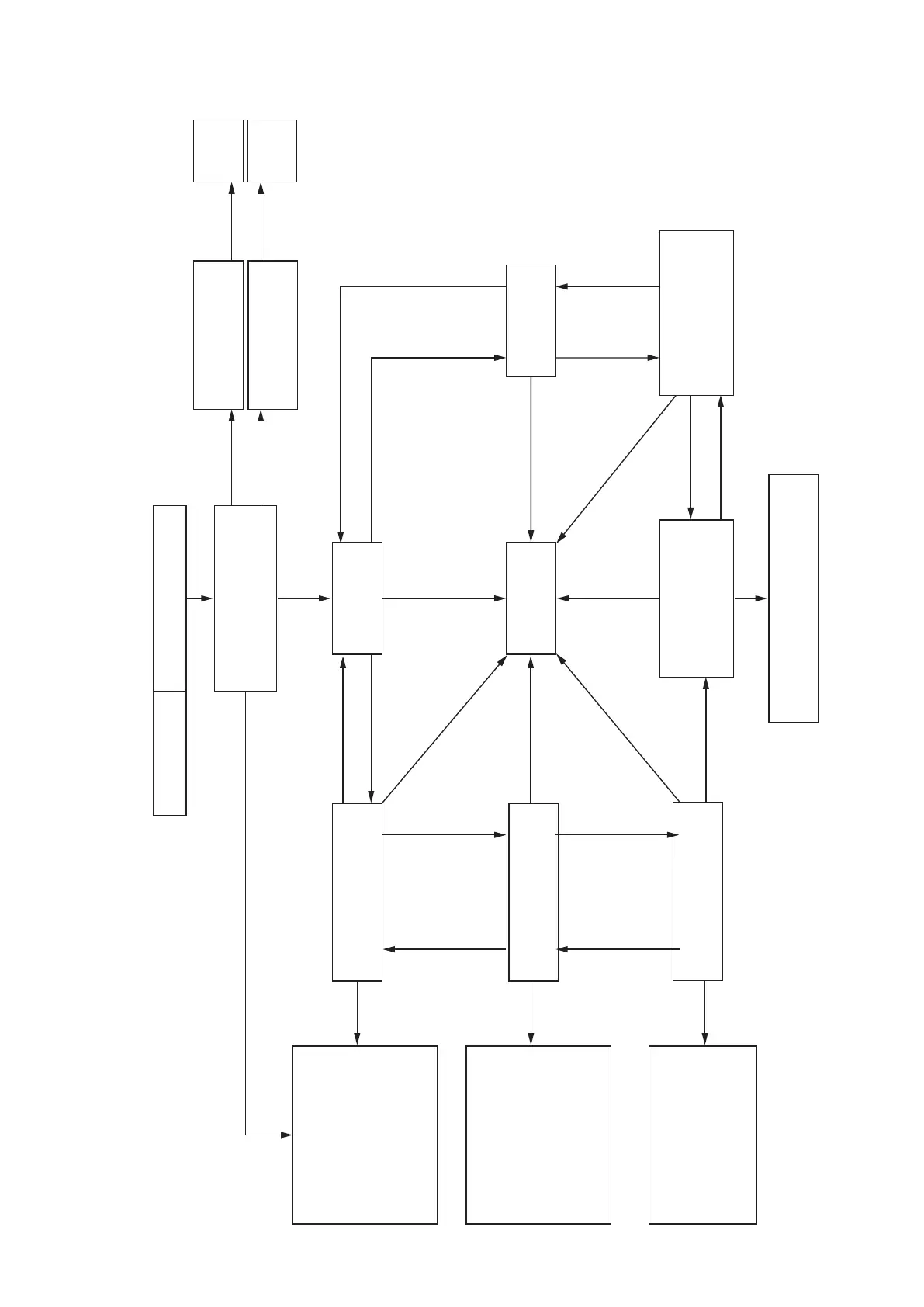
Denon DCD-F109 - Special Mode Transition Diagram

Denon DCD-F109
84 pages
Print Icon
To Next Page IconTo Next Page
To Previous Page IconTo Previous Page
Loading...
31
Special mode transition diagram
9 +
ON/STANDBY
2
+
ON/STANDBY
5+2+AC_ONService mode
Main µ-com
Ver.display
USB µ-com
Ver.display
CD test mode
Model Name display
“DCD-F109”
Main Ver. display reappears.
USB Ver UP mode
“Ver UP USB” display
Main Ver UP mode
“Ver UP Main” display
1/3
1/3
1/3
8 or 9
2+1/3
2+1/3
1/3 or
5
1/3 or
5
2+1/3
2+1/3
2+1/3
2+1/3
2+1/3
9
9
9
9
9
8
9
9
8
8
8
8
8
8
1/3
Start
Ver UP
Start
Ver UP
H.R.NORMAL display
H.R.SHORT display
H.R.CHACKING display
FL tube
The display for each grid.
(It displays at intervals
of 1 second.)
FL all light
The entire display is
flashing with an interval
of about 1 second.
H.R.NORMAL operation
TOC read playback
title-all of the disc.
OPEN CLOSE
TOC read
It displays repeatedly.
H.R.SHORT operation
TOC read playback
title-end of the disc.
OPEN CLOSE
TOC read
It displays repeatedly.
H.R.CHACKING operation
TOC read OPEN
CLOSE TOC read
It displays repeatedly.

Table of Contents

Other manuals for Denon DCD-F109

Related product manuals