EasyManua.ls Logo

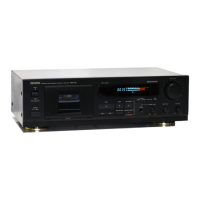
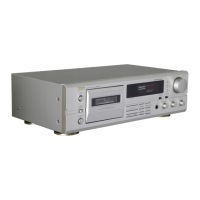
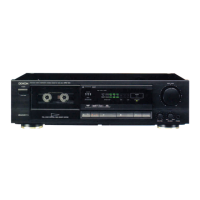
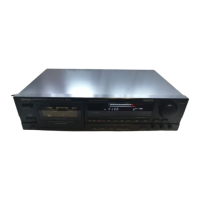
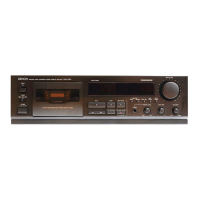
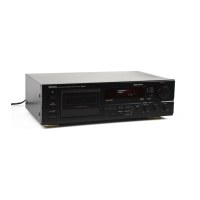
Denon DRM-555 - User Manual

Denon DRM-555
40 pages
Print Icon
To Next Page IconTo Next Page
Loading...
STEREO CASSETTE TAPE DECK
DRM-555
OPERATING INSTRUCTIONS
MODE D’EMPLOI
INSTRUCCIONES DE OPERACION
PRECISION AUDIO COMPONENT/CASSETTE TAPE DECK DRM-555
REMOTE SENSOR
L
R
-40 +10-30 +5-20 +3-10 +1-5 0-3 -1
‚¤‚‚
PLAY
2 STOP 3 REC PAUSE
REC/REC MUTE
PHONES
RESET
INPUT LEVEL
EJECT
5
¢ON £OFF
COUNTER
MEMORY
MPX
B OFF C
DOLBY NR
REC OFF PLAY.
TIMER
REV.MODE
PHONE LEVEL
MIN MAX
-
+ LEFT RIGHT
BIAS FINE BALANCE
DIRECTION
CD SYNCHRO REC
5
4
10
3
9
2
8
1
7
0
6
AUTO REVERSE
HIGH SPEED DUBBING SYSTEM
dB
FOR ENGLISH READERS PAGE 05 ~ PAGE 16
POUR LES LECTEURS FRANCAIS PAGE 17 ~ PAGE 28
PARA LECTORES DE ESPAÑOL PAGINA 29 ~ PAGINA 37

Other manuals for Denon DRM-555

Questions and Answers

  • J
    Joseph MorrisonJul 29, 2025
    Why is the sound warbled or distorted on my Denon DRM-555 Tape Deck?
    • V
      vincentemilyJul 29, 2025
      If the sound from your Denon Tape Deck is warbled or distorted, several factors could be the cause. Start by cleaning the heads, capstan, and pinch roller. If the tape is wound too tight, fast forward or rewind it to loosen the winding. Also, check if the recording input level is too high and adjust it accordingly. Finally, the tape itself might be worn out and have drop-outs, in which case you should replace it.
  • H
    haroldmartinezAug 2, 2025
    Why is there excessive noise coming from my Denon Tape Deck?
    • M
      matthewellisAug 2, 2025
      Excessive noise from your Denon Tape Deck could be due to several reasons. Begin by replacing the tape if it's worn. Also, ensure that the heads, capstan, and pinch roller are clean. If the issue persists, the heads may be magnetized, requiring demagnetization. Lastly, check if the recording input level is too low and adjust it to the appropriate level.
  • A
    Anthony BeltranAug 7, 2025
    How to troubleshoot a Denon DRM-555 that does not run?
    • M
      Mrs. Megan AshleyAug 7, 2025
      If your Denon Tape Deck isn't running, start by checking the power cord to ensure it's properly connected. If the power is on, make sure the tape isn't loose; tighten it with a pencil if needed. Verify that the cassette is loaded correctly. If none of these steps work, the cassette itself might be defective and need replacing.
  • J
    Jonathan PachecoAug 11, 2025
    Why is the treble emphasized on my Denon Tape Deck?
    • A
      allenschneiderAug 11, 2025
      If the high frequency range (treble) is emphasized on your Denon Tape Deck, the Dolby NR switch may be set improperly. Ensure the Dolby NR switch is set correctly.
  • S
    Stanley BlairAug 15, 2025
    What to do if my Denon DRM-555 is not recording?
    • C
      Carol HamiltonAug 15, 2025
      If your Denon Tape Deck is not recording when you press the Rec/Rec Mute button, first ensure that a cassette is loaded. If a cassette is loaded, check the erase prevention tabs on the cassette. If these tabs are broken off, cover the holes with adhesive tape.
  • D
    Daniel RodriguezAug 19, 2025
    Why is the treble lost on my Denon DRM-555?
    • B
      Brenda SilvaAug 19, 2025
      If the high frequency range (treble) is lost on your Denon Tape Deck, the heads may be dirty; try cleaning them. Alternatively, the tape itself may be worn, requiring replacement.
  • J
    Joshua ChapmanAug 23, 2025
    What to do if the cassette tape cannot be removed from my Denon DRM-555 Tape Deck?
    • A
      amymillerAug 25, 2025
      If you cannot remove the cassette tape from your Denon Tape Deck, and the Power Operation switch was turned off during recording or playback, turn the Power Operation switch back ON. Then, press the Stop button. After that, press the Eject button to remove the cassette tape.

Summary

Safety Precautions

General Hazards and Warnings

Covers fire, shock, moisture hazards, opening cover, and foreign object risks.

Power Cord and Electrical Safety

Details proper power cord handling and explains electrical hazard symbols.

Detailed Safety Instructions

General Operating Safety

Covers reading instructions, water/moisture, ventilation, heat, power, and grounding safety.

Specific Safety Guidelines

Covers cord protection, cleaning, antenna grounding, nonuse, object entry, and servicing.

System Connection Guide

Component Identification

Front Panel Controls and Functions

Describes power switch, eject, timer, sensor, display, Dolby NR, reverse mode, counter, input/bias/phone level, and headphone jack.

Playback Procedure

Playback Operations

Music Search System

Explains using music search for CUE (next selection) and REVIEW (current selection).

Recording Process

Recording Setup and Execution

Details setup for recording: power, tape, Dolby NR, direction, and using REC/PLAY buttons.

Optimizing Recording Level

Explains setting proper recording level for best results and provides guidelines.

Recording Features and Adjustments

Synchronized Recording

Timer Operations

Noise Reduction Systems

Maintenance Procedures

Troubleshooting Guide

Common Problems and Solutions

Lists common issues like tape not running, recording problems, and distortion, with causes and remedies.

Denon DRM-555 Specifications

General IconGeneral
TypeCassette Deck
Track System4-track, 2-channel stereo
MotorDC servo motor
Noise ReductionDolby B, C
Tape Speed4.76 cm/s
Heads1 x record/playback, 1 x erase
Tape TypeNormal, CrO2, Metal
Frequency Response20Hz - 20kHz (Metal tape)
Wow and Flutter0.05% (WRMS)
InputLine (RCA)
OutputLine (RCA)

Related product manuals