EasyManua.ls Logo

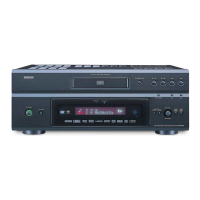
Denon DVD-558 - User Manual

Denon DVD-558
29 pages
Print Icon
To Next Page IconTo Next Page
Loading...
DVD-558
DVD VIDEO PLAYER

Table of Contents

Questions and Answers

  • C
    courtney87Aug 20, 2025
    What to do if my Denon DVD Player has no sound or picture?
    • H
      Heather StoneAug 20, 2025
      If your Denon DVD Player shows no sound or picture, verify that the TV is turned on. Also, check the video, AUDIO, and HDMI cable connections to ensure they are properly connected. Finally, confirm that the PROGRESSIVE mode is correctly set.
  • M
    Mariah RobinsonAug 22, 2025
    How to troubleshoot a Denon DVD-558 DVD Player that has no power?
    • C
      carrie37Aug 22, 2025
      If your Denon DVD Player has no power, ensure the AC power cord is properly connected. If it is, try unplugging the cord, waiting 5-10 seconds, and then plugging it back in.
  • C
    Christine PerezAug 25, 2025
    Why is my Denon DVD Player not responding to the remote control?
    • A
      Abigail CampbellAug 25, 2025
      If your Denon DVD Player isn't responding to the remote control, try these steps: * Aim the remote directly at the sensor on the front of the player. * Reduce the distance between the remote and the player. * Replace the batteries in the remote. * Ensure the batteries are correctly inserted, matching the polarities (+/– signs).
  • C
    cindy76Aug 26, 2025
    How to fix no sound or distorted sound on Denon DVD-558?
    • D
      Douglas TateAug 26, 2025
      If you experience no sound or distorted sound with your Denon DVD Player, first adjust the volume. Then, check that the speakers are correctly connected. Note that HDMI sound is not output when the AUDIO MODE is set to ANALOG.
  • M
    Mitchell NorrisAug 28, 2025
    Why is there no image from HDMI connection on my Denon DVD-558?
    • K
      katrinablankenshipAug 28, 2025
      If you're not getting an image from the HDMI connection on your Denon DVD Player: * Check the HDMI connection and the status of HDMI related indications. * Verify that your connected monitor or equipment supports HDCP, as the player requires HDCP support to output a video signal. * Check the HDMI settings. * Ensure the player's output format (HDMI FORMAT) matches the supported input format of your connected equipment.
  • P
    Patricia ChavezAug 29, 2025
    What to do if my Denon DVD-558 DVD Player cannot play a disc?
    • C
      Christopher BoltonAug 29, 2025
      If your Denon DVD Player cannot play a disc: * Clean the disc. * Make sure the disc label is facing up. * Try another disc to check if the disc is defective. * Cancel Ratings control or change the control level. * Ensure you are inserting a disc that is compatible with the player.
  • S
    Samantha RodriguezAug 31, 2025
    How to fix a distorted picture on my Denon DVD-558?
    • J
      Jeremy YoungAug 31, 2025
      If you're experiencing a distorted picture with your Denon DVD Player, note that a small amount of picture distortion may sometimes appear, which is not a malfunction. However, you should connect the player directly to the TV. Also, check if the PROGRESSIVE mode is set correctly and verify the TV TYPE (MULTI, NTSC or PAL).
  • E
    Emily RussellSep 2, 2025
    Why does my Denon DVD Player show a distorted or black/white picture with DVDs?
    • D
      Darrell JohnsonSep 2, 2025
      If your Denon DVD Player shows a completely distorted or black and white picture with a DVD, connect the DVD player directly to the TV. Also, ensure the disc is compatible with the DVD player.
  • G
    gravesnicholeSep 4, 2025
    What to do if the buttons on my Denon DVD-558 do not work?
    • L
      Laura GarciaSep 4, 2025
      If the buttons on your Denon DVD Player do not work or the player stops responding, unplug the AC cord from the AC outlet for 5-10 seconds to completely reset the player.
  • G
    gregoryscottSep 6, 2025
    Why does the picture freeze during playback on my Denon DVD Player?
    • N
      natalienelsonSep 6, 2025
      If the picture on your Denon DVD Player freezes momentarily during playback, check the disc for fingerprints or scratches and clean it with a soft cloth, wiping from the center to the edge. You can also simply try cleaning the disc.

Summary

IMPORTANT SAFEGUARDS

Appliance Usage and Care Precautions

Details safety measures for cleaning, attachments, environment, and proper product placement.

PRECAUTIONS

Electrical Shock Prevention

Advises on preventing electric shock, including plug insertion and avoiding moisture.

ABOUT THE DISCS

Playable Disc Types and Compatibility

Lists compatible disc formats (DVD, CD, MP3, JPEG, WMA) and notes on playback issues.

FEATURES

FUNCTIONAL OVERVIEW

Front Panel Layout and Indicators

Identifies and describes the buttons and indicators on the player's front panel.

Remote Control Operation Overview

Introduces the remote control and its main buttons for operating the DVD player.

Remote Control Button Functions Table

Details the specific functions of remote control buttons for different disc types.

CONNECTIONS

Rear Panel Connections Overview

Illustrates and describes the various input and output ports on the rear of the DVD player.

Audio System Connection Methods

Shows two methods for connecting the DVD player to audio systems, including digital outputs.

TV Video Connection Options

Details three methods for connecting the DVD player to a TV for video output.

HDMI Connection Guide

Explains how to connect the player to an HDMI-compatible display for high-definition output.

DISC PLAYBACK

Basic Playback and Disc Handling

Steps for starting playback, stopping, and general notes on disc handling during playback.

Still, Resume, and Step Playback Modes

Details how to use Still, Resume, and Step-by-step playback functions.

Zoom and Search Functionality

Explains how to use the Zoom feature for magnification and various search functions.

Track and Time Search Methods

Explains how to search for specific tracks or time points on a disc.

Repeat Playback Modes

Covers different repeat modes like Title/Chapter, Track/Group/All, and A-B Repeat.

A-B Repeat Playback

Instructions for setting and using the A-B Repeat function for specific segments.

Program Playback Setup

Guides on creating a custom playback sequence for audio CDs, MP3, JPEG, and WMA.

Random Playback Mode

Explains how to shuffle the playback order of tracks for a random listening experience.

MP3, JPEG, WMA File Playback

Details how to play back discs containing MP3, JPEG, and WMA files.

Changing On-Screen Display Information

Explains how to cycle through display information like track numbers, time, and repeat status.

DVD SETUP

Ratings Control and Password Management

Sets parental controls, rating levels, and manages the four-digit password.

TROUBLESHOOTING GUIDE

Denon DVD-558 Specifications

General IconGeneral
BrandDenon
ModelDVD-558
CategoryDVD Player
LanguageEnglish

Related product manuals