EasyManua.ls Logo

Denon DVD-5910 - User Manual

Denon DVD-5910
246 pages
Print Icon
To Next Page IconTo Next Page
Loading...
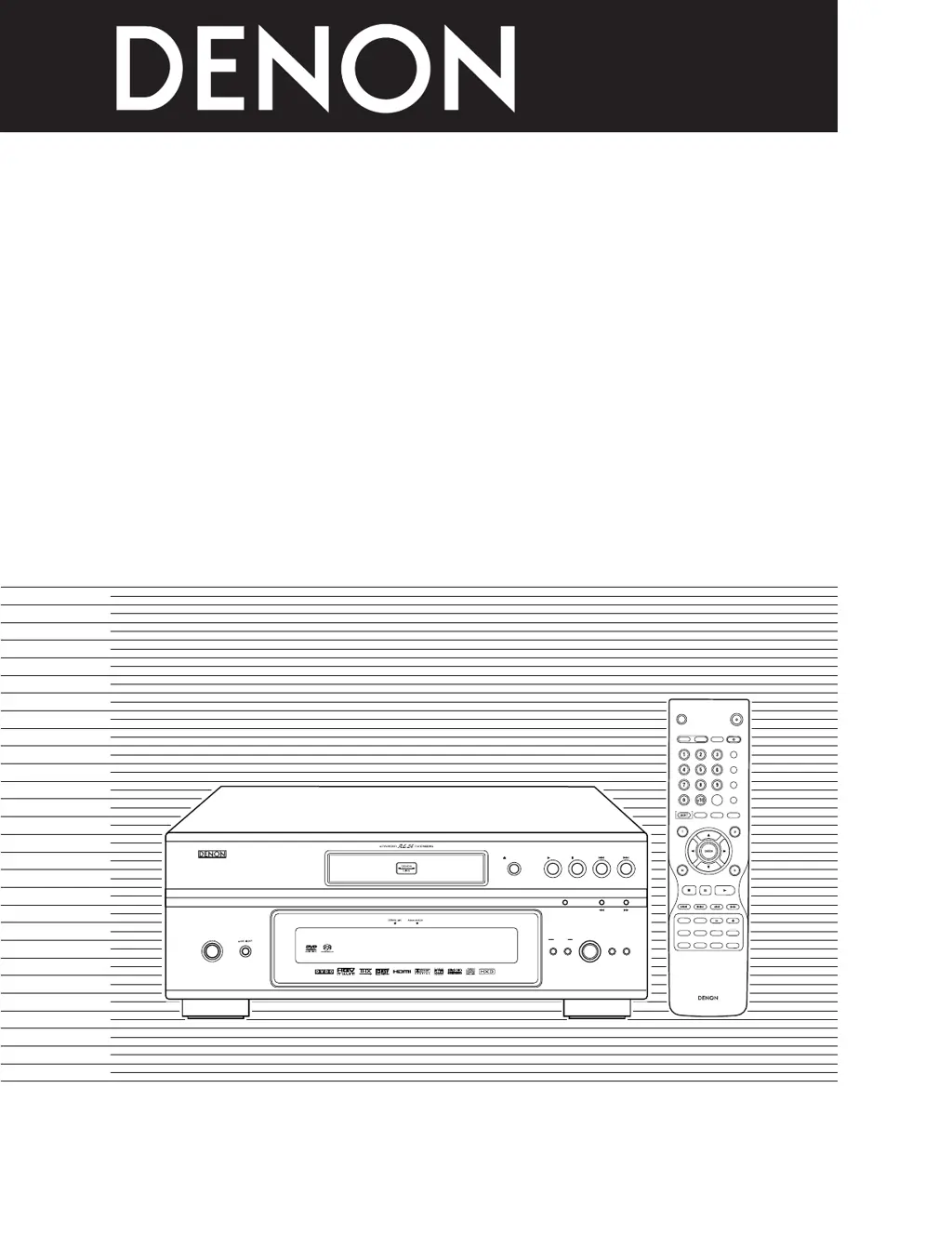
DVD AUDIO-VIDEO/SUPER AUDIO CD PLAYER
DVD-5910
OPERATING INSTRUCTIONS
MODE D’EMPLOI
INSTRUCCIONES DE OPERACION
HDM
I/DVI
OPEN/
SUPER AUDIO
CLOSE
CD SETUP
PROGRAM
/DIRECT
CLEAR
CALL
SEARCH M
ODE
PAGE
PICTURE
ADJUST
PURE DI
RECT
D
ISPLAY
TOP M
EN
U
RETURNM
ENU
SKIP
SLOW
/SEARCH
PLAY
STILL/PAUSE
STOP
BACK LIGHT
POW
ER OFF
POW
ER ON
AUDIOSUBTITLE
ANGLE
MARKERRANDOM DIMMERZOOM
PICT ADJ.SETUP MEMORY
A-BREPEAT
SELECT
SELECT FORMAT NTSC/PAL
RC-993
PLAY STOP
OPEN/ CLOSE
DVD AUDIO-VIDEO / SUPER AUDIO CD PLAYER DVD-5910
STILL / PAUSE
PURE
DIRECT
SELECT
VIDEO MODE
PUSH ENTER
FORMAT
SELECT
HDMI / DVI SUPER 
AUDIO CD
SET UP
ON / STANDBY
FOR ENGLISH READERS PAGE 006 ~ PAGE 085
POUR LES LECTEURS FRANCAIS PAGE 086 ~ PAGE 165
PARA LECTORES DE ESPAÑOL PAGINA 166 ~ PAGINA 245

Table of Contents

Other manuals for Denon DVD-5910

Questions and Answers

  • T
    Thomas AndradeAug 19, 2025
    Why is my Denon DVD Player remote control not working?
    • R
      rrobertsonAug 19, 2025
      If your Denon DVD Player remote control isn't working, first ensure the batteries are correctly inserted, matching the polarities. If that doesn't solve it, the batteries might be dead, so try replacing them with new ones. Also, make sure you're pointing the remote directly at the player's sensor within a 7-meter range and that nothing is blocking the signal.
  • M
    Michelle ParksAug 21, 2025
    How to fix a Denon DVD Player when the picture does not appear?
    • J
      jeffrey29Aug 22, 2025
      If the picture on your Denon DVD Player doesn't appear on the screen, start by checking all the connections to ensure they are secure. Then, verify that the VIDEO OUT setting is not set to “VIDEO OUT:OFF” or “ALL OFF” within the PURE DIRECT MODE settings. Finally, make sure that your TV’s input is correctly set to “video”.
  • M
    Misty BaileyAug 25, 2025
    Why is there no sound from my Denon DVD Player or the sound quality is poor?
    • A
      Anthony LynnAug 25, 2025
      If your Denon DVD Player isn't producing sound or the sound quality is poor, begin by checking all the connections. Ensure the input settings on your TV or stereo are properly configured. Also, verify the “DIGITAL OUTPUT” and “COMPRESSION” settings on your DVD player. If you are using Super Audio CDs, note that digital signals cannot be output, so use analog or IEEE1394 connections.
  • V
    Victoria StanleyAug 26, 2025
    What to do if my Denon DVD-5910 DVD Player doesn't start playback or stops immediately?
    • C
      Cindy GutierrezAug 26, 2025
      If playback on your Denon DVD Player doesn't start when you press the PLAY button, or it stops immediately, check the disc for condensation and let it stand for 1 to 2 hours. Ensure that you are using a compatible disc (DVDs, SuperAudio CDs, video CDs, and music CDs). Also, if the disc is dirty, wipe it clean.
  • S
    Shawn McleanAug 28, 2025
    Why are the picture and sound interrupted with HDMI/DVI connections on my Denon DVD Player?
    • R
      richardvaldezAug 28, 2025
      If you're experiencing interrupted picture and sound with HDMI/DVI connections on your Denon DVD Player, it might be because the “HDMI/DVI FORMAT” setting is set to “AUTO”. This can cause interruptions when cables are connected or disconnected, or depending on the connected device's conditions.
  • M
    Meagan HernandezAug 30, 2025
    How do I fix no image with HDMI/DVI connection on my Denon DVD Player?
    • J
      Jasmine MillerAug 30, 2025
      If you're not getting an image with an HDMI/DVI connection on your Denon DVD Player, first, check the HDMI/DVI connection, paying attention to the HDMI/DVI indicators. Ensure that your connected monitor or equipment supports HDCP. Also, verify the settings of “HDMI/DVI SELECT” and confirm that the output format of the DVD player matches the input format of the connected equipment. Finally, check that the video output setting at “PURE DIRECT” is not set to “VIDEO OUT : OFF” or “ALL OFF.”
  • D
    Dennis NunezSep 1, 2025
    Why aren't the menu screen messages displaying in the correct language on my Denon DVD-5910?
    • C
      Carolyn BanksSep 1, 2025
      If the menu screen messages for the desired language are not displaying on your Denon DVD Player, check the default setting for the disc language’s menu language.
  • T
    Timothy BarreraSep 3, 2025
    How do I adjust the aspect ratio on my Denon DVD-5910 DVD Player to display picture in 4:3 or 16:9?
    • J
      Joseph ColeSep 3, 2025
      If the picture is not displayed in 4:3 (or 16:9) on your Denon DVD Player, set the “TV ASPECT” default setting to the appropriate setting for your connected TV.
  • I
    Isaac WalshSep 5, 2025
    Why isn't my Denon DVD Player playing the disc with the default audio or subtitle language?
    • A
      Anna BaileySep 6, 2025
      The disc does not play with the selected audio or subtitle language if that audio or subtitle language is not included on that DVD.
  • J
    johnwilliamsSep 7, 2025
    What to do if I forgot the password for the rating level on my Denon DVD-5910 DVD Player?
    • M
      Maria SanchezSep 8, 2025
      To reset the forgotten password for the rating level on your Denon DVD Player: In stop mode, press and hold the SKIP 9 button and the PLAY button simultaneously, then hold the OPEN/CLOSE button down for more than 3 seconds (until “INITIALIZE” disappears from the TV monitor). This will release the lock and revert all settings to default.

Denon DVD-5910 Specifications

General IconGeneral
Video D/A Converter216MHz/14-bit
Audio D/A Converter192 kHz/24-bit
Progressive ScanYes
HDMI OutputYes
HDCD DecodingYes
UpscalingYes, up to 1080p
Disc FormatsDVD-Video, DVD-Audio, CD, CD-R/RW
Video OutputComponent, Composite, S-Video
Output Resolution480i/480p/720p/1080i/1080p
Weight14.2 kg (31.3 lbs)

Related product manuals