EasyManua.ls Logo

Denon DVD-557 - User Manual

Denon DVD-557
84 pages
Print Icon
To Next Page IconTo Next Page
Loading...
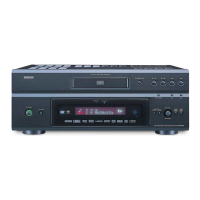
DVD-557
DVD VIDEO PLAYER
E6AH0UD(EN).qx3 2006.5.9 14:54 Page 1

Table of Contents

Other manuals for Denon DVD-557

Questions and Answers

  • M
    mlyonsSep 3, 2025
    What to do if my Denon DVD Player disc cannot be played?
    • X
      xharrisSep 3, 2025
      If your Denon DVD Player isn't playing a disc, first clean the disc. Ensure the disc label is facing up when you insert it. Try another disc to check if the first one is defective. Also, cancel any Ratings control settings or change the control level. Finally, make sure you're inserting a disc that is compatible with the player.
  • J
    jsanchezSep 18, 2025
    What is the default password for rating level on Denon DVD-557 DVD Player?
    • L
      Lisa HarrisonSep 18, 2025
      If you've forgotten the password for the rating level on your Denon DVD Player, enter the default password '4737'. This will clear your forgotten password.
  • C
    Corey HaysSep 16, 2025
    Why playback does not start when the title is selected on Denon DVD Player?
    • R
      riggsjosephSep 16, 2025
      If playback doesn't start when you select a title on your Denon DVD Player, check the 'RATINGS' setting.
  • J
    Jon JonesSep 14, 2025
    Why angle does not switch on Denon DVD Player?
    • D
      David MaddenSep 14, 2025
      The angle cannot be switched for DVDs which do not contain multiple angles. In some cases multiple angles are only recorded for specific scenes.
  • S
    Samantha TerrellSep 12, 2025
    Why doesn't my Denon DVD-557 respond to some operating commands during playback?
    • E
      Eric JonesSep 12, 2025
      If your Denon DVD Player does not respond to some operating commands during playback, it may be because the disc does not permit these operations. Refer to the disc's instructions for more information.
  • A
    Andrew CampbellSep 12, 2025
    How to fix no DTS sound output on Denon DVD Player?
    • M
      Michele MartinSep 12, 2025
      If your Denon DVD Player doesn't output DTS sound, use a DIGITAL OUT jack when outputting the DTS sound.
  • D
    dcampbellSep 9, 2025
    What to do if buttons do not work or Denon DVD-557 stops responding?
    • M
      Misty DuarteSep 9, 2025
      If the buttons on your Denon DVD Player aren't working or the player stops responding, unplug the AC cord from the AC outlet for 5 to 10 seconds to completely reset the player.
  • J
    James PrinceSep 7, 2025
    What to do if my Denon DVD-557 DVD Player does not respond to the remote control?
    • E
      Eric HolderSep 7, 2025
      If your Denon DVD Player is not responding to the remote control, ensure you are aiming the remote directly at the sensor on the front of the player. Try reducing the distance between the remote and the player. Replace the batteries in the remote, making sure to re-insert them with the correct polarities (+/– signs).
  • R
    Ryan DavisSep 5, 2025
    Why doesn't my Denon DVD Player return to start-up screen when disc is removed?
    • K
      Kelly RobertsSep 5, 2025
      If your Denon DVD Player does not return to the start-up screen when the disc is removed, reset the player by turning it off and then on again.
  • J
    jasonacevedoAug 20, 2025
    How to fix a Denon DVD-557 when there is no power?
    • H
      Heather ToddAug 20, 2025
      If your Denon DVD Player isn't turning on, start by ensuring the AC power cord is securely connected. If it is, try unplugging the cord, waiting 5 to 10 seconds, and then plugging it back in.

Summary

Important Safeguards

Precautions

Laser Safety

Safety measures regarding the laser system, emphasizing caution for eye injury.

Important Usage Notes

Key information regarding power supply, installation location, and general cautions for operation.

Functional Overview

Front Panel Controls

Description of the player's front panel controls and indicators.

Remote Control Functions

Overview of the remote control, its buttons, and functions.

Connections

Rear Panel Overview

Identifies and describes the various ports on the player's rear panel.

Progressive Scan Connection

Guidance on connecting for progressive scan and setting the player accordingly.

Disc Playback

Basic Playback Operations

Step-by-step guide for starting, stopping, and handling discs.

DVD Setup

Troubleshooting Guide

Specifications

Denon DVD-557 Specifications

Video Outputs IconVideo Outputs
Composite Video Output1.0 Vp-p (with 75 ohms load)
S-Video Output Y1.0 Vp-p (with 75 ohms load)
S-Video Output C0.286 Vp-p
Component Video Output Y1.0 Vp-p (with 75 ohms load)
Component Video Output Pb/Cb0.648 Vp-p (with 75 ohms load)
Component Video Output Pr/Cr0.648 Vp-p (with 75 ohms load)
Audio Specifications IconAudio Specifications
Frequency response4 Hz - 20 kHz
Signal-to-noise ratio115 dB
Dynamic range98 dB
Total harmonic distortion0.004%
Power and Dimensions IconPower and Dimensions
Power supplyAC 120 V, 60 Hz
Power Consumption12W (Standby: 0.95 W)
Dimensions435 (W) x 75 (H) x 310 (D) mm
Weight2.3 kg, 5 lbs 1 oz

Related product manuals