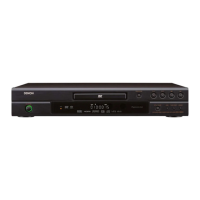
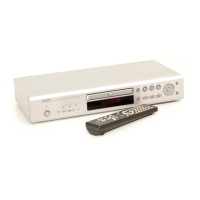
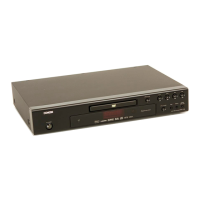
Why can't I switch the angle on my Denon DVD Player?
- SSamantha SanchezSep 15, 2025
The angle cannot be switched for DVDs that do not contain multiple angles. In some cases, multiple angles are only recorded for specific scenes.
Why can't I switch the angle on my Denon DVD Player?
The angle cannot be switched for DVDs that do not contain multiple angles. In some cases, multiple angles are only recorded for specific scenes.
What to do if my Denon CD Player has no sound or picture?
If you're experiencing no sound or picture with your Denon CD Player, verify that your TV is turned on and check the video and HDMI connections. Also, check the AUDIO/VIDEO cable connections to the TV. If using HDMI, and progressive signals are not output from the COMPONENT VIDEO OUT jacks, press the HDMI button on the front panel to set the HDMI output mode to OFF. Ensure that PURE DIRECT is set to “OFF,” and confirm that the VIDEO OUT mode is set correctly.
Why does my Denon DVD-1920 DVD Player have no sound or distorted sound?
If you're experiencing no sound or distorted sound with your Denon DVD Player, first adjust the volume. Then, check that the speakers are connected correctly. Note that HDMI sound is not output during PURE DIRECT or when AUDIO MODE is set to ANALOG.
Why is there no sound or distorted sound from my Denon CD Player?
If you're getting no sound or distorted sound from your Denon CD Player, start by adjusting the volume and checking that the speakers are connected correctly. Note that HDMI sound is not output during PURE DIRECT or when AUDIO MODE is set to “ANALOG.”
What is the default password for rating level on Denon DVD Player?
If you've forgotten the password for the rating level on your Denon DVD Player, enter the default password “4737”. This will clear your forgotten password.
Why doesn't playback start when I select a title on my Denon CD Player?
If playback does not start when the title is selected on your Denon CD Player, check the “RATINGS” setting.
Why is the picture on my Denon DVD Player distorted or black and white with a DVD?
If you're experiencing a completely distorted or black and white picture with your Denon DVD Player, try connecting the DVD player directly to the TV. Also, make sure the disc is compatible with the DVD player.
How to fix no audio at digital output on Denon DVD-1920 DVD Player?
To troubleshoot no audio at the digital output on your Denon DVD Player, first check the digital connections. Then, verify the audio settings. Note that digital signals cannot be output with Super Audio CDs; use analog connections instead. Also, ensure the area/layer of the Super Audio CD being played (MULTI/STEREO/CD) matches the amplifier connections.
What to do if my Denon DVD Player remote control is not working?
If your Denon DVD Player isn't responding to the remote, try these steps: First, aim the remote directly at the sensor on the front of the player. If that doesn't work, reduce the distance between the remote and the player. Also, replace the batteries in the remote, ensuring they are inserted with the correct polarities (+/– signs).
How to reset forgotten password for rating level on Denon CD Player?
If you've forgotten the password for the rating level on your Denon CD Player, enter the default password “4737”. This will clear your forgotten password.
Technical details including output levels, impedance, and frequency response.
Guidelines to prevent injury from laser beam exposure during operation or servicing.
General safety warnings for product use and critical component replacement.
Procedures to verify compliance with safety standards after repair, including clearance and leakage.
Diagnostic flowcharts for identifying and resolving various operational faults.
Technical details including output levels, impedance, and frequency response.
Guidelines to prevent injury from laser beam exposure during operation or servicing.
General safety warnings for product use and critical component replacement.
Procedures to verify compliance with safety standards after repair, including clearance and leakage.
Diagnostic flowcharts for identifying and resolving various operational faults.
| analog output | 1 set (L/R) |
|---|---|
| multi channel output | 1 set (Front L/R, Center, Surround L/R, Subwoofer) |
| optical digital output | 1 |
| coaxial digital output | 1 |
| HDMI output | 1 |
| frequency response | 4 Hz - 20 kHz |
|---|---|
| signal-to-noise ratio | 115 dB |
| dynamic range | 98 dB |
| total harmonic distortion | 0.004% |
| composite video output | 1.0 Vp-p (with 75 ohms load) |
|---|---|
| S-Video output Y | 1.0 Vp-p (with 75 ohms load) |
| S-Video output C | 0.286 Vp-p |
| component video output Y | 1.0 Vp-p (with 75 ohms load) |
| component video output Pb/Cb | 0.648 Vp-p (with 75 ohms load) |
| component video output Pr/Cr | 0.648 Vp-p (with 75 ohms load) |
| HDMI output version | 1.1 |
| power supply | AC 120 V, 60 Hz |
|---|---|
| power consumption | 20 W |
| standby power consumption | 1 W |
| dimensions (W x H x D) | 435 x 75 x 310 mm |
| dimensions (W x H x D) inches | 17-3/32 x 2-61/64 x 12-13/32 inches |
| weight | 2.6 kg |
| weight in pounds | 5.72 lbs |
Loading...