EasyManua.ls Logo

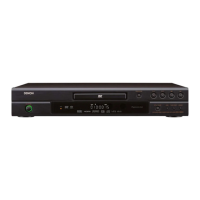
Denon DVD-1920 - Service Manual

Denon DVD-1920
51 pages
Print Icon
To Next Page IconTo Next Page
Loading...
SERVICE MANUAL
DVD AUDIO-VIDEO / SUPER AUDIO CD PLAYER
MODEL DVD-1920/756
TOKYO, JAPAN
Denon Brand Company, D&M Holdings Inc.
Some illustrations using in this service manual are
slightly different from the actual set.
Please use this service manual with referring to the
operating instructions without fail.
For purposes of improvement, specifications and
design are subject to change without notice.
本文中に使用しているイラストは、説明の都合上現物
と多少異なる場合があります。
修理の際は、必ず取扱説明書を参照の上、作業を行っ
てください。
サービスをおこなう前に、このサービスマニュアルを
必ずお読みください。本機は、火災、感電、けがなど
に対する安全性を確保するために、さまざまな配慮を
おこなっており、また法的には「電気用品安全法」に
もとづき、所定の許可を得て製造されております。
従ってサービスをおこなう際は、これらの安全性が維
持されるよう、このサービスマニュアルに記載されて
いる注意事項を必ずお守りください。
本機の仕様は性能改良のため、予告なく変更すること
があります。
補修用性能部品の保有期間は、製造打切後8年です。
注 意
X0247 V.02 DE/CDM 0508
For U.S.A. & Canada model
Ver. 2
w
w
w
.
x
i
a
o
y
u
1
6
3
.
c
o
m
Q
Q
3
7
6
3
1
5
1
5
0
9
9
2
8
9
4
2
9
8
T
E
L
1
3
9
4
2
2
9
6
5
1
3
9
9
2
8
9
4
2
9
8
0
5
1
5
1
3
6
7
3
Q
Q
TEL 13942296513 QQ 376315150 892498299
http://www.xiaoyu163.com


Other manuals for Denon DVD-1920

Questions and Answers

  • A
    Ashley KerrSep 4, 2025
    What to do if my Denon DVD-1920 cannot play a disc?
    • C
      Cody Fernandez Jr.Sep 4, 2025
      If your Denon DVD Player won't play a disc, try cleaning the disc first. Make sure the disc label is facing up when you insert it. Test with another disc to see if the original disc is defective. Also, check and cancel any Ratings control settings or change the control level. Finally, ensure that you are inserting a disc that is compatible with the player.
  • B
    Brenda MitchellSep 3, 2025
    Why is there no sound or picture on my Denon DVD Player?
    • M
      Michael WhiteheadSep 3, 2025
      If you're experiencing a lack of sound or picture with your Denon DVD Player, make sure the TV is turned on and check the video connection, including the HDMI cable. Verify the VIDEO/AUDIO cable connections to the TV. Also, try pressing the HDMI button on the front panel to set the HDMI output mode to OFF. Ensure that PURE DIRECT is set to OFF, and confirm that the PROGRESSIVE mode is correctly configured.
  • A
    April BrownSep 2, 2025
    What to do if my Denon DVD Player remote control is not working?
    • J
      Jillian GonzalesSep 2, 2025
      If your Denon DVD Player isn't responding to the remote, try these steps: First, aim the remote directly at the sensor on the front of the player. If that doesn't work, reduce the distance between the remote and the player. Also, replace the batteries in the remote, ensuring they are inserted with the correct polarities (+/– signs).
  • J
    Jillian KimSep 1, 2025
    How to fix a Denon DVD-1920 with no power?
    • A
      Ashley DrakeSep 1, 2025
      First, check if the AC power cord is properly connected. If it is, unplug the AC power cord, wait 5-10 seconds, and then plug it in again to reset the device.
  • S
    Sharon ScottAug 31, 2025
    How to reset forgotten password for rating level on Denon CD Player?
    • E
      Eric MayoAug 31, 2025
      If you've forgotten the password for the rating level on your Denon CD Player, enter the default password “4737”. This will clear your forgotten password.
  • M
    Michael FordAug 30, 2025
    How to fix picture freezing during playback on Denon CD Player?
    • S
      seanhendersonAug 30, 2025
      If the picture freezes momentarily during playback on your Denon CD Player, inspect the disc for fingerprints or scratches. Clean the disc with a soft cloth, wiping from the center to the edge.
  • M
    Matthew DaughertyAug 29, 2025
    What causes a completely distorted or black/white picture on Denon CD Player with DVD?
    • E
      edwardsbrookeAug 29, 2025
      If you are seeing a completely distorted or black and white picture with your DVD on your Denon CD Player, try connecting the DVD player directly to the TV. Also, make sure the disc is compatible with the DVD player.
  • C
    candice21Aug 28, 2025
    Why is the picture distorted on my Denon CD Player?
    • J
      jonathanherreraAug 28, 2025
      If you notice a distorted picture on your Denon CD Player, be aware that a small amount of picture distortion may appear and is not necessarily a malfunction. Try connecting the DVD player directly to the TV. Also, check if the VIDEO OUT mode is set correctly.
  • S
    sherringAug 27, 2025
    What to do if my Denon CD Player can't play a disc?
    • W
      whitedarrylAug 28, 2025
      If your Denon CD Player can’t play a disc, try cleaning the disc first. Make sure the disc label is facing up. Test with another disc to see if the original disc is defective. Also, check and cancel the ratings control or change the control level if necessary. Ensure that you are inserting a disc that is compatible with the player.
  • B
    Bryan ClementsAug 27, 2025
    How to fix no image from HDMI connection on Denon CD Player?
    • P
      petercampbellAug 27, 2025
      If you have no image from the HDMI connection on your Denon CD Player, first check the HDMI connection itself. Verify that your connected monitor or equipment supports HDCP, as the player requires this to output a video signal. Try connecting the DVD player to the display equipment using the Audio/Video cables and check the HDMI settings. Ensure the output format of the player (HDMI FORMAT) matches the supported input format of your connected equipment. Finally, check if PURE DIRECT is set to “ON” and, if so, set it to “OFF.”

Summary

SPECIFICATIONS

Specifications

Technical details including output levels, impedance, and frequency response.

SAFETY PRECAUTIONS

Laser Beam Safety Precautions

Guidelines to prevent injury from laser beam exposure during operation or servicing.

Important Safety Precautions

General safety warnings for product use and critical component replacement.

Safety Check after Servicing

Procedures to verify compliance with safety standards after repair, including clearance and leakage.

SERVICING GUIDELINES

OPERATIONAL PROCEDURES

TROUBLESHOOTING

Troubleshooting Flowcharts

Diagnostic flowcharts for identifying and resolving various operational faults.

Denon DVD-1920 Specifications

Audio Outputs IconAudio Outputs
analog output1 set (L/R)
multi channel output1 set (Front L/R, Center, Surround L/R, Subwoofer)
optical digital output1
coaxial digital output1
HDMI output1
CD Audio Specifications IconCD Audio Specifications
frequency response4 Hz - 20 kHz
signal-to-noise ratio115 dB
dynamic range98 dB
total harmonic distortion0.004%
Video Outputs IconVideo Outputs
composite video output1.0 Vp-p (with 75 ohms load)
S-Video output Y1.0 Vp-p (with 75 ohms load)
S-Video output C0.286 Vp-p
component video output Y1.0 Vp-p (with 75 ohms load)
component video output Pb/Cb0.648 Vp-p (with 75 ohms load)
component video output Pr/Cr0.648 Vp-p (with 75 ohms load)
HDMI output version1.1
General Specifications IconGeneral Specifications
power supplyAC 120 V, 60 Hz
power consumption20 W
standby power consumption1 W
dimensions (W x H x D)435 x 75 x 310 mm
dimensions (W x H x D) inches17-3/32 x 2-61/64 x 12-13/32 inches
weight2.6 kg
weight in pounds5.72 lbs

Related product manuals