EasyManua.ls Logo

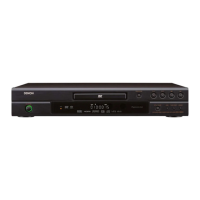
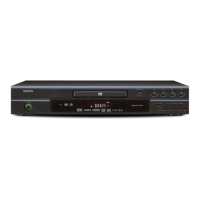
Denon DVD-1920 - Service Manual

Denon DVD-1920
51 pages
Print Icon
To Next Page IconTo Next Page
Loading...
SERVICE MANUAL
DVD AUDIO-VIDEO / SUPER AUDIO CD PLAYER
MODEL DVD-1920/756
TOKYO, JAPAN
Denon Brand Company, D&M Holdings Inc.
Some illustrations using in this service manual are
slightly different from the actual set.
Please use this service manual with referring to the
operating instructions without fail.
For purposes of improvement, specifications and
design are subject to change without notice.
本文中に使用しているイラストは、説明の都合上現物
と多少異なる場合があります。
修理の際は、必ず取扱説明書を参照の上、作業を行っ
てください。
サービスをおこなう前に、このサービスマニュアルを
必ずお読みください。本機は、火災、感電、けがなど
に対する安全性を確保するために、さまざまな配慮を
おこなっており、また法的には「電気用品安全法」に
もとづき、所定の許可を得て製造されております。
従ってサービスをおこなう際は、これらの安全性が維
持されるよう、このサービスマニュアルに記載されて
いる注意事項を必ずお守りください。
本機の仕様は性能改良のため、予告なく変更すること
があります。
補修用性能部品の保有期間は、製造打切後8年です。
注 意
X0247 V.02 DE/CDM 0508
For U.S.A. & Canada model
Ver. 2
w
w
w
.
x
i
a
o
y
u
1
6
3
.
c
o
m
Q
Q
3
7
6
3
1
5
1
5
0
9
9
2
8
9
4
2
9
8
T
E
L
1
3
9
4
2
2
9
6
5
1
3
9
9
2
8
9
4
2
9
8
0
5
1
5
1
3
6
7
3
Q
Q
TEL 13942296513 QQ 376315150 892498299
http://www.xiaoyu163.com

Other manuals for Denon DVD-1920

Questions and Answers

  • C
    Cynthia CoxSep 16, 2025
    What is the default password for rating level on Denon DVD Player?
    • P
      pgarnerSep 16, 2025
      If you've forgotten the password for the rating level on your Denon DVD Player, enter the default password “4737”. This will clear your forgotten password.
  • P
    Patricia MccoySep 16, 2025
    Why is there no audio at digital output on my Denon CD Player?
    • A
      Ashley KnoxSep 17, 2025
      If there is no audio at the digital output of your Denon CD Player, check the digital connections and the audio settings. Digital signals cannot be output with Super Audio CDs, so use analog connections instead. Also, the area/layer of Super audio CD being played (MULTI/STEREO/CD) must match amplifier connections.
  • C
    Christopher WashingtonSep 18, 2025
    What to do if buttons don't work on my Denon CD Player?
    • L
      Lauren FarmerSep 18, 2025
      If the buttons on your Denon CD Player aren't working or the player stops responding, try completely resetting it by unplugging the AC cord from the AC outlet for 5-10 seconds.
  • K
    Katherine HoltSep 18, 2025
    How do I get DTS sound output from my Denon CD Player?
    • B
      Brian FitzpatrickSep 19, 2025
      To get DTS sound output from your Denon CD Player, use a DIGITAL OUT jack.
  • M
    Mary GarrettSep 23, 2025
    How to fix a Denon DVD player that cannot read CDs/DVDs?
    • J
      Jennifer AbbottSep 23, 2025
      To resolve the issue of your Denon DVD player not being able to read CDs/DVDs, use a commonly available CD/DVD cleaner to clean the lens before sending the DVD player for repair.
  • P
    Paul TaylorSep 23, 2025
    What to do if my Denon CD Player doesn't return to start-up screen after removing disc?
    • L
      Lori ScottSep 23, 2025
      If your Denon CD Player does not return to the start-up screen when the disc is removed, reset the player by turning it off, then on again.
  • J
    Joseph MckaySep 23, 2025
    Why doesn't playback start when I select a title on my Denon CD Player?
    • J
      Jessica ClarkSep 23, 2025
      If playback does not start when the title is selected on your Denon CD Player, check the “RATINGS” setting.
  • C
    coopermichaelAug 23, 2025
    How to troubleshoot a Denon CD Player with no power?
    • D
      Dawn CookAug 23, 2025
      If your Denon CD Player has no power, ensure the AC power cord is properly connected. If it is, try unplugging the AC cord, waiting 5-10 seconds, and then plugging it back in.
  • J
    Julie MooreSep 6, 2025
    What to do if Denon DVD Player buttons do not work?
    • S
      steven07Sep 6, 2025
      If the buttons on your Denon DVD Player aren't working or the player stops responding, unplug the AC cord from the AC outlet for 5-10 seconds to completely reset the player.
  • S
    Sharon ChenSep 5, 2025
    How to troubleshoot no image from HDMI connection on Denon DVD-1920?
    • J
      Jacqueline WilliamsSep 5, 2025
      If you're not getting an image from the HDMI connection on your Denon DVD player, start by checking the HDMI connection and the status of HDMI related indications. Verify that your connected monitor or equipment supports HDCP. Try connecting the DVD player to the display device using the Audio/Video cables and check the HDMI settings. Ensure the output format of the player (HDMI FORMAT) matches the supported input format of the connected equipment. Finally, check if the PURE DIRECT is set to ON; if so, set it to OFF.

Summary

SPECIFICATIONS

Specifications

Technical details including output levels, impedance, and frequency response.

SAFETY PRECAUTIONS

Laser Beam Safety Precautions

Guidelines to prevent injury from laser beam exposure during operation or servicing.

Important Safety Precautions

General safety warnings for product use and critical component replacement.

Safety Check after Servicing

Procedures to verify compliance with safety standards after repair, including clearance and leakage.

SERVICING GUIDELINES

OPERATIONAL PROCEDURES

TROUBLESHOOTING

Troubleshooting Flowcharts

Diagnostic flowcharts for identifying and resolving various operational faults.

Denon DVD-1920 Specifications

Audio Outputs IconAudio Outputs
analog output1 set (L/R)
multi channel output1 set (Front L/R, Center, Surround L/R, Subwoofer)
optical digital output1
coaxial digital output1
HDMI output1
CD Audio Specifications IconCD Audio Specifications
frequency response4 Hz - 20 kHz
signal-to-noise ratio115 dB
dynamic range98 dB
total harmonic distortion0.004%
Video Outputs IconVideo Outputs
composite video output1.0 Vp-p (with 75 ohms load)
S-Video output Y1.0 Vp-p (with 75 ohms load)
S-Video output C0.286 Vp-p
component video output Y1.0 Vp-p (with 75 ohms load)
component video output Pb/Cb0.648 Vp-p (with 75 ohms load)
component video output Pr/Cr0.648 Vp-p (with 75 ohms load)
HDMI output version1.1
General Specifications IconGeneral Specifications
power supplyAC 120 V, 60 Hz
power consumption20 W
standby power consumption1 W
dimensions (W x H x D)435 x 75 x 310 mm
dimensions (W x H x D) inches17-3/32 x 2-61/64 x 12-13/32 inches
weight2.6 kg
weight in pounds5.72 lbs

Related product manuals