EasyManua.ls Logo

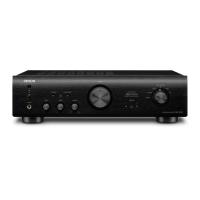
Denon PMA-720AE - User Manual

Denon PMA-720AE
24 pages
Print Icon
To Next Page IconTo Next Page
Loading...
PMA-720AE / PMA-520AE
INTEGRATED AMPLIFIER
Owners Manual
Preparations
Operations
Information

Other manuals for Denon PMA-720AE

Questions and Answers

  • D
    debbiemcconnellJul 26, 2025
    Why won't my Denon PMA-720AE turn on?
    • H
      heathleslieJul 26, 2025
      If the power indicator doesn't light up and there's no sound when you turn on your Denon Amplifier, check that the power cord is securely plugged into the wall power outlet.
  • M
    Mrs. Linda WoodJul 30, 2025
    Why is my Denon PMA-720AE Amplifier power on but has no sound?
    • L
      Luis ClarkJul 30, 2025
      If the power indicator is lit but there's no sound from your Denon Amplifier, check these potential causes: * Ensure the speaker cables are securely connected. * Verify that the correct input source is selected on the amplifier. * Make sure the volume isn't set to the minimum; adjust it to an audible level. * Confirm the input cables are properly connected.
  • B
    Brian WeaverAug 3, 2025
    How to fix Denon PMA-720AE Amplifier when sound comes from only one speaker?
    • J
      Jacob MooreAug 3, 2025
      If sound is only coming from one speaker on your Denon Amplifier, check the following: * Make sure the speaker cables are securely connected. * Ensure the input cable is fully connected. * Adjust the balance control knob to correct any left/right imbalance.
  • R
    Ryan SchultzAug 7, 2025
    How to stop humming sound from Denon PMA-720AE Amplifier when playing records?
    • D
      Dennis MathewsAug 8, 2025
      If you hear a humming sound when playing records on your Denon Amplifier, consider these potential causes: * Ensure the player’s ground wire is securely connected. * Verify that the cables are fully connected to the PHONO terminals. * Try repositioning the amplifier away from potential interference sources like TVs or VCRs.
  • A
    Amy MitchellAug 12, 2025
    Why is the sound distorted when playing records on my Denon PMA-720AE?
    • J
      jhesterAug 12, 2025
      If the sound is distorted when playing a record on your Denon Amplifier, try the following: * Adjust the needle pressure to the correct setting. * Inspect the needle tip for any dirt or debris. * Consider replacing the cartridge if it is defective.
  • J
    Justin HendersonAug 16, 2025
    Why is the stereo sound reversed on my Denon Amplifier?
    • J
      Jeffery RoseAug 16, 2025
      If the stereo sound is reversed on your Denon Amplifier, check the speaker and input cable connections to ensure that the left and right channels are correctly connected.
  • F
    Felicia LeeAug 21, 2025
    What to do if my Denon Amplifier howls when playing records?
    • D
      dcharlesAug 21, 2025
      If you experience howling when playing records at high volume on your Denon Amplifier: * Increase the distance between the record player and the speakers. * Use cushions or other absorbent materials to isolate the speakers and reduce vibration transmission to the player.

Summary

Safety Precautions

Important Safety Instructions

Core safety guidelines for using the apparatus.

General Safety Warnings and Cautions

Alerts regarding electric shock, heat, moisture, and battery handling.

Preparations

Connecting the Speakers

Step-by-step guide for connecting speakers to the unit.

Operations

Before Use

Initial setup steps before operating the unit.

Information

Troubleshooting

Solutions for common operational problems.

Denon PMA-720AE Specifications

General IconGeneral
Amplifier class-
Frequency range10 - 100000 Hz
Input sensitivity120 mV
Audio output channels2.0 channels
Peak power per channel85 W
Signal-to-Noise Ratio (SNR)107 dB
Total Harmonic Distortion (THD)0.7 %
RMS power output per channel (8 Ohm)50 W
AC (power) inYes
Audio (L/R) in5
Audio (L/R) out2
Headphone outputs1
PurposeHome
Product colorBlack
Volume controlRotary
Connectivity technologyWired
Built-in displayNo
AC input voltage230 V
AC input frequency50 Hz
Power consumption (standby)0.3 W
Power consumption (typical)200 W
Weight and Dimensions IconWeight and Dimensions
Depth308 mm
Width434 mm
Height121 mm
Weight7100 g

Related product manuals