4. USB mode
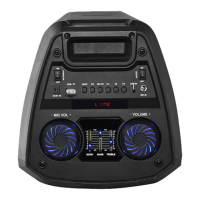
1. Insert a USB device into the speaker's USB port.
2. Or press MODE to switch to USB mode.
3. Short press the PLAY / PAUSE button to play or pause the music.
5. Auxiliary input mode
1. Connect a 3.5 mm audio cable to the unit's auxiliary input.
2. Press MODE to switch to auxiliary input mode.
3. Use the controls of the connected device to select and play the audio.
6. MicroSD card mode
1. Insert an SD card, SD card mode will start automatically.
2. Or press MODE to switch to MicroSD card mode.
3. Press the PLAY / PAUSE button to play or pause the music.


 To Next Page