ENG-4
POWER CONTROL
STANDBY CONTROL
Switching the radio on:
Press the •
button to switch on the radio.
The radio will re-tune to the last station playing.
Setting the radio to Standby:
Press the •
button to set the radio to Standby.
The time and date will be displayed.
NOTE:- The button functions as a Power ON/ O button during battery operation - the display will switch
o completely when set to Standby and Alarm and Sleep function are disabled.
INITIAL SCAN
When your radio is switched on for the rst time it will scan all usable stations and store them alphanumerically -
1 Radio, 2 Radio, AA Radio, AB Radio... The initial scan will take a few minutes. After the scan, the number of stations
found will be displayed, and the radio will play the rst station in the sequence.
Note: If no stations are found, switch the radio o and move it to a location with a stronger signal. When you
switch the radio back on it will automatically repeat the scan process.
SELECTING A DAB STATION
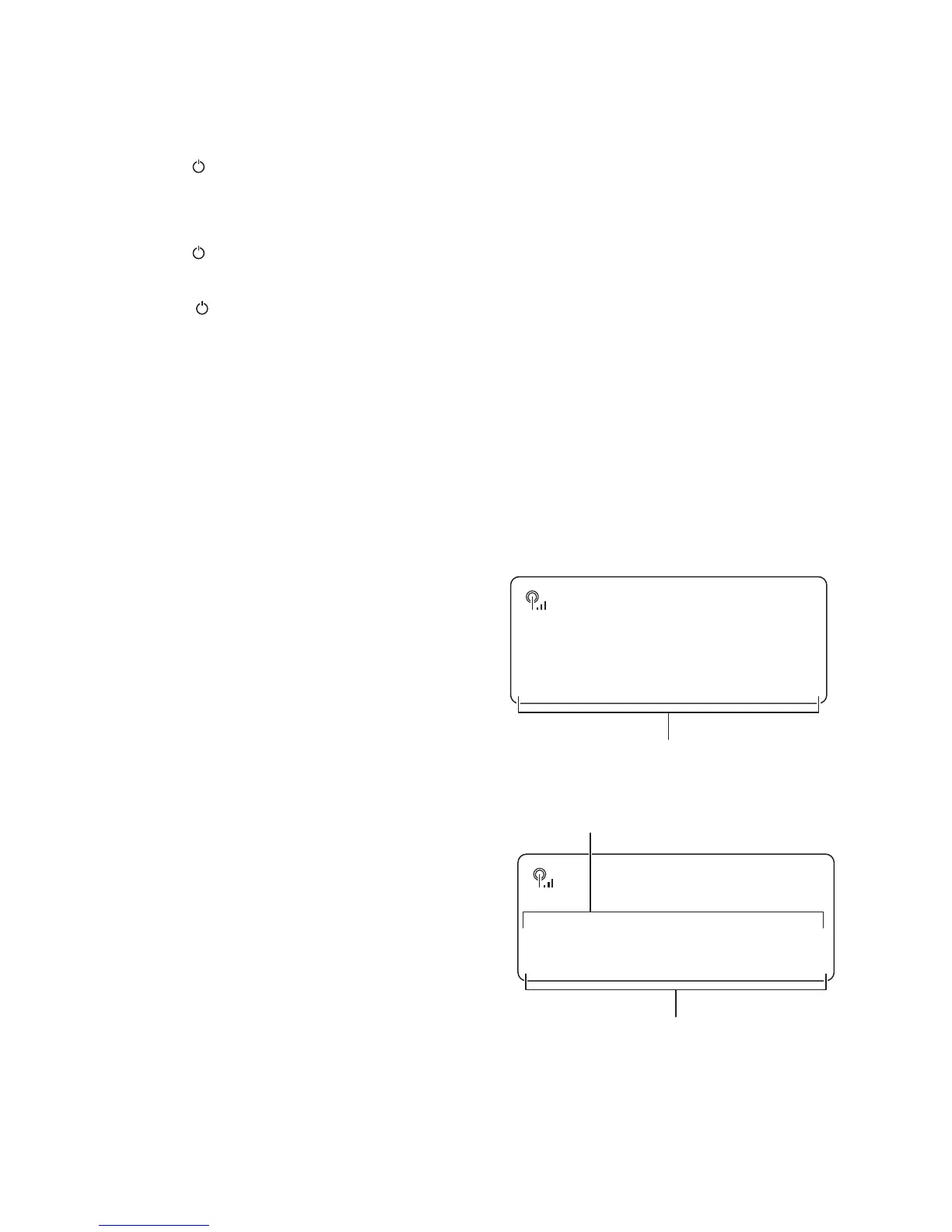
After scanning, the stations are stored in an alphanumeric
station list.
To select another station:
Turn the • Select/Station control to browse the station
list.
Station list
20:45
Station list
<BBC R2 >
DAB
Press the • Select/Station control to select the station
displayed.
The radio will re-tune to the new station.
The display will show the station name and DLS scrolling
information text.
20:45
BBC R2
.scrolling text.
DAB
Station name
Information text



 To Next Page