ENG-6
2) Supported capacity range: 8GB to 64GB
3) Supported format: FAT32
Note: Generally SD cards with capacity more than 32GB need to be formatted on this camera
first.
Note: Do not remove the SD card when in video/photo/playback mode.
Menus and Operation
1. Camera Mode
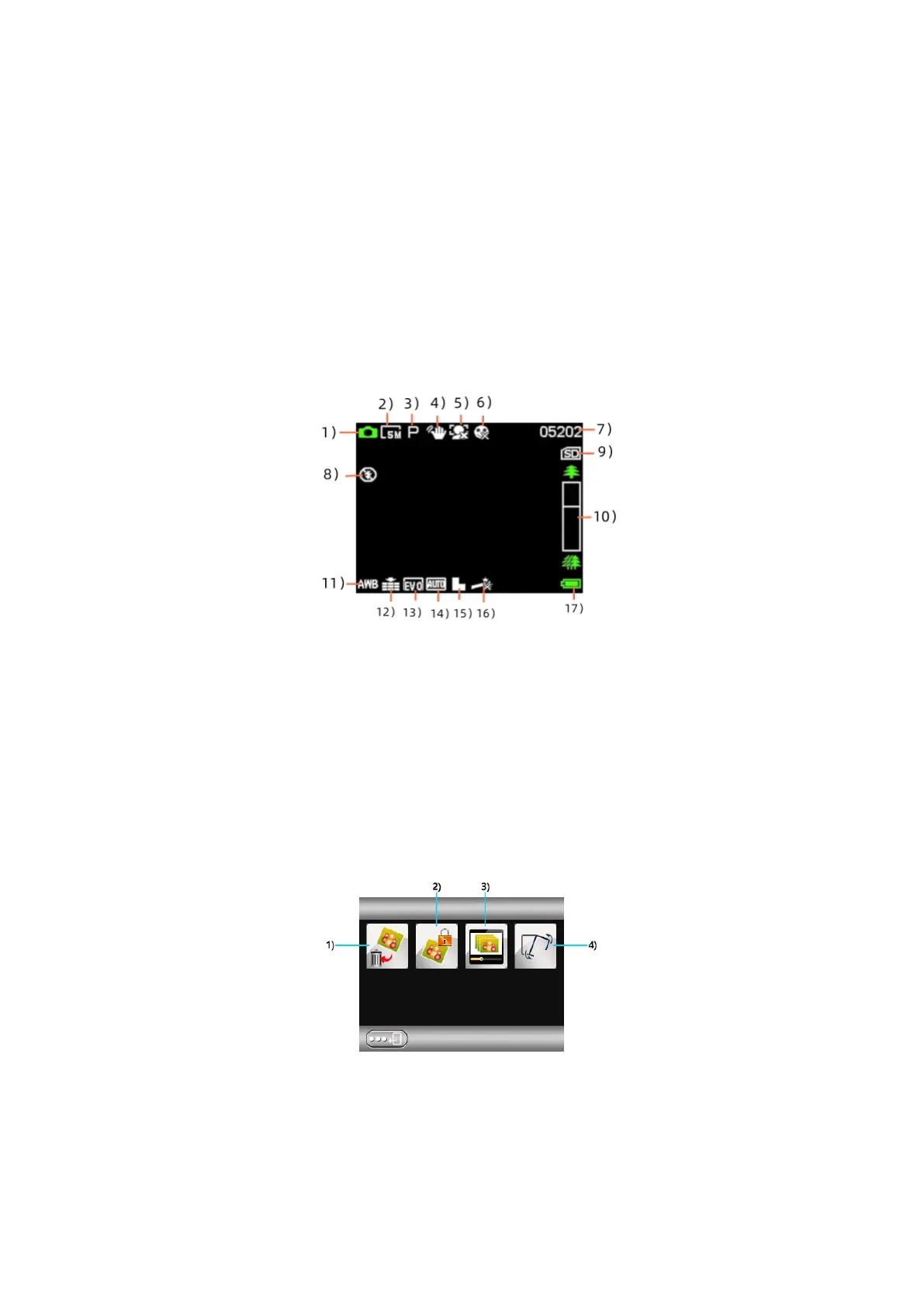
1) Icons
2) Photo resolution 3) Mode
7) Number of available photos 8) flashbulb
6) Smile shot
10) Focus progress bar
11) White balance 12) Picture quality
15 Sharpness 1613) Exposure value 14) ISO ) Photo effect 17) Power status
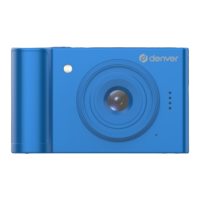
- In photo mode press the “Menu” button to access the following functions:
1) Delete 2)Protect 3) Slide playback 4) Flip
- In video mode press the ”Menu” button to access the following functions:
2.Playback Mode


 To Next Page